Using your Joybook Lite24
Using Bluetooth (available on select models)
The Bluetooth function allows you to get connected to various
devices and services that support Bluetooth transmission. You
can connect wirelessly without the need for data cables when
printing documents, synchronizing your Personal Information
Management (PIM) data with your Personal Digital Assistant
(PDA) or another Personal Computer (PC), mobile phone or
even sharing a network connection.
Connecting to a Bluetooth device
1. Slide the wireless switch to “ON”.
2. Press the <Fn> + <F2> hotkey combination to turn the
Bluetooth on. The status is indicated by the on-screen
display.
3. Turn on the power of your Bluetooth device and activate its
Bluetooth function. You also need to make your Bluetooth
device "Discoverable".
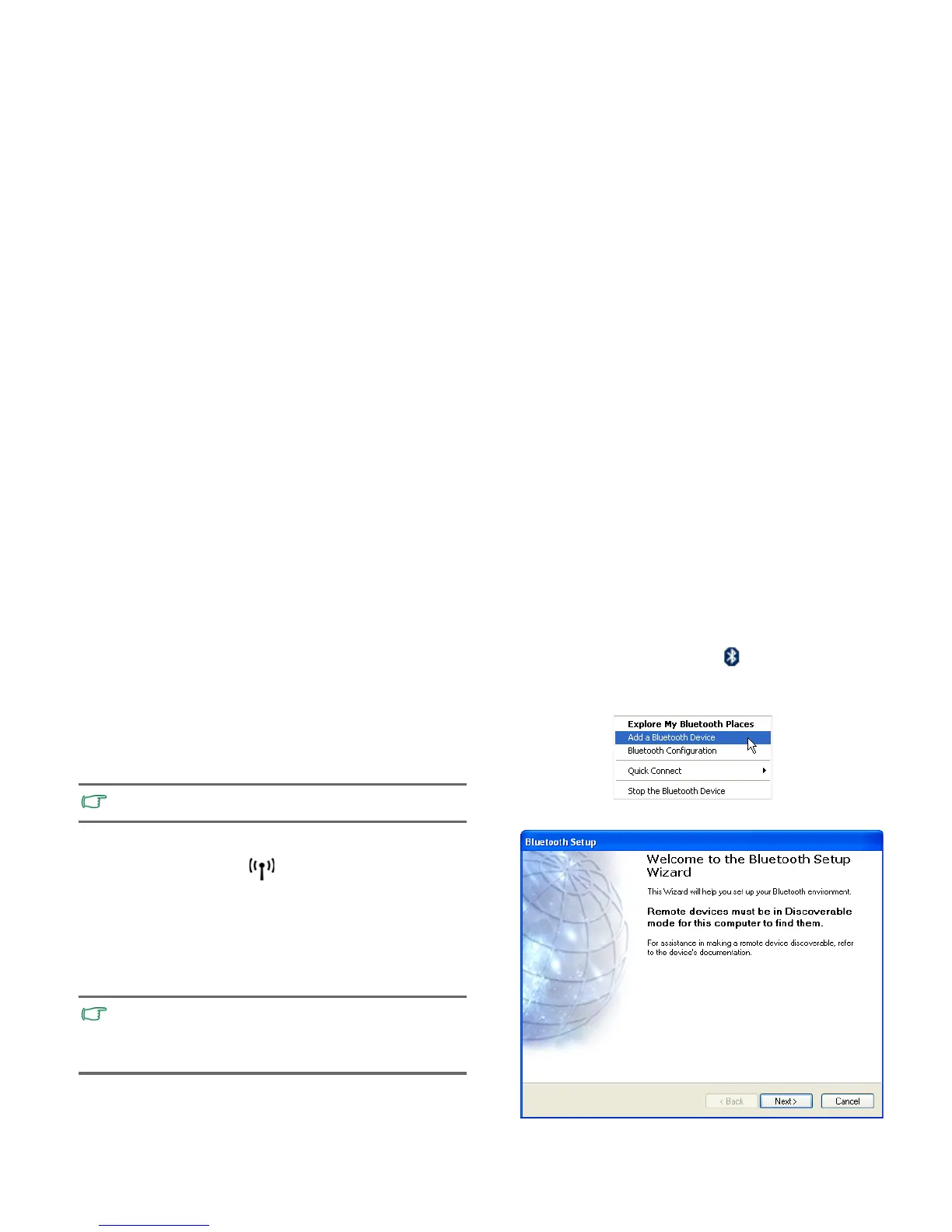
1. Right-click on the Bluetooth icon in the notification area
located at the lower right corner of the desktop, and then
click
Add a Bluetooth Device to launch the wizard.
2. Click
Next.
Bluetooth is available on select models.
• For details about how to activate the device's Bluetooth
function, please refer to its documentation.
• The maximum effective range of connection between your
Joybook Lite and the Bluetooth device is 10 meters.



 To Next Page