16 Positioning your projector
Adjusting the projected image
Adjusting the projection angle
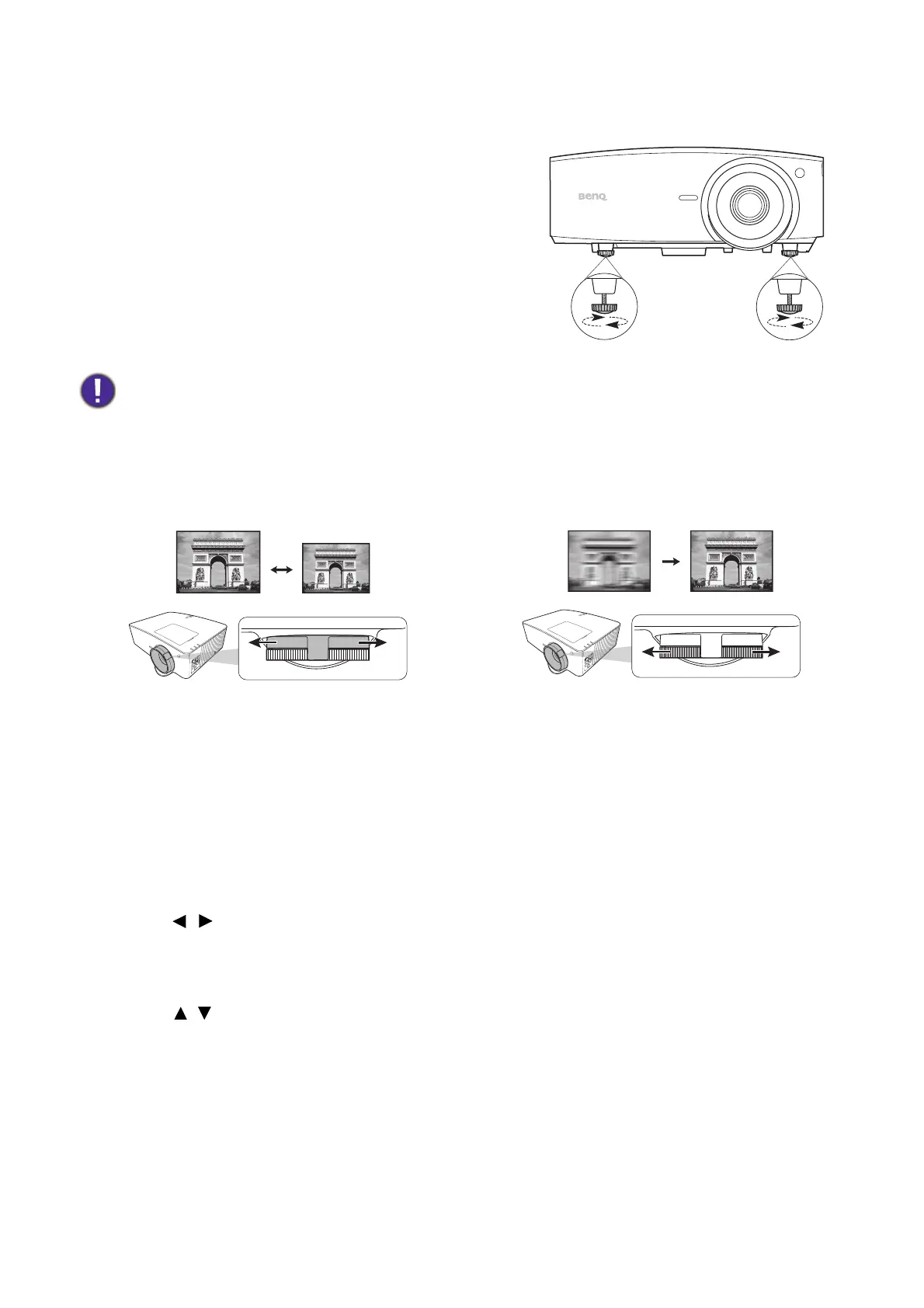
If the projector is not placed on a flat surface or the
screen and the projector are not perpendicular to each
other, the projected image becomes trapezoidal. You
can adjust the adjuster feet to fine-tune the horizontal
angle.
To retract the feet, screw the adjuster feet in a reverse
direction.
Fine-tuning the image size and clarity
Correcting keystone
Keystoning refers to the situation where the projected image becomes a trapezoid due to
angled projection.
Do not look into the lens while the light source is on. The strong light from the light source may cause
damage to your eyes.
• Adjust the projected image to the size that
you need using the zoom ring.
• Sharpen the image by rotating the focus ring.
To correct the distorted image:
1. Display the 3D Keystone correction from the following menus.
• The Installation menu of the Advanced menu system
2. After the 3D Keystone correction page appears:
• Press / to select V, H, or R.
Selecting V corrects the vertical sides keystone.
Selecting H corrects the horizontal sides keystone.
Selecting R rotates the projected image clockwise or counterclockwise.
• Press / to adjust its value.
• To automatically correct the vertical sides of the distorted image, press OK for 2
seconds, or enable Auto Vertical Keystone on the Installation menu.
3. Please be noticed that the projected image might be distorted when the keystone value is
set to over 30. And when the keystone adjustment reaches its limit, the machine will not
respond to your request. You have to set the keystone value of the axis you are adjusting
to 0 and lower another axis with the maximum value. Thus, it is recommended to set your
keystone value under 30 for each axis.



 To Next Page