37 Menu operation
Settings
Image
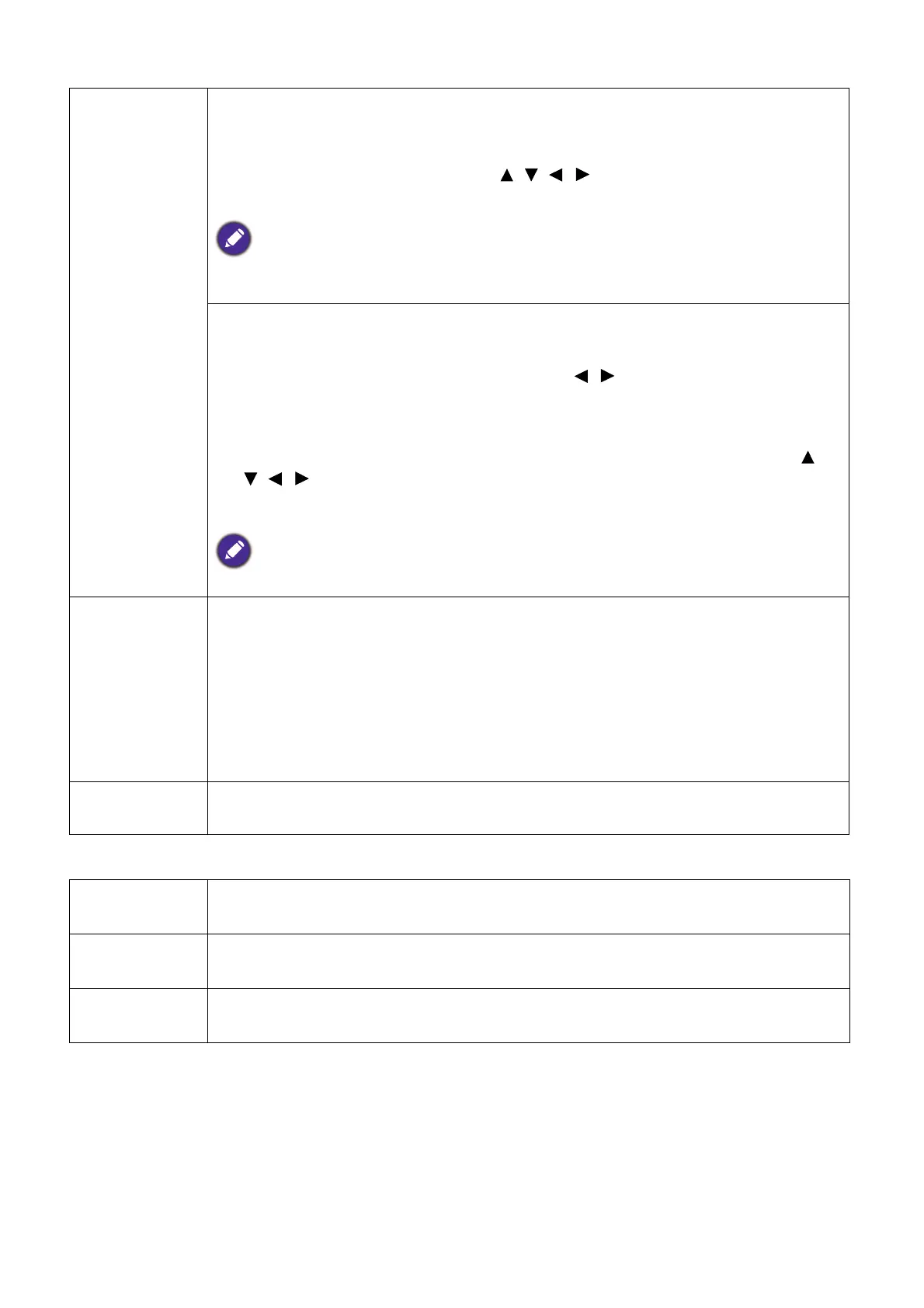
Resizing
Digital Zoom
Magnifies or reduces the projected image size. After the Digital Zoom page
displays, press ZOOM+/ZOOM- to reduce or magnify the image to a desired
size. Press the directional arrows ( , , , ) on the projector or remote
control to navigate the picture.
The picture can only be navigated after it is magnified. You can further magnify the picture
while searching for details.
Digital Shrink & Shift
Shrinks and/or shifts the projected image.
1. After the adjustment bar displays, press / repeatedly to shrink or
magnify the picture to a desired size.
2. Press OK to activate digital shift function.
3. After digital shift function is activated, press the directional arrows ( ,
, , ) to shift the image.
4. Press AUTO to restore the picture to its original size.
The picture can only be shifted after it shrank.
Fast Mode
(LH550 only)
Minimizes the response time between the input source and the displayed
image. For the optimized latency, when Fast Mode is activated,
Keystone/Aspect Ratio will return to the default settings.
*Fast Mode can only be enabled for below input timing adopted by most of
popular games:
- 1080p 60Hz/120Hz/240Hz
- 4K 60Hz
Reset Display
Returns all of the adjustments you’ve made for the Display menu to the
factory preset values.
Projector
Installation
See Choosing a location on page 12.
Auto Source
Search
Allows the projector to automatically search for a signal.
Light Usage
Time
Displays the number of hours the light source has been used.


 To Next Page