9 Introduction
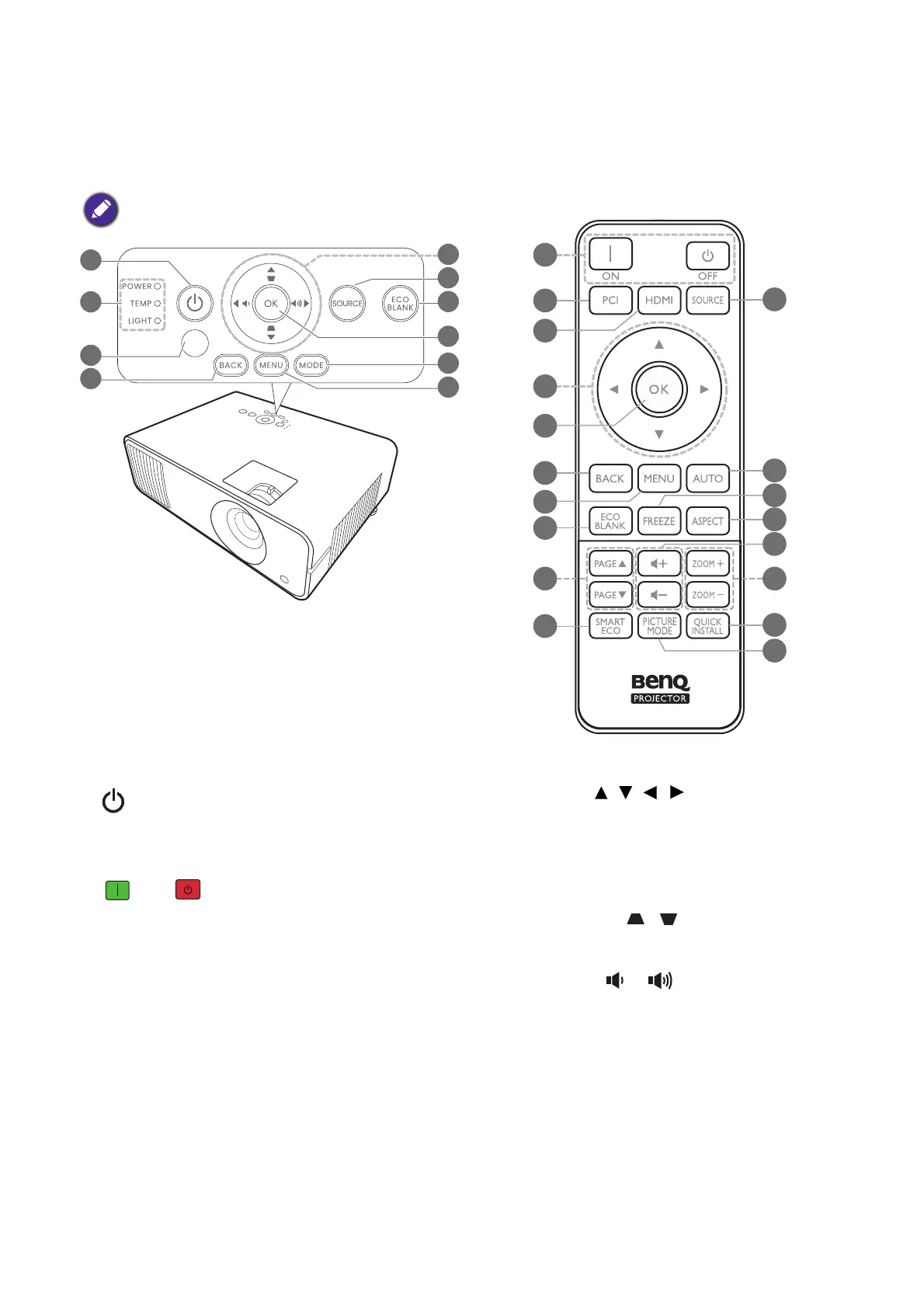
Controls and functions
Projector & Remote control
1. POWER
Toggles the projector between standby
mode and on.
ON/ Off
Toggles the projector between standby
mode and on.
2. POWER indicator light/TEMPerature
warning light/LIGHT indicator light
(See Indicators on page 43.)
3. IR remote sensor
4. BACK
Goes back to previous OSD menu, exits
and saves menu settings.
5. Arrow keys ( , , , )
When the On-Screen Display (OSD) menu
is activated, these keys are used as
directional arrows to select the desired
menu items and to make adjustments.
Keystone keys ( , )
Displays the keystone correction page.
Volume keys /
Decreases or increase the projector
volume.
All the key presses described in this
document are available on the remote control
or projector.
1
5
13
11
4
7
8
10
12
14
6
9
16
18
15
20
17
19



 To Next Page