44
Using Quick Install
This projector provides hot keys to set up Projector Installation, Test Pattern and Keystone.
Press QUICK INSTALL on the remote control and press ▲/▼ to select options:
y Projector Installation: See “Installation” on page 18.
y Test Pattern: See “Using Test Pattern” on page 43.
y 2D Keystone: See “Correcting 2D keystone” on page 29.
Control the projector via the wired LAN environment
When the computer and projector are connected to the same LAN correctly, you can manage the
projector by using the web browser on the computer via the "wired LAN".
Install the wired LAN setting
In the DHCP environment:
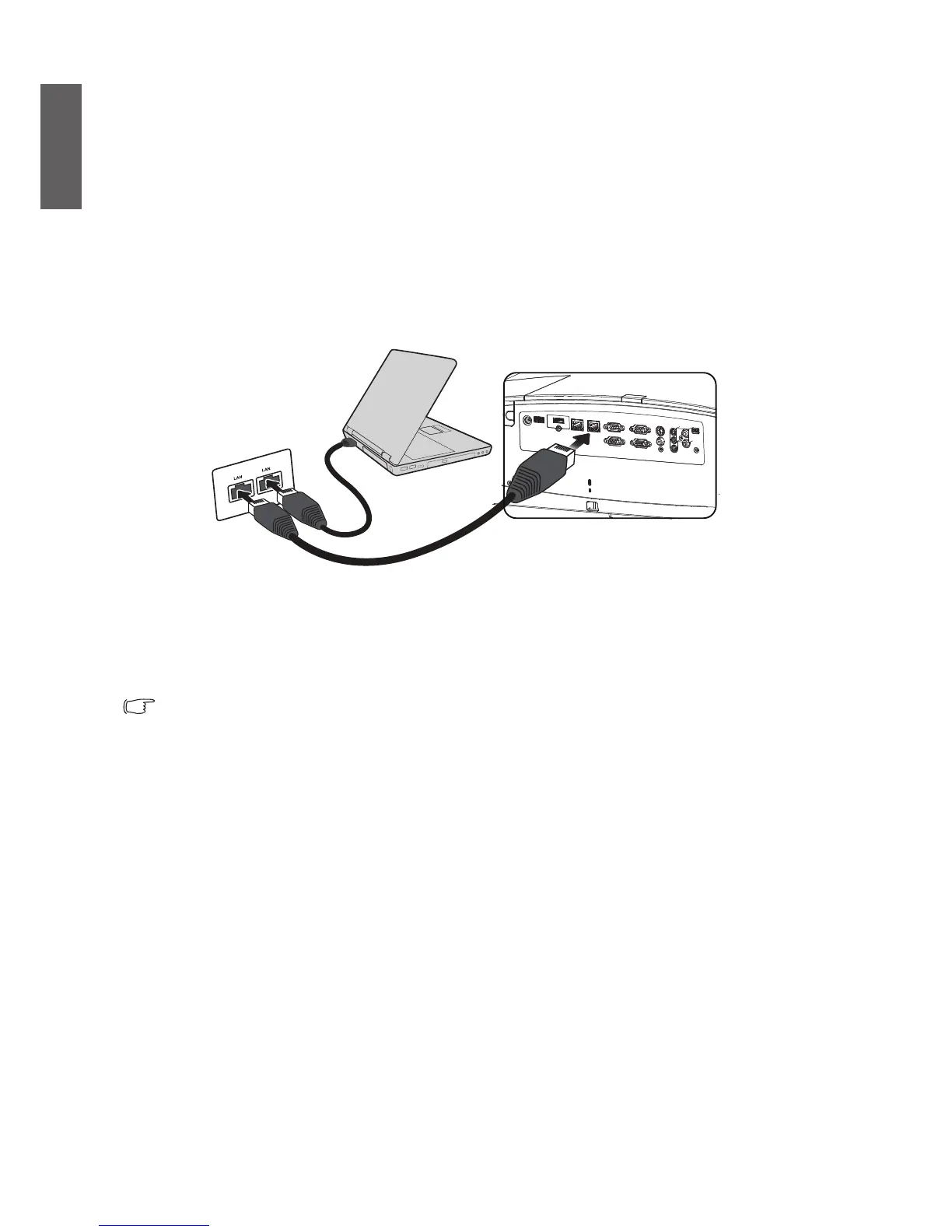
1. Take an RJ45 cable and connect one end to the RJ45 LAN jack on the projector and the other end to
the RJ45 port.
Avoid wrapping when connecting the RJ45 cable, otherwise signal noise or
interference might occcur.
2. Press MENU/EXIT and then press ◄/► until the SYSTEM SETUP: Advanced menu is
highlighted.
3. Press ▼ to highlight Network Settings and press MODE/ENTER. The Network Settings page
displays.
4. Press ▼ to highlight Wired LAN and press MODE/ENTER. The Wired LAN page displays.
5. Highlight DHCP and press ◄/► to select On.
6. Please wait about 15-20 seconds and re-enter the Wired LAN page.


 To Next Page