64
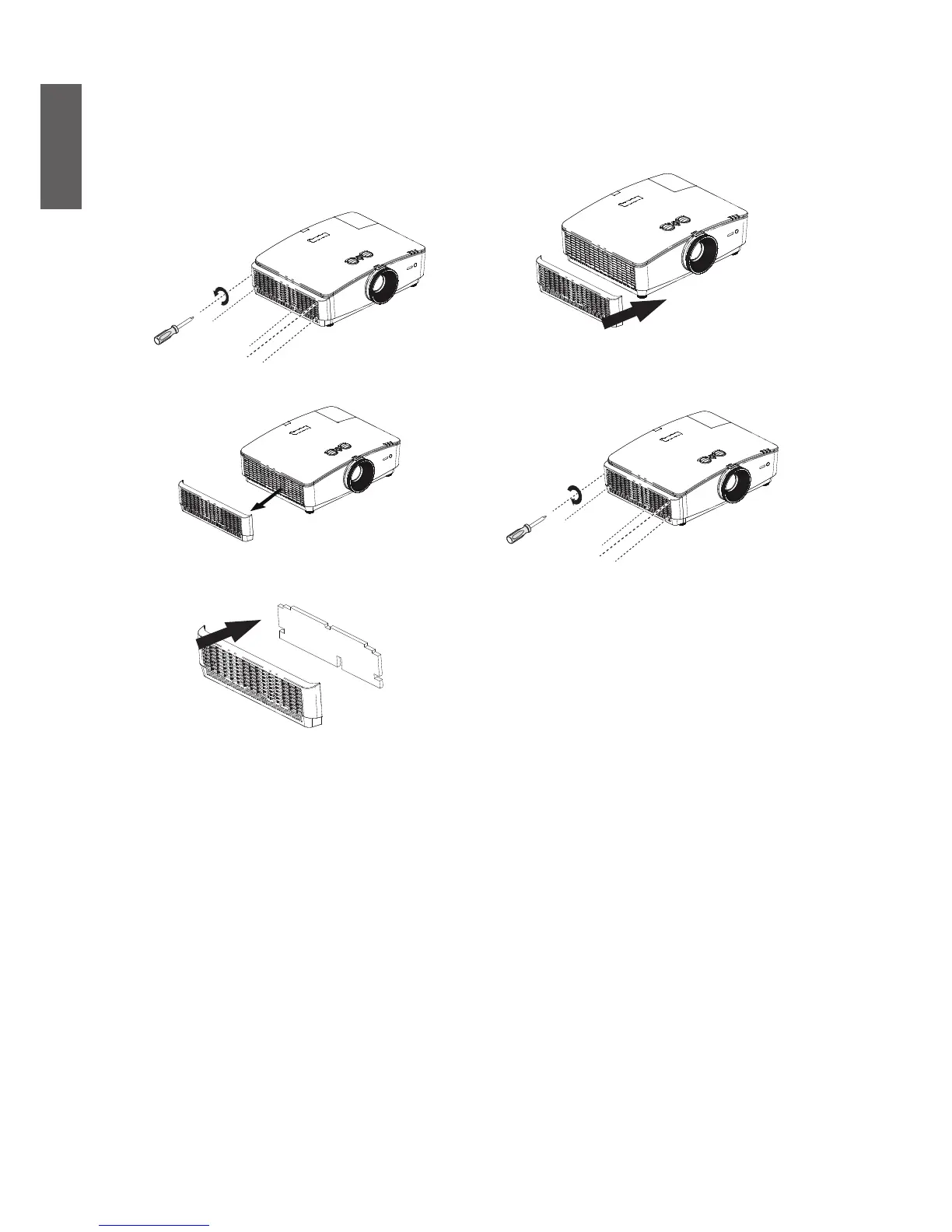
Side dust lter replacement
1. Shut down the projector and pull off the power
plug from the socket. Clean the dust on the
projector and near the ventilation hole. Loosen
the 5 fasten screws used for fastening the cap
of dust lter.
2. Pull the cap of dust lter.
3. Remove the module of dust lter from the
projector.
4. Align the hole on the module of the new dust
lter to the fasten screw on the cap of dust
lter.
5. Push in the cap gently and fasten screws
according to the indicated direction to install
the cap of dust lter back to the projector.


 To Next Page