5English
Maintenance and Troubleshooting
• Turn off the lamp first, and unplug the power adapter from the power outlet. Wipe any
smears or dusts off the lamp’s outer casing using a soft, lint-free cloth lightly moistened
with a mild detergent solvent. Do not use alcohol or any other chemical solvents like
kerosene, naphtha and so on, as the lamp’s casing may become damaged.
• Do not rinse the lamp or any of its components directly with water.
• If the lamp does not turn on, check to make sure that there are no loose connections
between the power cord, power adapter, and the power outlet.
• If the problem persists, please contact the original place of purchase for help.
Specifications
Model
AR21_D
DC power input
12V, 1.7A
USB DC output
5V, 0.8A
Max. power consumption
20W
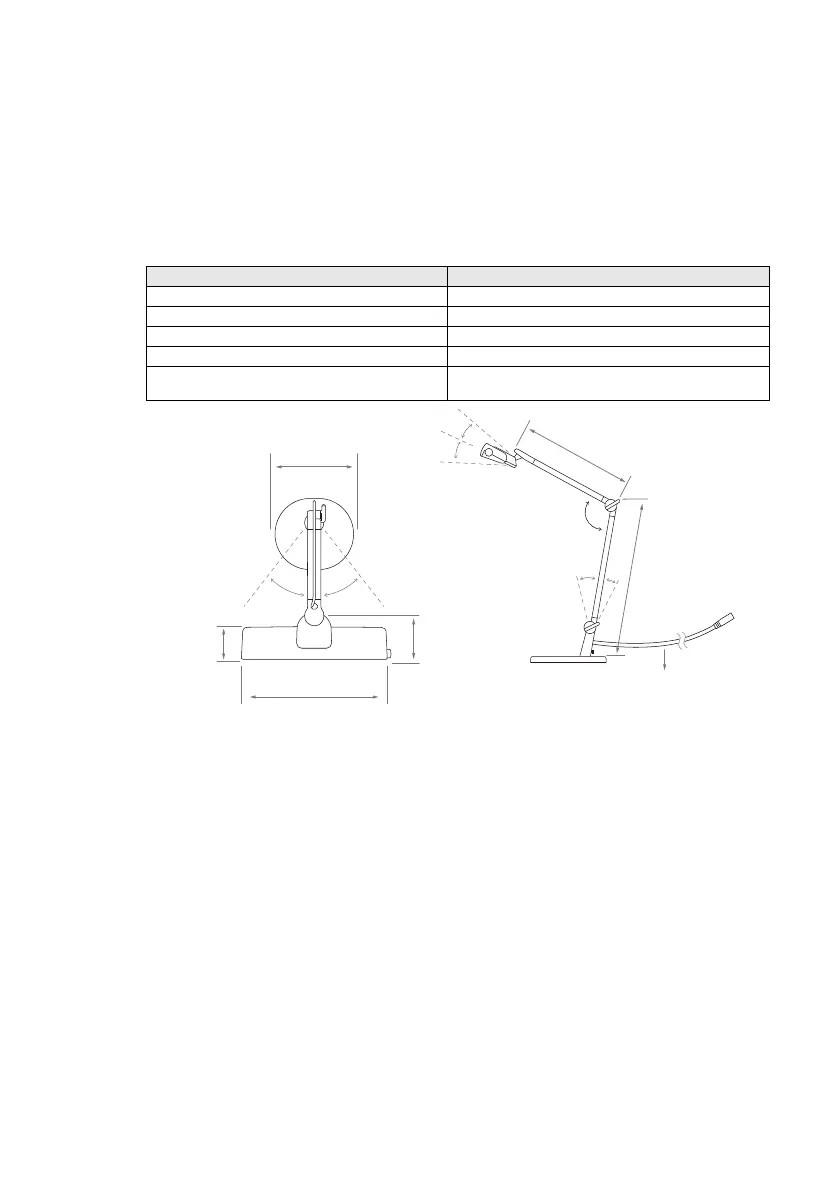
Dimensions
(Refer to the figure below)
Power adapter model number (For
United States, Taiwan and Japan)
PS20G120K1700UD
33.4 cm
(13.2 in)
40.8 cm
(16.1 in)
22 cm
(8.7 in)
36 cm
(14.2 in)
10.9 cm
(4.3 in)
7.6 cm
(3 in)
45°
45°
35°
34°
34°
< 160°
20°
180 cm
(70.9 in)



 To Next Page