32
5-way controller and basic menu operations
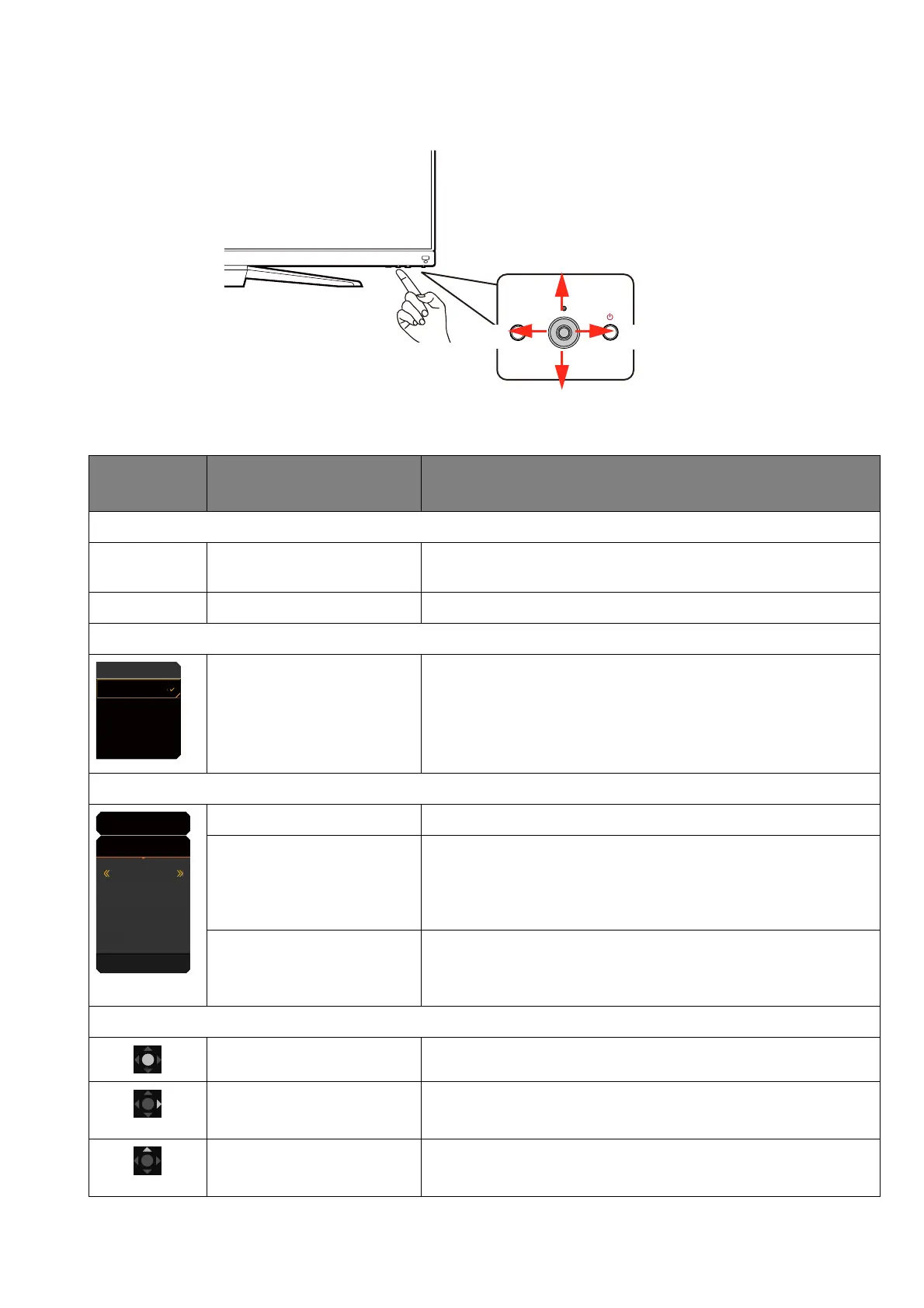
The 5-way controller is located below the lower part of the front bezel. While sitting in front of the
monitor, move the controller to the directions instructed by the on-screen icons for menu
navigation and operations.
OSD icon
5-way controller
operation
Function
(With an available video input but no menu has been activated)
N/A Press center or move to
the right / left
Activates the Quick Menu.
N/A Move up / down Adjusts volume.
(When the video source selection menu has been activated)
Move up / down Switches to the desired input source.
(When the Quick Menu has been activated)
Move up / down Goes to the previous / next menu setting.
Move to the right / left • Goes to the next / previous menu item.
• (When Menu is highlighted) Move to the left to close
the Quick Menu; move to the right to access the
main menu.
Press center • Closes the Quick Menu.
• (When Menu is highlighted) Accesses the main
menu.
(When the main menu has been activated)
Press center Confirms the selection.
Move to the right • Enters sub menus.
• Confirms the selection.
Move up • Goes to the previous menu item.
• For up / increase adjustment.
Left Right
Up (rear)
Down (front)
HDMI 1: Cinema
HDMI 2: Game
DP: Standard
USB-C: Game
Input
HDR: OFF
FreeSync Premium
3840 x 2160
120 Hz
HDMI2: Game
Color Mode
Custom
Light Tuner
0
Brightness
50
AMA
1
Menu








 To Next Page