EN-13
Installation
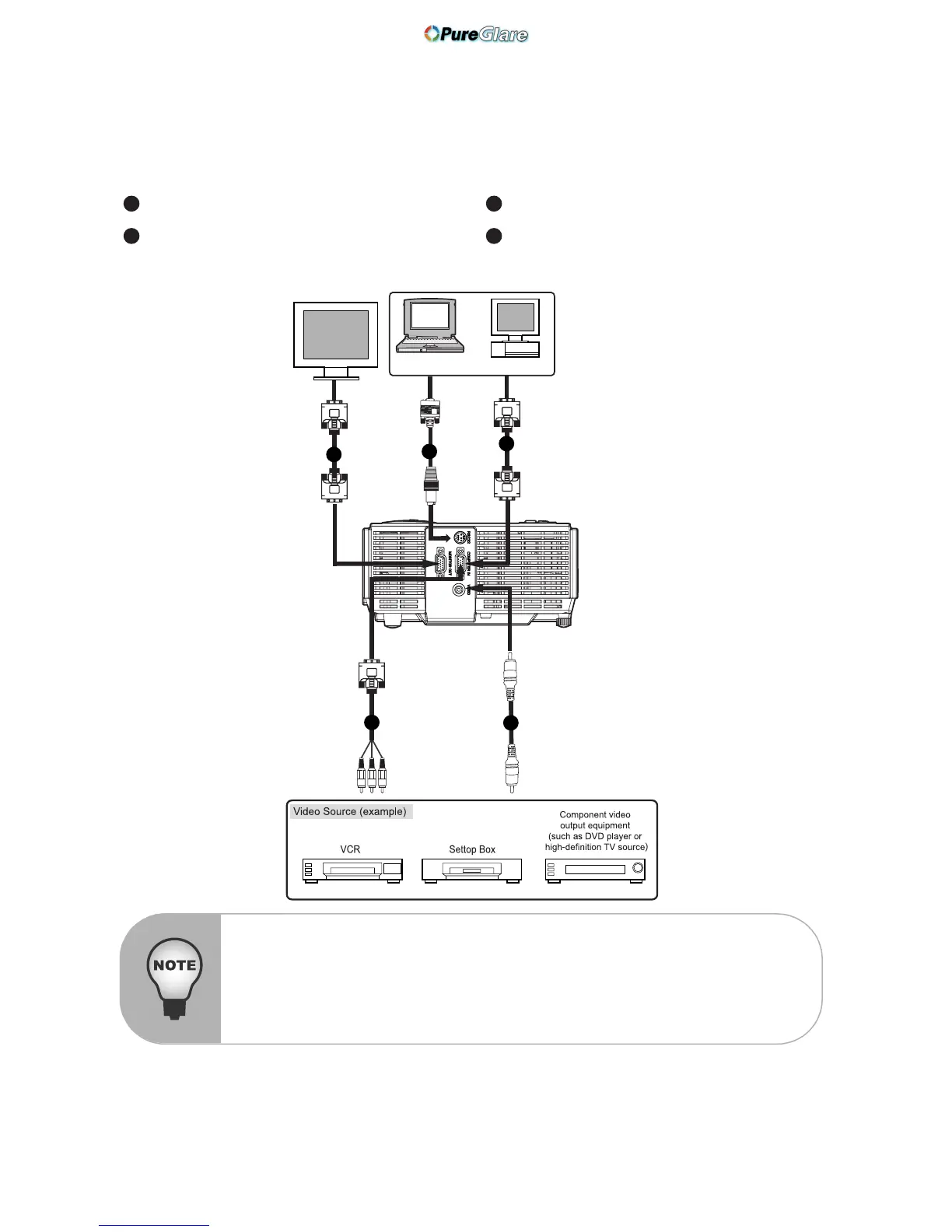
Connecting the Projector
RS-232 Cable Composite Video Cable
VGA Cable (D-Sub to D-Sub) VGA (D-Sub) to HDTV (RCA) Cable
1 3
2 4
Desktop type
Laptop type
3
2
4
1
2
When connecting cable, power cords of both projector and external equipment
should be disconnected from AC outlet.
The figure above is a sample connection. This does not mean that all of these
devices can or must be connected simultaneously.
The cables that come with the projector may differ from the above illustration.
The included cables are based on actual shipment delivery.



 To Next Page