Connection 19
Connecting a monitor
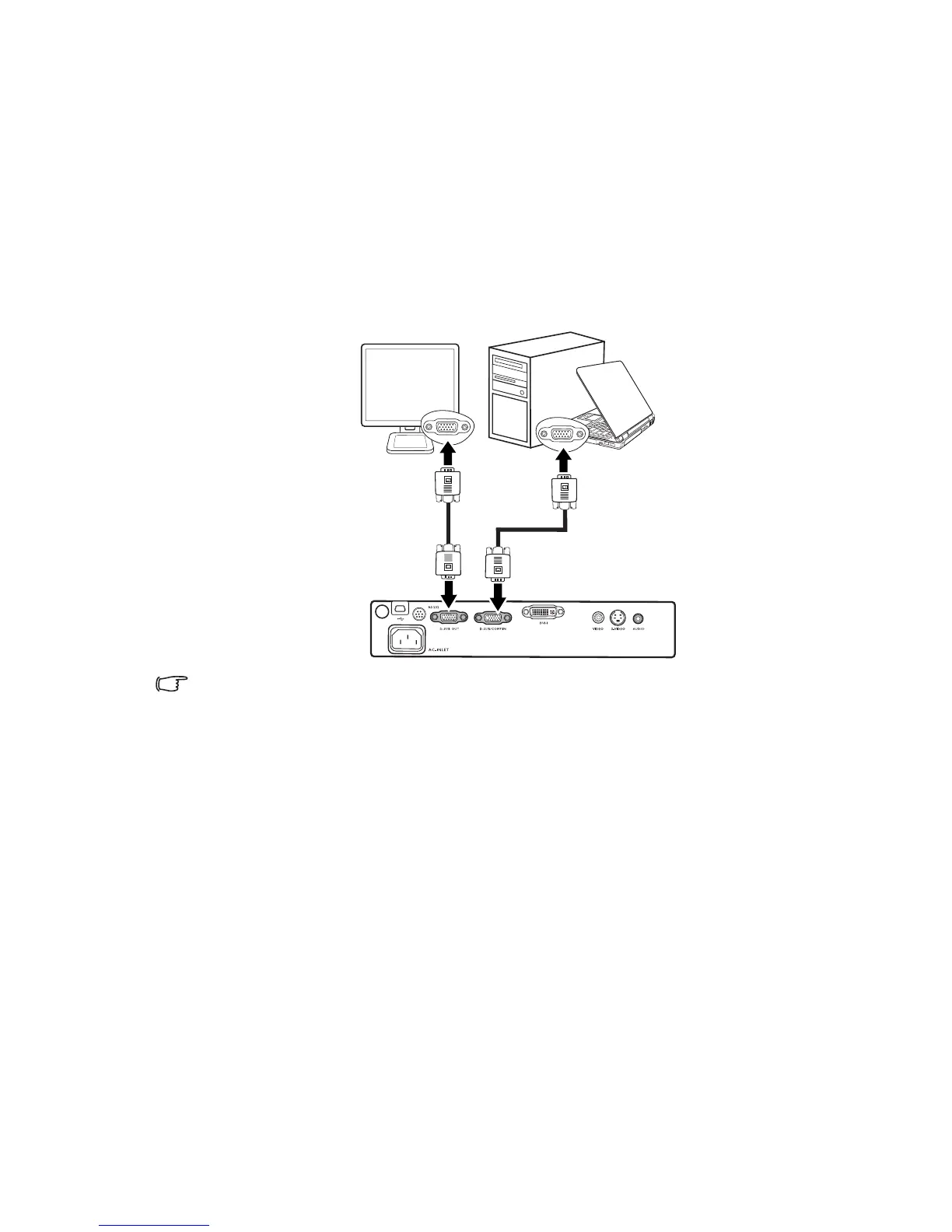
If you want to view your presentation close-up on a monitor as well as on the screen, you
can connect the RGB signal output socket on the projector to an external monitor with a
VGA cable following the instructions below:
1. Connect the projector to a computer as described in "Connecting a computer" on page
17.
2. Take a suitable VGA cable (only one supplied) and connect one end of the cable to the
D-Sub input socket of the video monitor.
3. Connect the other end of the cable to the D-SUB OUT socket on the projector.
The final connection path should be like that shown in the following diagram:
The D-Sub output only works when an appropriate D-Sub input is made to the projector.
Laptop or desktop computer
VGA cable
VGA cable



 To Next Page