EasyManua.ls Logo

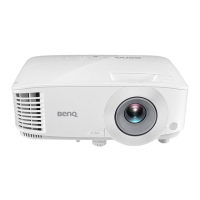
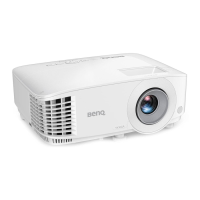
BenQ MX501 - User Manual

BenQ MX501
56 pages
Print Icon
To Next Page IconTo Next Page
Loading...
Welcome
MX501/MX501-V/MS500+
Digital Projector
User Manual

Other manuals for BenQ MX501

Questions and Answers

  • M
    Mary JacksonAug 11, 2025
    How to fix BenQ MX501 that does not turn on?
    • L
      Linda MorenoAug 11, 2025
      If your BenQ Projector doesn't turn on, first ensure the power cord is securely plugged into both the projector's AC power jack and a working power outlet, checking that the outlet switch is on. Also, if the projector is cooling down, wait for the process to complete before attempting to power it on again.
  • R
    rjenningsAug 18, 2025
    Why does not BenQ Projector remote control work?
    • C
      Christy CarterAug 18, 2025
      If the remote control for your BenQ Projector isn't working, try the following: * Replace the battery with new ones. * Remove any obstacles between the remote control and the projector. * Ensure you are within 8 meters (26 feet) of the projector.
  • E
    Erik LaneAug 27, 2025
    What to do if my BenQ MX501 has no picture?
    • J
      Jared SanchezAug 27, 2025
      If you have no picture on your BenQ Projector, make sure the video source is turned on and correctly connected. Check the connection between the projector and the input signal device. Select the correct input signal using the SOURCE key on the projector or remote control. Finally, ensure the lens cover is open.
  • P
    Paul EvansSep 3, 2025
    How to fix blurred image on BenQ MX501 Projector?
    • S
      smithmariaSep 3, 2025
      If you're experiencing a blurred image with your BenQ Projector, try these steps: 1. Adjust the focus of the lens using the focus ring. 2. Adjust the projection angle, direction, and height of the projector to properly align it with the screen. 3. Ensure the lens cover is open.

BenQ MX501 Specifications

General IconGeneral
ResolutionXGA (1024 x 768)
Contrast Ratio13000:1
Weight2.6 kg
Display TechnologyDLP
Keystone CorrectionVertical ± 40 degrees
Output PortsVGA out
Supported Color SystemsNTSC, PAL, SECAM
ConnectivityHDMI, VGA, Composite, S-Video, USB
Zoom Ratio1.1x
Aspect Ratio4:3 (Native), 16:9 (Compatible)
Projection Size30 - 300 inches
Noise Level29 dB (Eco mode)
Power Consumption<0.5W (Standby)
Lamp Life4000 hours (Normal), 7000 hours (Eco)

Related product manuals