QPresenter8
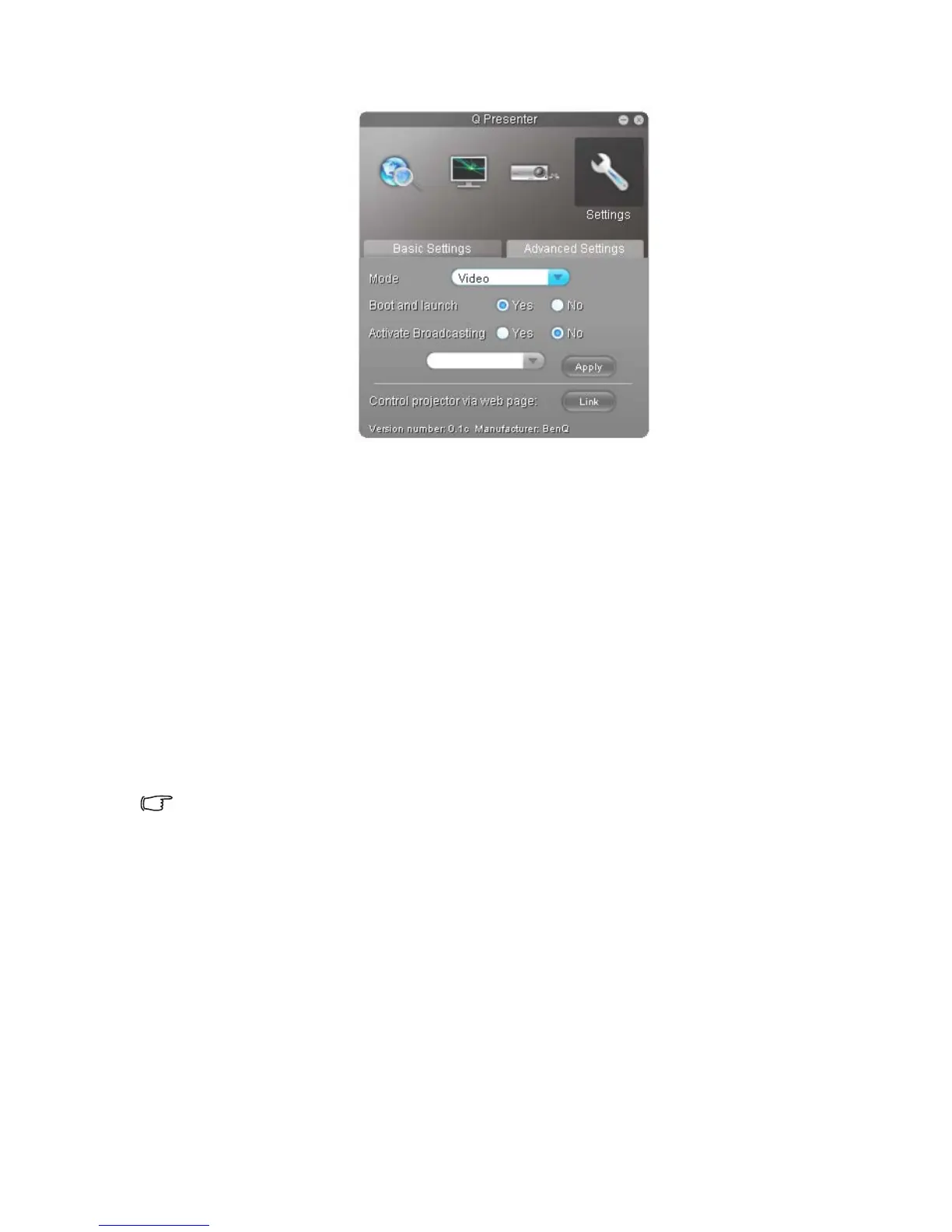
4. The Advanced Settings page allows you to configure QPresenter.
• To display still pictures, click the down arrow to reveal a drop-down list and
select Graphic. Click Apply. To display video clips, click the down arrow to
reveal a drop-down list and select Video. Click Apply.
Graphic mode: worse image quality but faster transmission speed.
Video mode: better image quality but slower transmission speed.
However, the actual transmission speed was determined by the network traffic
at that time.
• To adjust the capture rate, move the slide bar. The network bandwidth may
also affect the performance.
• To launch QPresenter when your computer operating system is started, click
Yes for Boot and launch. Click Apply.
• To link to the Projector Network Display System web page, click Link.
5. Disconnect
To disconnect from the projector(s), click the Disconnect icon.
• Be sure to turn off other virtual network control programs before using QPresenter.
• Firewall in the PC must be switched off to allow QPresenter and USB Display to work.
• Wireless keyboard mouse combo is not supported by Pixelworks currently.



 To Next Page