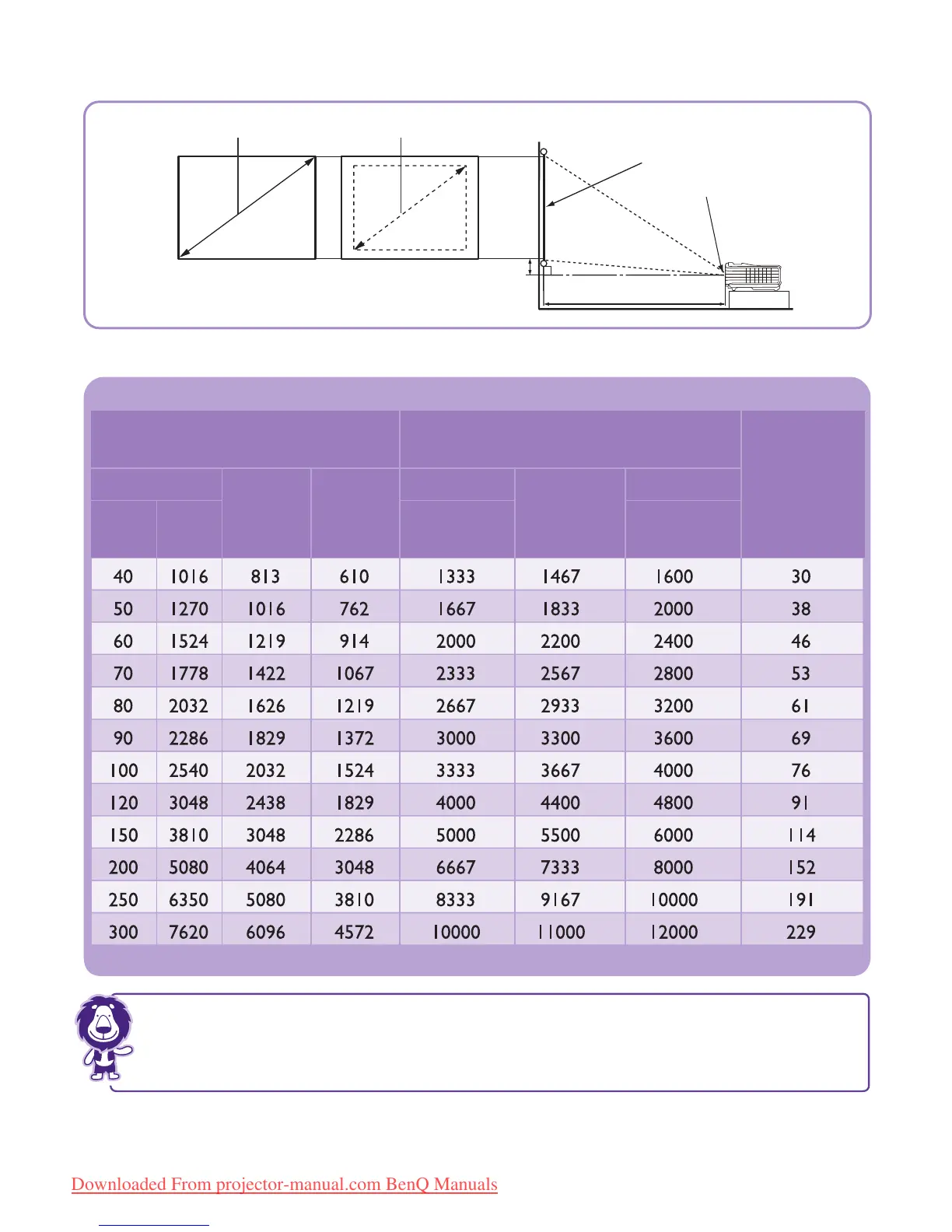
Projection dimensions
The screen aspect ratio is 4:3 and the projected picture is 4:3
All measurements are approximate and may vary from the actual sizes.
BenQ recommends that if you intend to permanently install the projector, you should physically test the
projection size and distance using the actual projector in situ before you permanently install it, so as to make
allowance for this projector's optical characteristics. This will help you determine the exact mounting position
so that it best suits your installation location.
Vertical
offset (mm)
Diagonal
W (mm) H (mm)
Inch mm
Screen size
Distance from screen (mm)
Min length
Average
Max length
(max.
zoom)
(min.
zoom)
MX720
Minimum zoom
Projection distance
Center of lens
Screen
Vertical offset
Maximum zoom
W
H



 To Next Page