Operation24
U
sing the menus
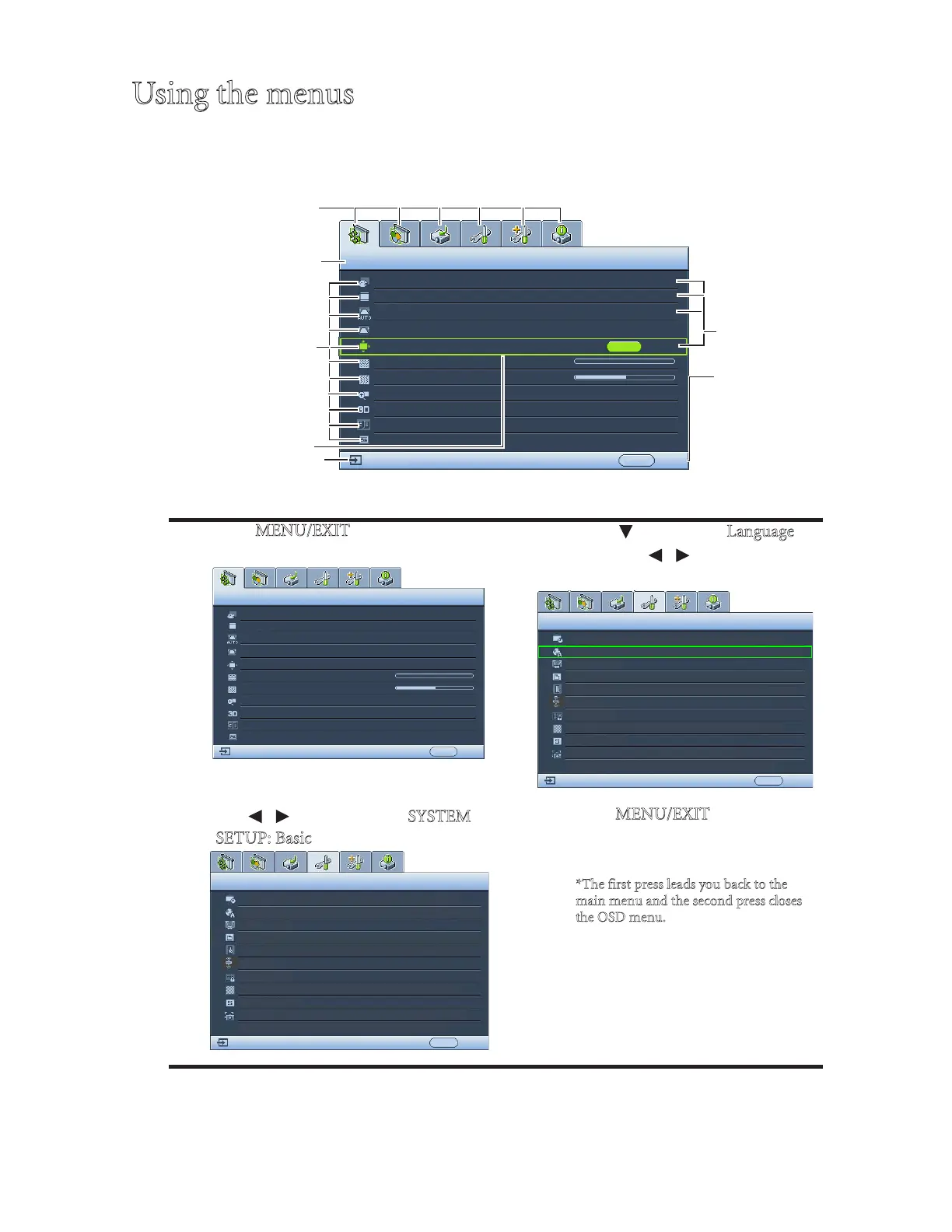
The projector is equipped with On-Screen Display (OSD) menus for making various
adjustments and settings.
Below is the overview of the OSD menu.
The following example describes how to set the OSD language.
1. Press M
ENU/EXIT on the projector or
remote control to turn the OSD menu on.
3. Press to highlight L
anguage
and press / to select a
preferred language.
2. Use / to highlight the S
YSTEM
S
ETUP: Basic menu.
4. Press M
ENU/EXIT twice* on the
projector or remote control to
leave and save the settings.
*The first press leads you back to the
m
ain menu and the second press closes
t
he OSD menu.



 To Next Page