Before installing and using the monitor, please carefully read through the Safety Warning and Notice document on
the accompanying user manual CD.
How to assemble your monitor hardware
If the computer is turned on you must turn it off before continuing.
Do not plug-in or turn-on the power to the monitor until instructed to do so.
1. Attach the monitor base.
2. 2. Connect the signal cable to the appropriate port (DVI-D / HDMI / DP/ mini DP). The location and available
input and output jacks may vary depending on the purchased model.
3. You may connect peripherals to the monitor (headphone/ USB / SD card/ Hotkey Puck, optional step).
4. Connect the power cable to the monitor.
5. Organize the cables.
6. Connect-to and turn-on the power.
How to detach the stand and the base
1. Place the monitor face -down on a flat surface that can protect the monitor from scratch.
2. Remove the monitor stand.
3. Release the thumbscrew on the bottom of the monitor base and detach the monitor base as illustrated.
Display Size Native Resolution
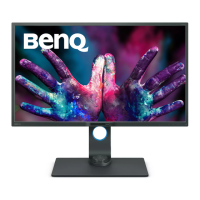
32″ wide-screen (PD3200Q) 2560 x 1440
32″ wide-screen (PD3200U) 3840 x 2160
File Downloads


 To Next Page
 Loading...