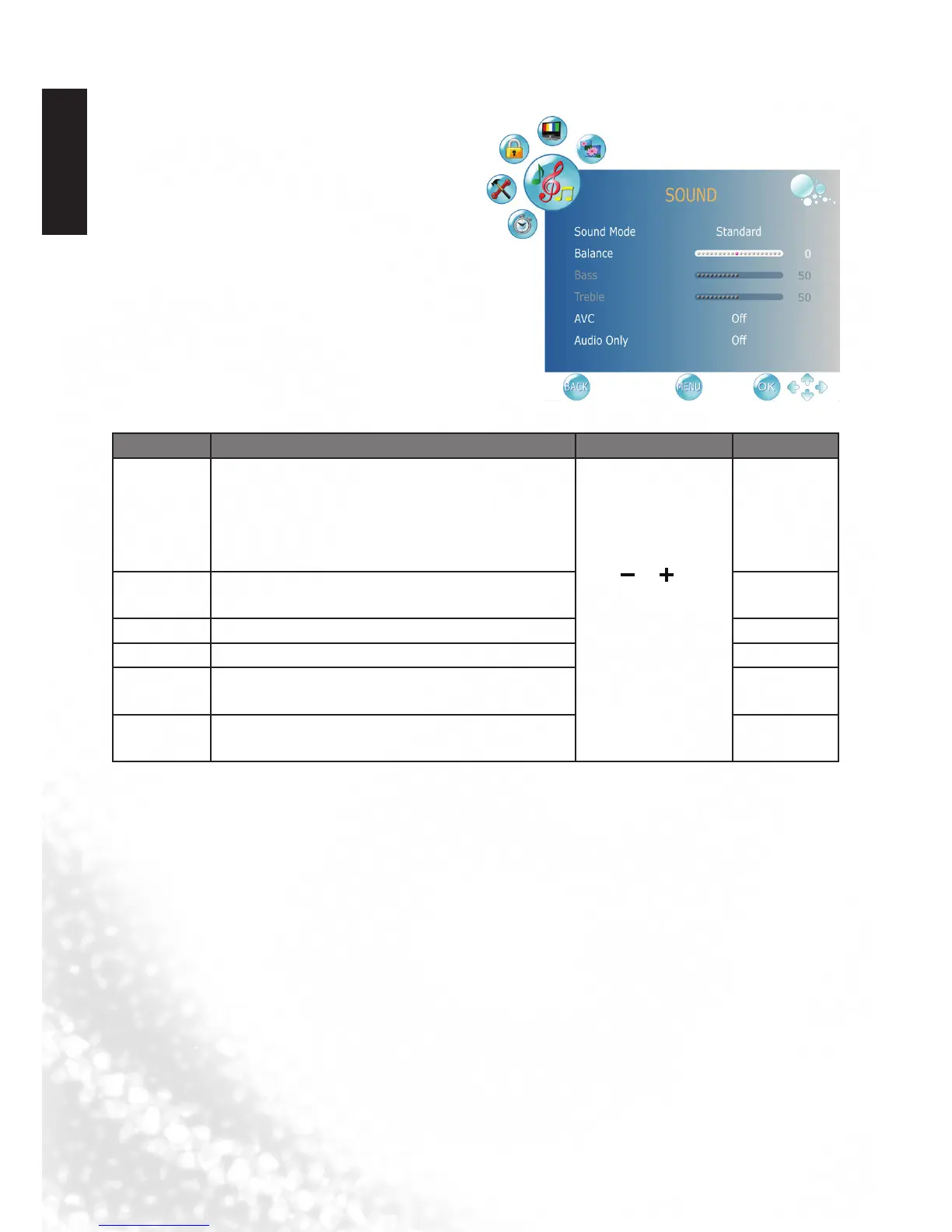
SOUND menu
The available menu items are
dependent on the input source
being selected.
The illustration is for reference
only.
Item Function Operation
Range
Sound
Mode
Selects a sound type when viewing programs or
videos that support multiple sounds.
If you select the User mode, you can individually
set the Bass and Treble.
Press or (
◄
or
►
) to change
selection or make
adjustment.
•Standard
•Music
•Movie
•Sports
•User
Balance
Adjusts the volume balance of the left or right
speaker.
L50 to R50
Bass Adjusts bass tones for the User Mode. 0 to 100
Treble Adjusts treble tones for the User Mode. 0 to 100
AV C
To turn on/ off AVC (automatic volume control)
function.
•On
•Off
Audio only
To turn off the screen picture but keep the
sound on.
•On
•Off



 To Next Page