15 Positioning your projector
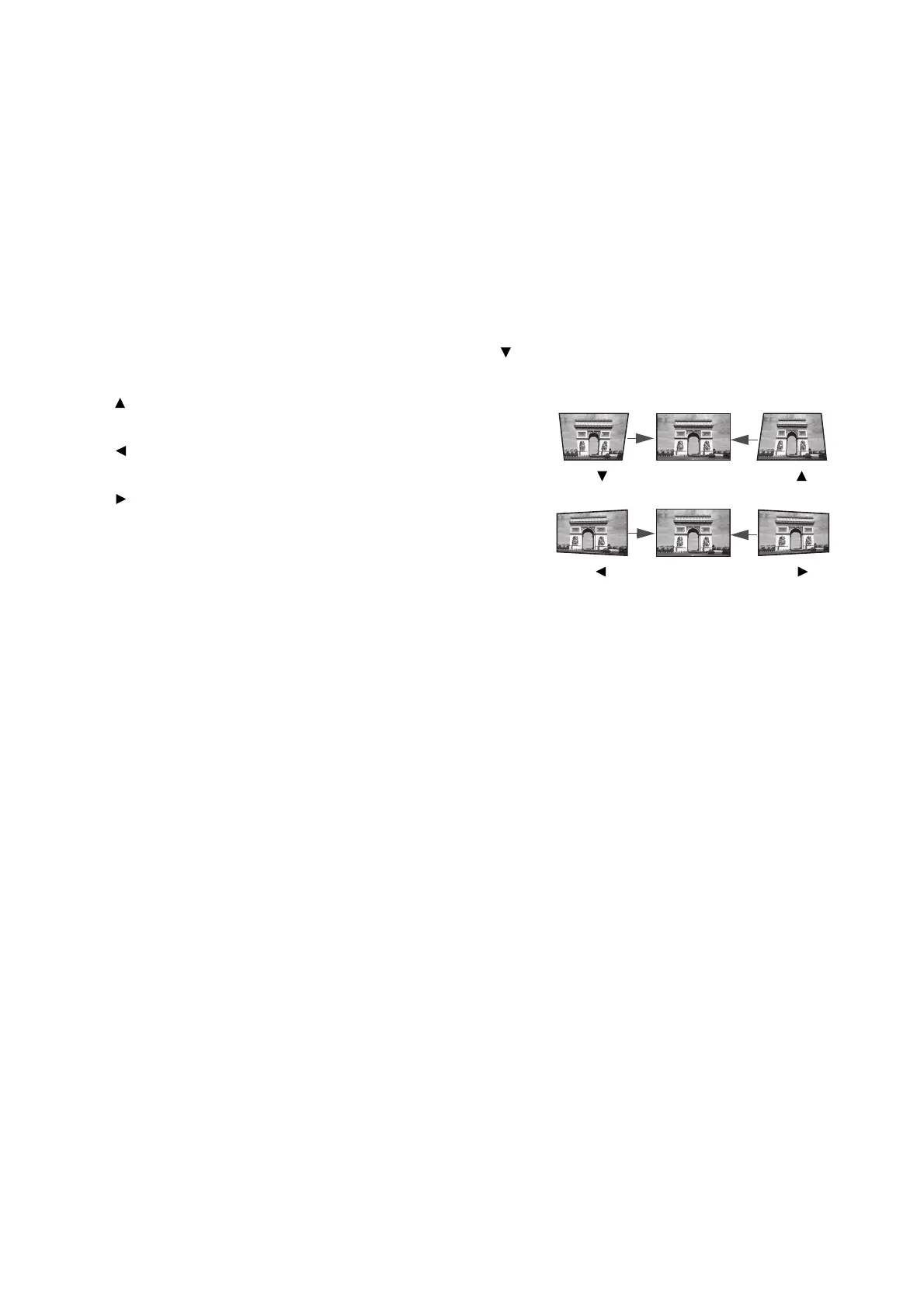
Correcting keystone
Keystoning refers to the situation where the projected image becomes a trapezoid due to angled
projection.
To correct the distorted image:
1. Display the 2D Keystone correction page from the following menus.
• The setup wizard during the projector initial setup
• The Basic menu system
• The Installation menu of the Advanced menu system
2. After the 2D Keystone correction page appears:
• To correct keystoning at the top of the image, use .
• To correct keystoning at the bottom of the image, use
.
• To correct keystoning at the right side of the image, use
.
• To correct keystoning at the left side of the image, use
.
• To reset the keystone values, press BACK for 2
seconds.
• To automatically correct the vertical sides of the
distorted image, press OK for 2 seconds, or enable
Auto Vertical Keystone in the Advanced menu -
Installation menu.
3. When done, press BACK to save your changes and exit.



 To Next Page