68
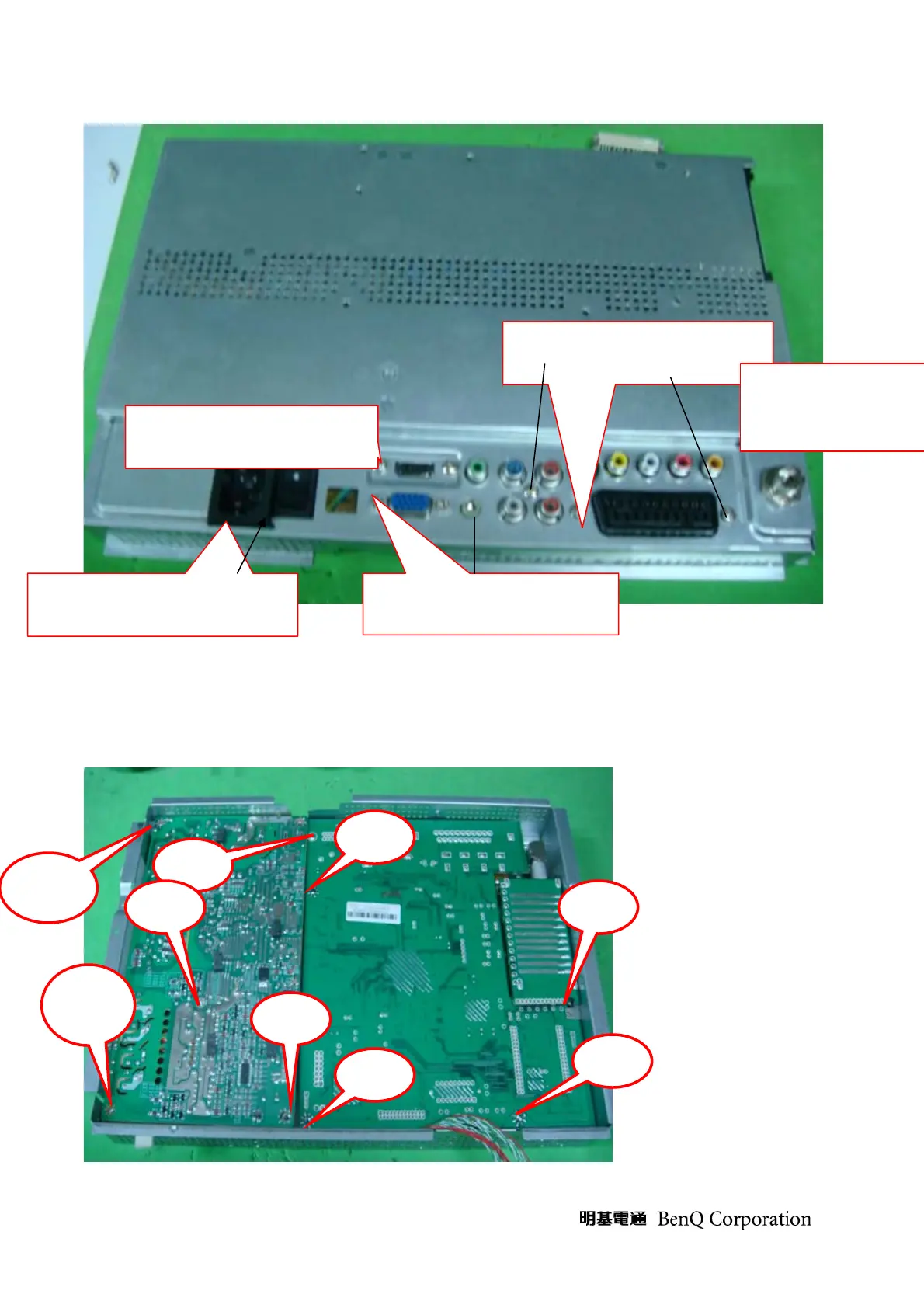
13. take off main board and power board
Tool: pneumatic driver, cotton gloves, static electricity ring
A. loose the screw of main board and power board as below picture
c. loose screw of HDMI connected location
b. loose screw of IO board
a. take off the iron brace of on/off d.loose the screw of VGA cabel
E. loose tuner nut
Screw
Screw
Screw
Screw
Screw
Screw
Screw
Screw1
Screw1



 To Next Page