19 How to adjust your monitor
Main menu mode
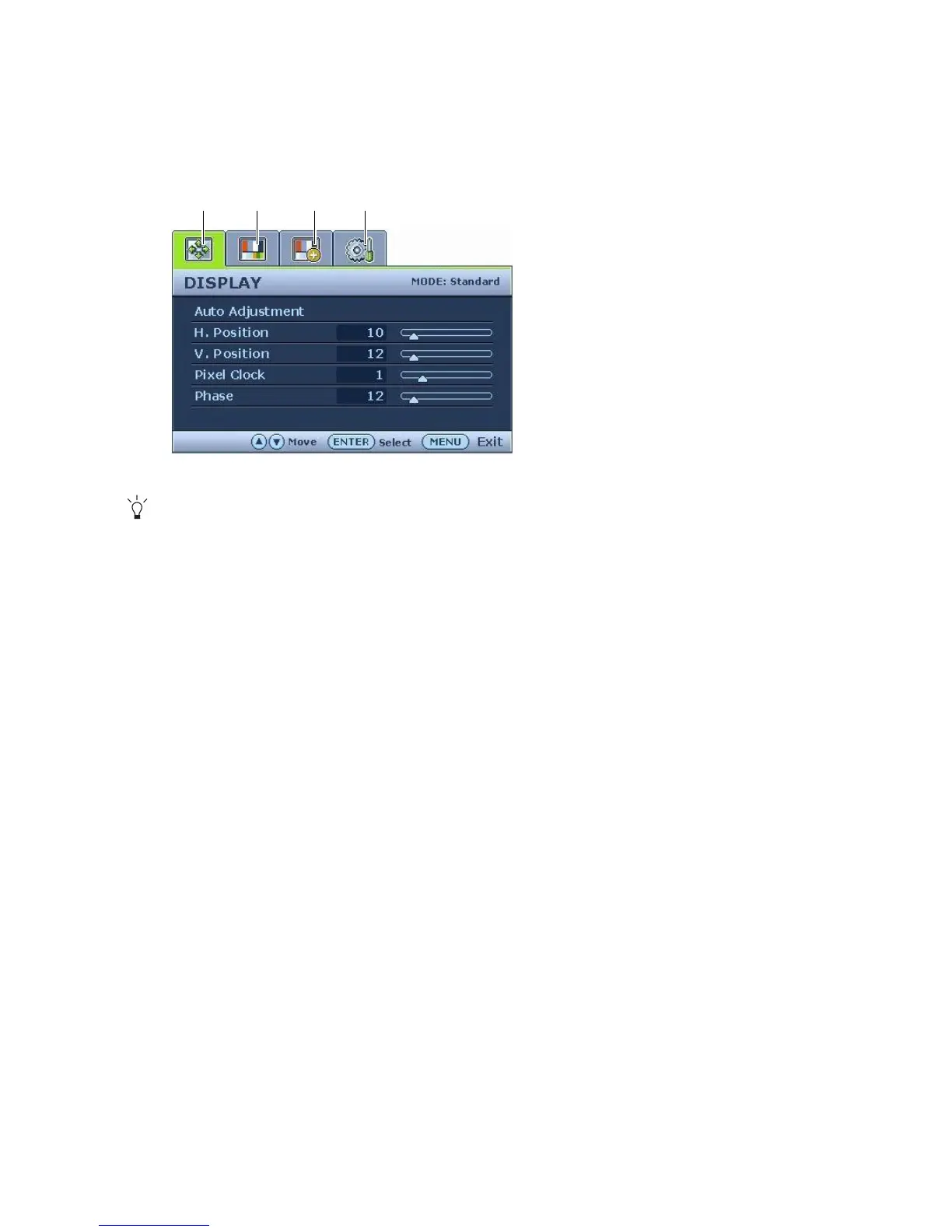
You can use the OSD (On Screen Display) menu to adjust all the settings on your monitor.
Press the MENU key to display the following main OSD menu.
The OSD menu languages may differ from the product supplied to your region, see “Language on page
26” under “OSD Settings” for more details.
For more information on each menu, please refer to the following pages:
• Display menu on page 20
• Picture menu on page 22
• Picture Advanced menu on page 24
• System menu on page 26
1. Display
2. Picture
3. Picture Advanced
4. System
Use the t or u keys to highlight a menu
item, and press the ENTER key to enter the
Menu item settings.
1342



 To Next Page