18 How to assemble your monitor hardware
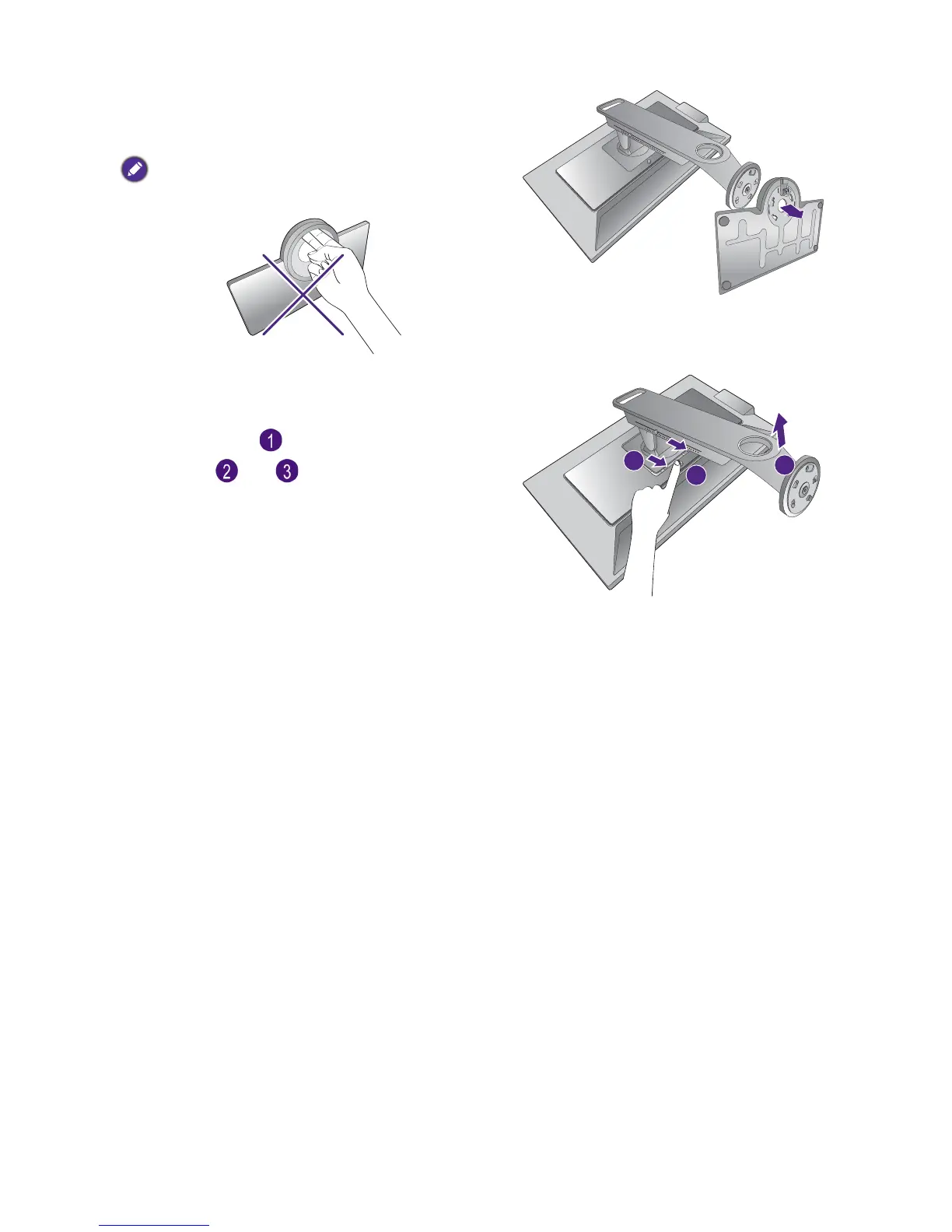
And then detach the base from the stand.
The adjustment scale on the monitor base may be damaged
by excessive force. Please handle with care.
3. Remove the monitor stand.
While pressing and holding the VESA mount
release button ( ), detach the stand from the
monitor ( and ).



 To Next Page
 Loading...