33 How to adjust your monitor
Initial setup for playing games
You can optimize the monitor to enhance your gaming experience. You might want to start
with the following settings.
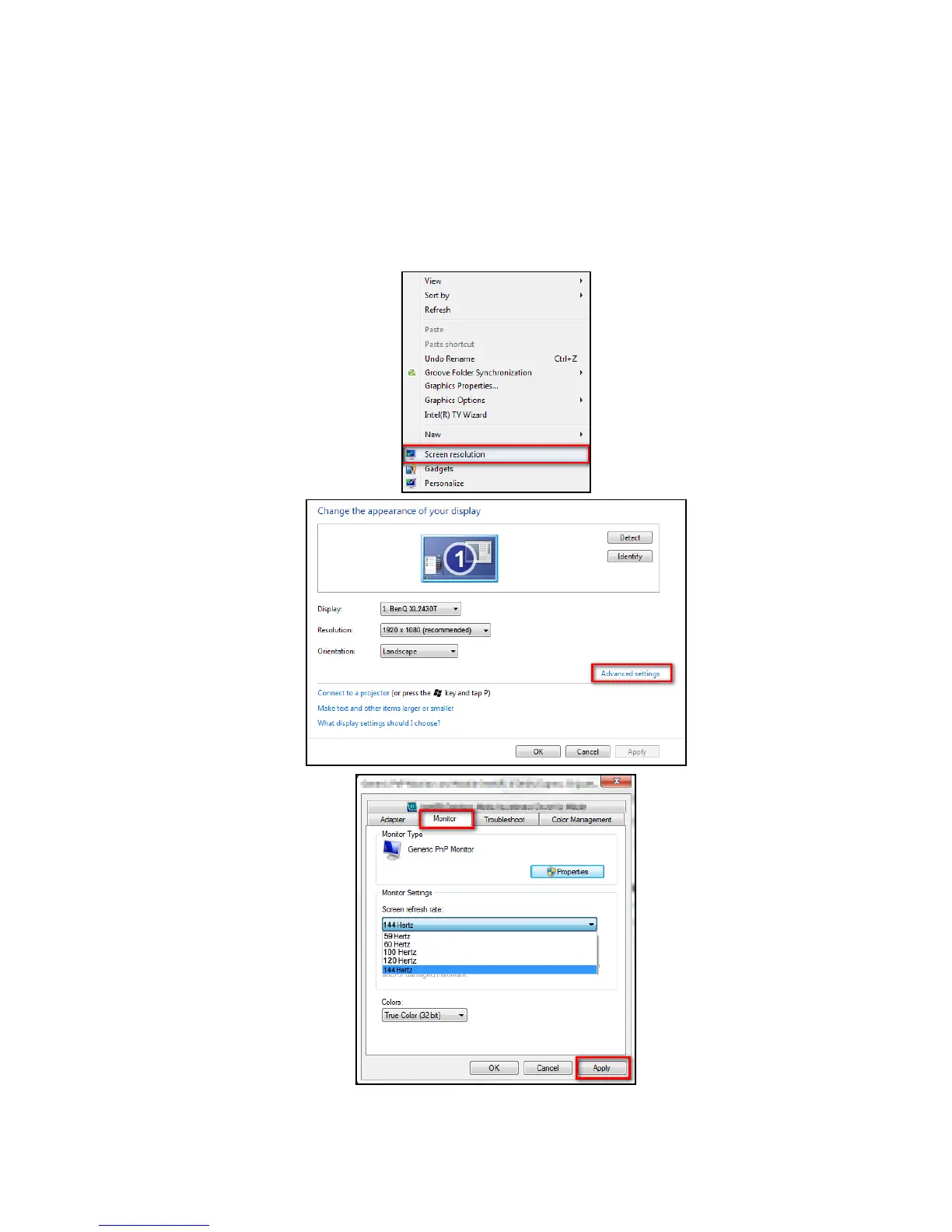
1. Set the screen refresh rate to 144 Hertz (144 Hz).
a. Right-click the desktop and select Screen resolution. Click Advanced settings. Under
the Monitor tab, change the screen refresh rate to 144 Hertz. And then click Apply and
Yes to confirm the change.



 To Next Page
 Loading...