20 How to assemble your monitor hardware
Viewing angle adjustment
You may position the screen to the desired angle with -5° to + 20° monitor tilt, 90° (left and
right total) monitor swivel, and 140 mm monitor height.
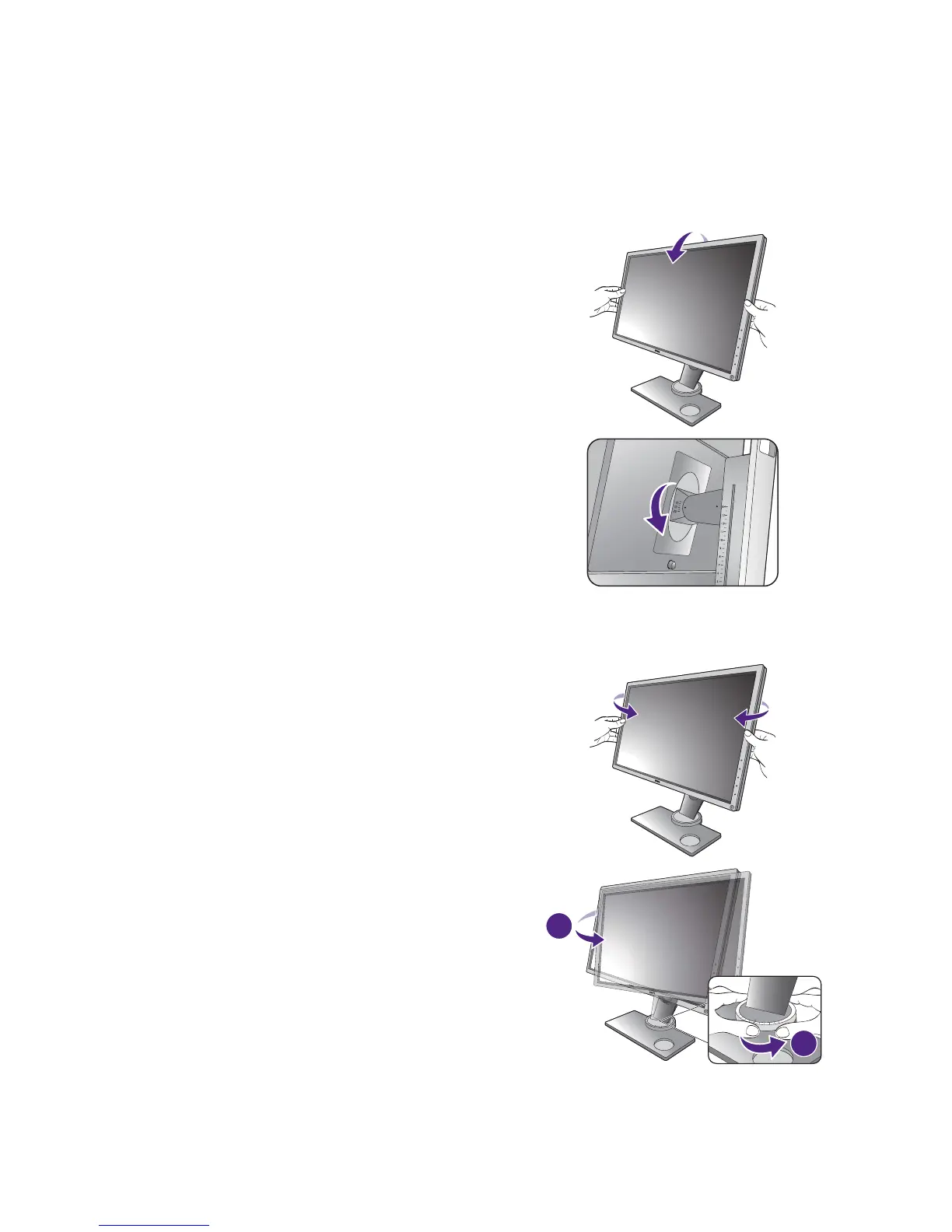
Tilting the monitor
Swiveling the monitor
Tilt the monitor gently. The scale on top of the
column helps keep track of your preferred tilt angle.
1. Turn the monitor to the left or right as desired.
2. Turn the adjustment scale on the monitor base.
The interval of measurement is 10 degrees, and
you can make adjustment within the possible
swivel angle. Make sure to align the arrow on
the bottom of the stand with the one on the
scale. This helps to keep track of your preferred
swivel angle.



 To Next Page
 Loading...