13
operating instructions TC95
To use these features proceed as follows:
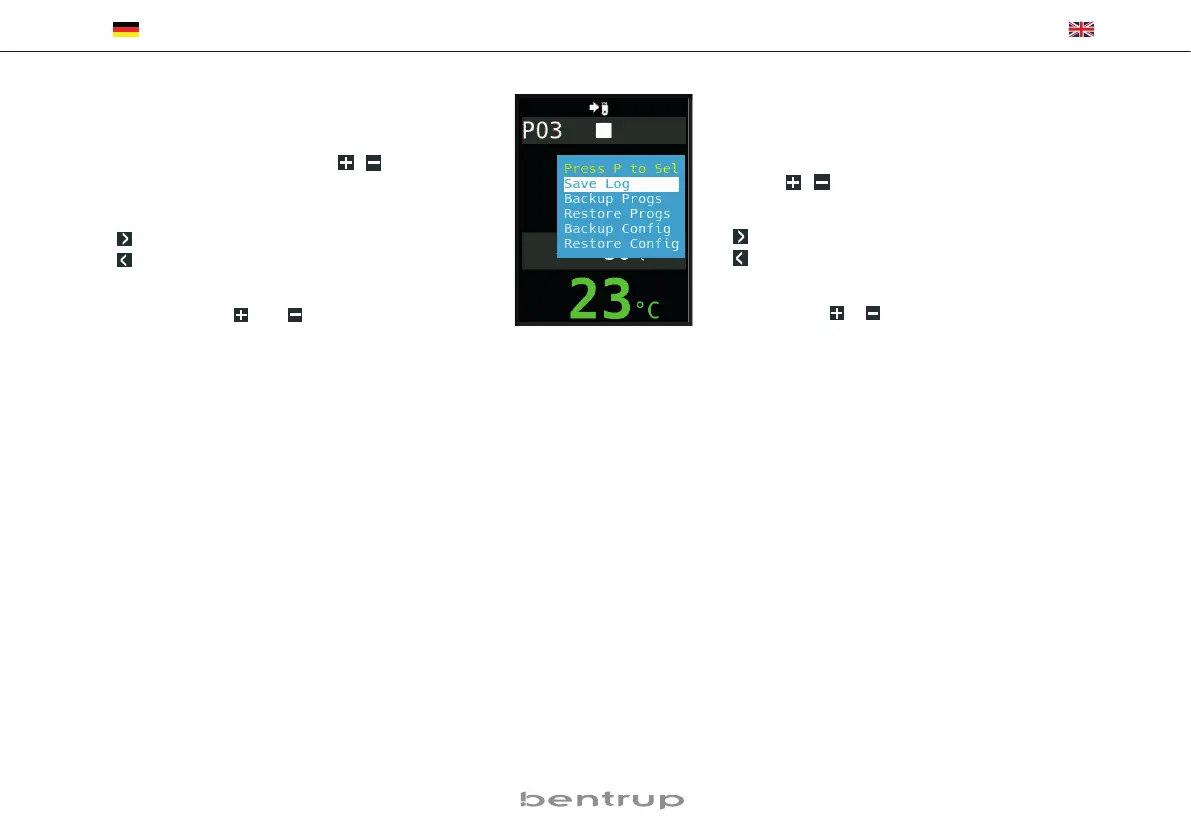
After inserting the USB stick, a menu appears in the dis-
play (fig. A). Now the desired operation can be selected
with the
/ keys and started with the programme
key[P].
Arrow right: writes on the stick
Arrow left: reads from stick (not with LOG)
To call up or quit the USB menu manually
Press and hold
or key for 2 seconds.
Error messages:
no Config or no Prog
No directory with suitable S/N and file available
Conf invalid or Prog invalid
Syntax error, invalid variable in configuration
(e.g. MaxHelloTemp = 1320)
Log Err, Conf Err or Prog Err
(depending on LoG, ConF or ProG function)
Write or read process was interrupted.
(e.g. by removing the USB stick)
bad format
USB stick not readable (e.g. no FAT32 format)
Die beschriebenen Funktionen werden wie folgt
aufgerufen:
Nach Einstecken des USB-Sticks erscheint ein Menü im
Display (Bild A). Nun kann mit den
/ Tasten der ge-
wünschte Vorgang ausgewählt und mit der Programm-
taste [P] gestartet werden.
Pfeil rechts: schreibt auf den Stick
Pfeil links: liest vom Stick (nicht bei LOG)
Manuelles Anwählen und Verlassen USB-Menü
2 Sekunden Taste
bzw. halten.
Fehlermeldungen:
no Config bzw. no Prog
Kein Verzeichnis mit passender S/N und Datei vorhanden
Conf invalid bzw. Prog invalid
Syntaxfehler, ungültige Variable in Konfiguration vorhan-
den (z. B. MaxHalloTemp = 1320)
Log Err, Conf Err bzw. Prog Err
(je nach Log-, Conf- oder Prog-Funktion)
Schreibe- oder Lesevorgang wurde unterbrochen.
(z. B. durch Entfernen des USB-Sticks)
bad format
USB-Stick nicht lesbar (z. B. kein FAT32 Format)


 To Next Page