EasyManua.ls Logo

bentrup TC95 - User Manual

bentrup TC95
16 pages
Print Icon
To Next Page IconTo Next Page
Loading...
Die bentrup Kompaktserie V2. Perfektion vom Markthrer.
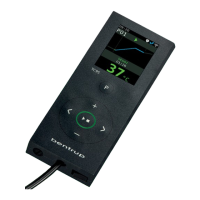
TC95
Bedienungsanleitung
Operating Instructions
Question and Answer IconNeed help?

Do you have a question about the bentrup TC95 and is the answer not in the manual?

Summary

TC95 Operating Instructions

Display Explanation

TC95 Program Controller

Creating Temperature Profiles

How to enter up to 20 segments, ramps, and hold times for temperature profiles.

Starting and Monitoring Firing

Initiating and Observing the Firing Process

How to start the firing, interpret display indicators, and identify heating status.

Process Control and Additional Information

Response to Power Outages and Deviations

How the TC95 continues after power loss and handles temperature deviations (green to yellow light).

Event and Error Messages

Event Messages During Program Run

Displays for events like temperature acquisition problems, over-temperature, heating issues, and information messages.

Error Messages and Fault Diagnosis

Internal Controller and Thermocouple Errors

Messages for internal controller problems (C1, C2, C3, D1-D6, DA) and thermocouple faults (ovr, udr, inv).

SuperWise App Connectivity

Connecting TC95 to Internet via WiFi

Instructions for WiFi setup using WPS or manual SSID/Password configuration.

SuperWise App Setup and Usage

Creating a SuperWise User Account

Steps to register on SuperWise.eu, add the controller, and confirm with a PIN.

USB Interface and Data Management

Data Exchange via USB Stick

Reading log files (CSV), backing up/restoring programs and configurations using a USB stick.

Firmware Update Procedure

Installing Firmware Update

Process of inserting the USB stick, starting the update, and confirming completion.

Operating Parameters and Electrical Details

Summary

TC95 Operating Instructions

Display Explanation

TC95 Program Controller

Creating Temperature Profiles

How to enter up to 20 segments, ramps, and hold times for temperature profiles.

Starting and Monitoring Firing

Initiating and Observing the Firing Process

How to start the firing, interpret display indicators, and identify heating status.

Process Control and Additional Information

Response to Power Outages and Deviations

How the TC95 continues after power loss and handles temperature deviations (green to yellow light).

Event and Error Messages

Event Messages During Program Run

Displays for events like temperature acquisition problems, over-temperature, heating issues, and information messages.

Error Messages and Fault Diagnosis

Internal Controller and Thermocouple Errors

Messages for internal controller problems (C1, C2, C3, D1-D6, DA) and thermocouple faults (ovr, udr, inv).

SuperWise App Connectivity

Connecting TC95 to Internet via WiFi

Instructions for WiFi setup using WPS or manual SSID/Password configuration.

SuperWise App Setup and Usage

Creating a SuperWise User Account

Steps to register on SuperWise.eu, add the controller, and confirm with a PIN.

USB Interface and Data Management

Data Exchange via USB Stick

Reading log files (CSV), backing up/restoring programs and configurations using a USB stick.

Firmware Update Procedure

Installing Firmware Update

Process of inserting the USB stick, starting the update, and confirming completion.

Operating Parameters and Electrical Details

bentrup TC95 Specifications

General IconGeneral
Input TypeThermocouple (Type J, K, T, E, R, S, B, N)
Control OutputAnalog (0-20mA, 4-20mA, 0-5V, 0-10V)
Control ModePID
DisplayLED
Power Supply100-240V AC
CommunicationRS485 Modbus RTU
MountingPanel mount