5
operating instructions TC95
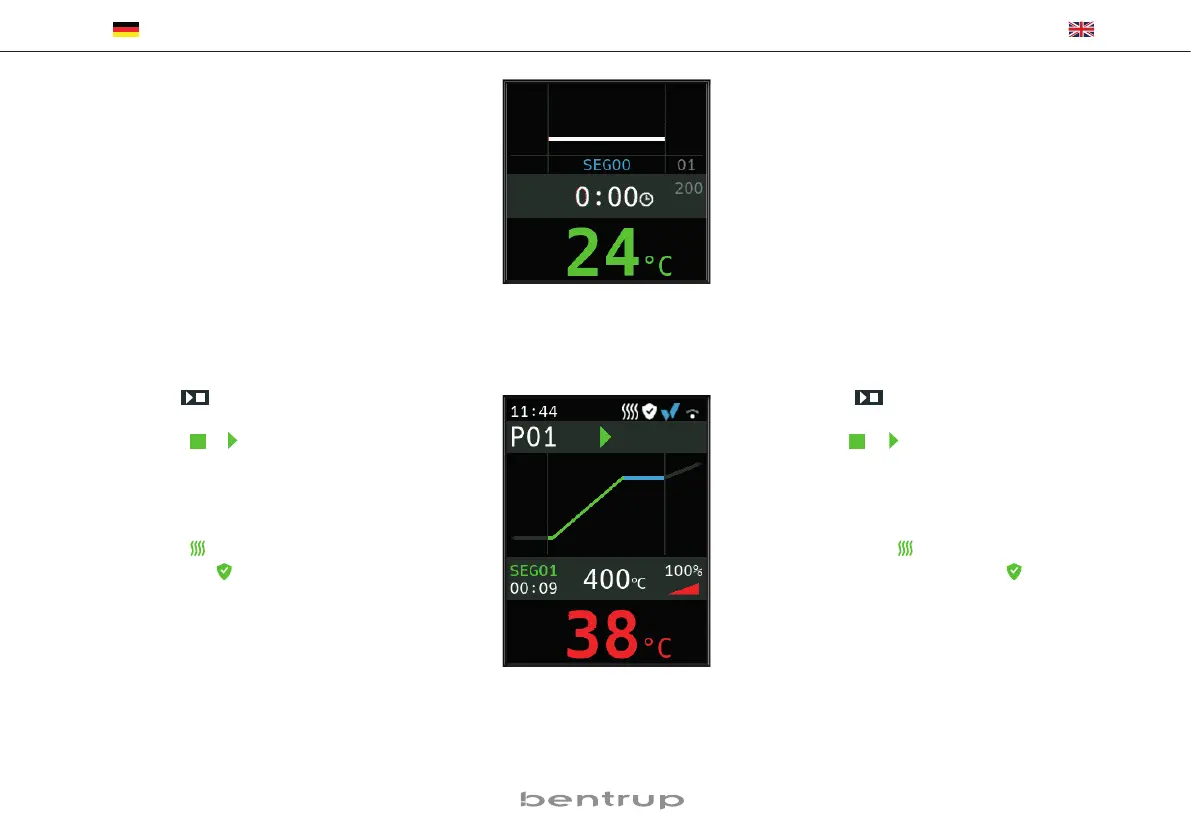
Segment 0 (SEG 00) dient der Programmstartver-
zögerung Bild A), d. h., wenn hier z. B. 5 Stunden
eingestellt werden und das Programm um 17 Uhr
gestartet wird, beginnt der Brennvorgang erst um
22 Uhr (z. B. für Nachtstrom).
Segment 0 (SEG 00) is for a delayed programme
start (fig.A). For instance enter 5:00 hours if you
want the firing to begin at 10:00 PM but start the
programme at 5:00 PM when leaving the work-
shop.
Brennvorgang starten
Durch die Taste wird der Brennvorgang ge-
startet (Leuchtring wechselt von rot auf grün) und
das Symbol zu . Oberhalb der Ofen temperatur
wird das aktuelle Segment und die Zeit bis zum
Ende der Rampe angezeigt. Die Brennkurve ist nun
blau dargestellt bzw. der bereits durchlaufene
Teil grün (Bild B). In der obersten Zeile zeigt das
Heizsymbol an, dass der Ofen heizt. Das Symbol
rechts daneben zeigt das aktivierte Sicherheits-
schütz und somit einen sicheren Brennverlauf.
Falls der Ofen dem programmierten Tempera-
turprofil nicht folgen kann, wechselt die Tempe-
raturanzeige kontinuierlich von grün nach rot.
Somit ist mit einem Blick zu sehen, ob der Prozess
reibungslos abläuft.
Starting the Firing
Pressing the key starts the firing process (il-
luminated ring changes from red to green) and
the symbol to . Above the kiln temperature,
the current segment and the time until the end
of the ramp are displayed. The firing curve is now
shown in blue or the part that has already passed
through is shown in green (fig. B). In the top line,
the heating symbol indicates that the kiln is he-
ating. The symbol to the right of it shows the
activated safety contactor and thus a safe firing
process.
If the kiln cannot follow the programmed tempe-
rature profile, the temperature display changes
continuously from green to red. Thus, it can be
seen at a glance whether the process is running
smoothly.
(A)
(B)


 To Next Page