15
EN
14
EN
Error Symbol Cause Solution
Dust bag
Dust bag full Exchange dust bag and confirm
(see page 8/9)
Hand piece
Hand piece not
inserted Hand
piece faulty
Check plug
Replace hand piece motor (see page
13)
Suction
Problem with
dust suction
Turn device off using the power switch
and turn on again. Contact service
partner if problem persists.
Hardware
Hardware error
Processor error
Turn device off using the power switch
and turn on again. Contact service
partner if problem persists.
Settings
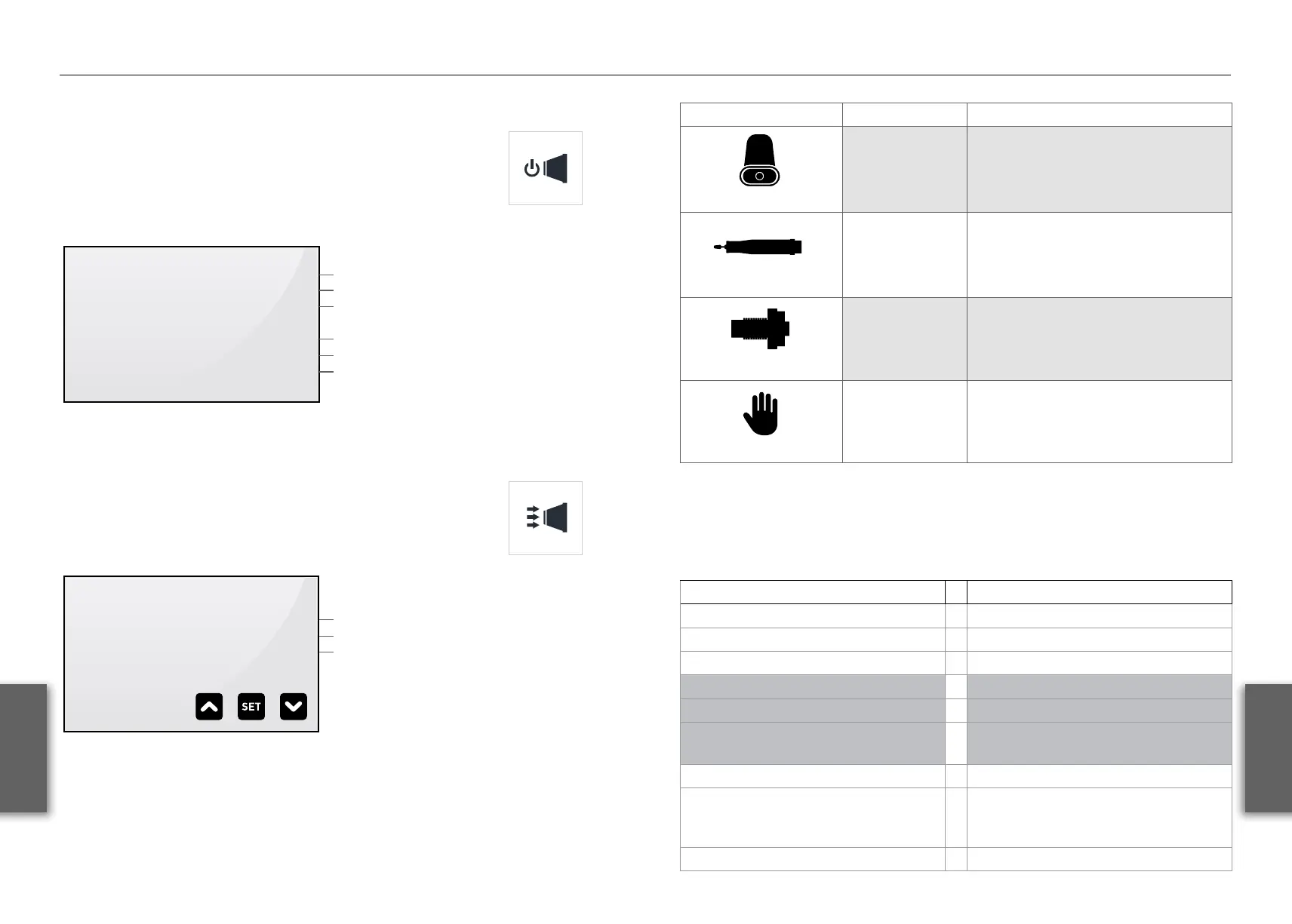
Version info menu
Pressing the „Suction stop“ button when turning on the
device (while the logo is displayed) opens the version info
menu. This menu displays information on the software
versions and component run times.
VERSIONINFO
MAIN PCB V1.9H
TURBINE 005
TOUCH 028
T-H 00001 013
T-B 00001 011
T-L 00000 010
Software version control panel
Software version turbine
Software version touch panel
Runtime hand piece
Runtime turbine
Runtime lamp
Display Error Analysis
User setup menu
Pressing the following buttons in the version info menu
opens the user setup menu. In the user setup menu, you can
set display brightness and the hand piece‘s maximum speed.
Use arrow keys to select the desired setting. Pressing the „SET“ button activates
the selected field. When activated (#), setting can be changed using the arrow keys.
Pressing „SET“ again saves the setting.
To exit version info or user setup menus, restart device using the power switch on
the back.
USER SETUP
BRIGHTNESS >080
RPM-MAX 030
SCREEN SAVE 030
Display brightness
Max. Rpm Hand piece (x 1000)
Time to screensaver
Fixing smaller issues
Error: Error:
Burrs do not clamp properly: Burrs do not run smoothly:
Cause: Cause:
Dirty collet chuck Bent burr shaft
Burr shaft diameter too small
Solution: Solution:
• Clean collet chuck & polygon
sleeve
• Replace the burr/mandrel
• Replace the burr/mandrel


 To Next Page