HYDRONIC UNIT
19
the thermostat that you are at home,
away or it is night-time during P1. The
thermostat will use the heating and
cooling temperatures that were set
for that specific Touch ‘N’ Go key. For
instance, if your heating temperature
set for the home mode is 23°C, the
thermostat will maintain a tempera-
ture of 23°C during P1.
2
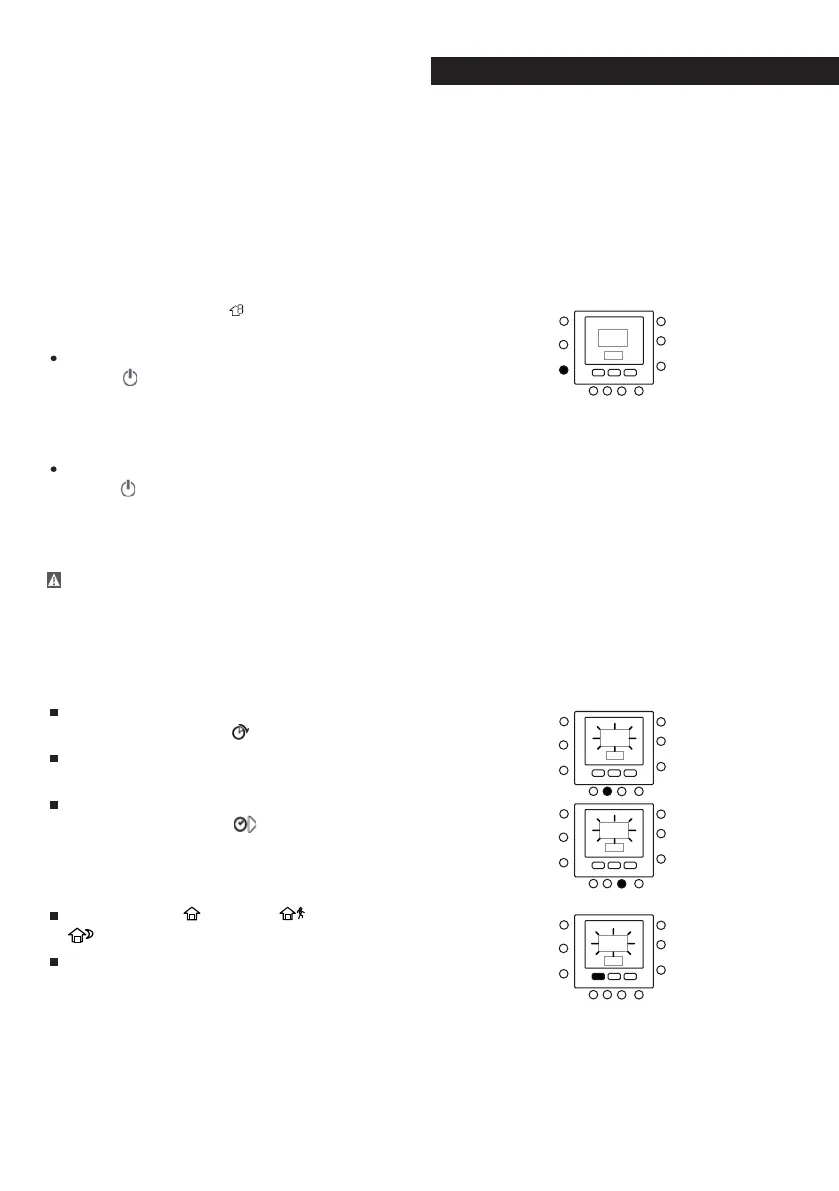
Press the ZONE ( ) key on the left-
hand side of the display.
If the previous status was ON, the off
icon (
) will be displayed, meaning
the appliance is in “OFF” mode. You
are choosing to turn the heat pump
OFF during period P1.
If the previous status was OFF, the off
icon (
) will disappear from the dis-
play, meaning the appliance is in
“ON” mode. You are choosing to leave
the heat pump ON during period P1.
CAUTION: if you decide to turn off the
heat pump, the anti-freeze function
will no longer be guaranteed (for
periods with harsh outside temper-
atures) causing the unit itself to
malfunction or even break.
To move on to the second period,
press the PERIOD (
) key twice.
P2 will flash on the display.
To change the start time for P2, press
the PERIOD START (
) key. Repeat the
steps used for programming period P1
to program periods P2, P3, P4, and so
on.
Press HOME (
), AWAY ( ) or NIGHT (
).
Repeat the procedure used in step
1
.



 To Next Page