GB
Two zones
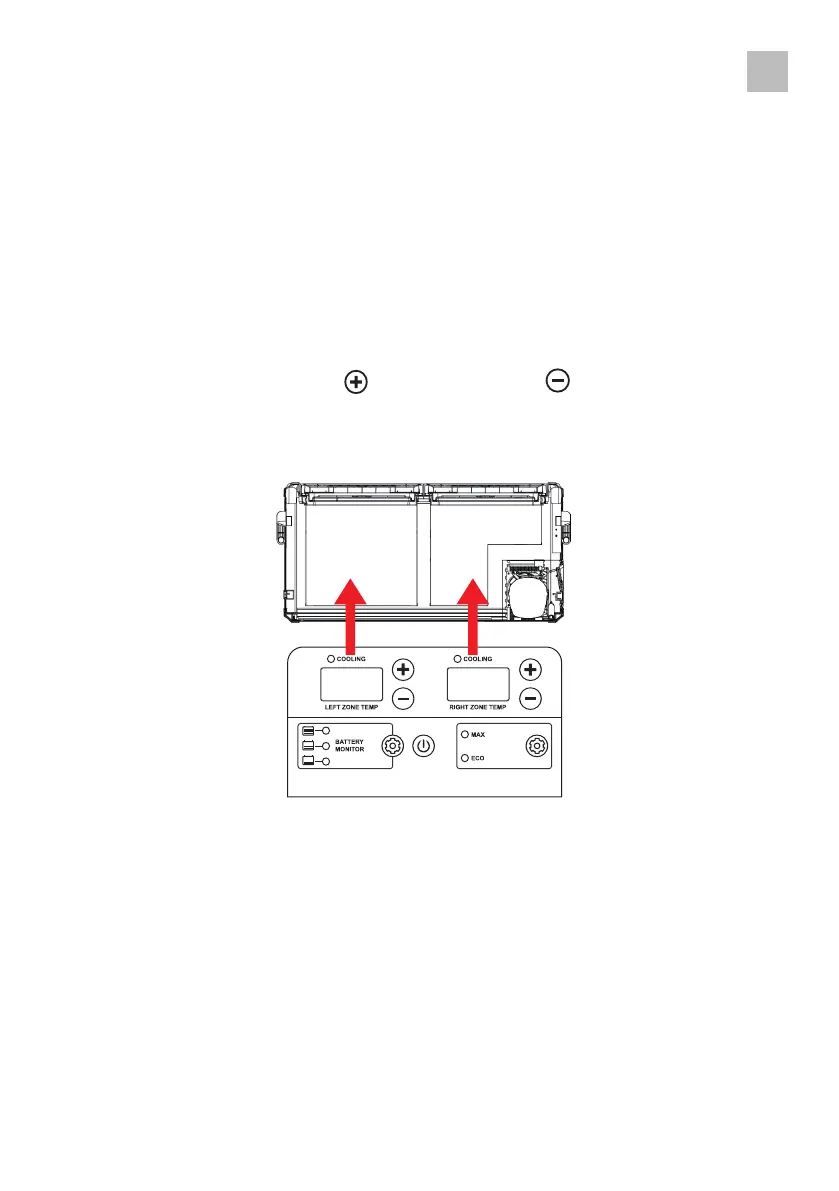
• The temperature controller allows you to set the desired temperature and displays informati-
on about the cooler and the set temperature�
• When your appliance is connected to the AC or DC input for the first time, the digital display
shows the current temperature - the temperature on the "LEFT ZONE TEMP" display corre-
sponds to the larger left zone compartment, the temperature on the "RIGHT ZONE TEMP"
display corresponds to the graduated right zone compartment�
• To increase the temperature, press and to decrease, press until the desired tempera-
ture is reached� After selection, the display flashes a few times before displaying the current
temperature again�
27



 To Next Page