42 43
Notice:
If you use headphones at a high volume for a long time, this can damage your hearing. You can
also connect e.g. the „Line In“ input of a car radio to this socket instead of headphones if you
want to play back the TV sound via the car radio.
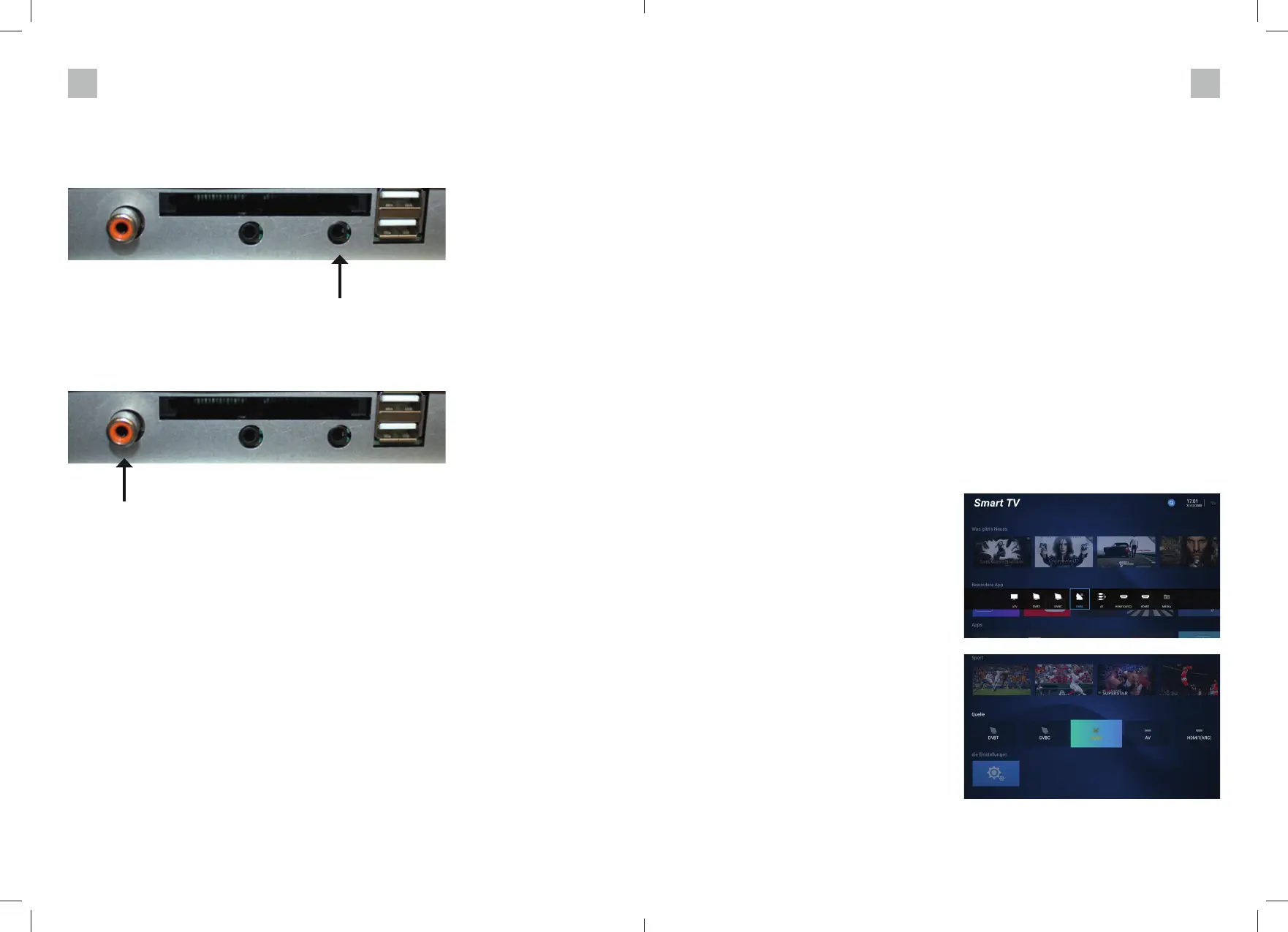
4.7 Connecting to a Coaxial Sound Input
Via the „coaxial“ output of your TV (if provided by the input source), the sound signal is output
digitally and can be played back e.g. via a 5.1 home cinema system. To do this, connect an am-
plifi er with the coaxial input to the „Coaxial“ output on your TV set using a coaxial cable.
COMMISSIONING
Before putting your TV set into operation, please connect it to a suitable power supply. For your
convenience, we have already installed a channel list for satellite reception in the factory. There-
fore, you do not need to perform a channel search for SAT reception.
5. BASIC FUNCTIONS
5.1 Selecting the function
When you switch on the television, it starts with a selection of interesting Internet content
and the input selection menu. You can only use the Internet-based functions if the television is
connected to the Internet (for installation, see chapter 6.). To use the TV functions, the TV must
be connected to a cable connection (DVBC) to a SAT antenna (DVBS) or a terrestrial antenna
(DVBT).
5.2 Selecting the input signal
You can select the input source in several ways.
Use the SOURCE key on the TV. 1:
1. press the „SOURCE“ key on the TV. A bar with all the input sources will appear on the
screen. 2.
Use the arrow keys / to select the input source you want, then press OK to confi rm.
Scroll with the key on the remote control until the input sources appear on the screen as a
selection.
Then use the arrow keys / to select the desired input source and press „OK“ to confi rm.
5.3 Selecting a radio/TV programme position
After you have chosen a TV input source (e.g.
DVBS), press the „OK“ key and the station list
will be displayed.
Now you can select the desired programme
with the / keys on the remote control and
confi rm with the „OK“ key.
If you have already selected a programme and
now want to change the programme, use the
CH+/CH- keys on the unit or CH+/CH- on the
remote control.
Increase the channel number with CH+ or
decrease the channel number with CH-.
GB GB


 To Next Page
 Loading...