EasyManua.ls Logo

Berner AE08 - User Manual

Berner AE08
16 pages
Print Icon
To Next Page IconTo Next Page
Loading...
Thank you for choosing Berner.
Berner International has been saving energy and creating healthy, comfortable environments for our customers for over 60 years.
Berner oers unmatched quality, performance, and dependability—not to mention our service. At Berner, we stand behind our products.
TABLE OF CONTENTS
I. UNCRATING............................................................................................................................................................ ........................................................ 2
II. GENERAL MOUNTING INSTRUCTIONS ................................................................................................................................. ................................... 4
III. WALL MOUNTING ...................................................................................................................................................................................................... 5
IV. SUSPENDED MOUNTING ....................................................................................................................................... ................................................... 5
V. ELECTRICAL CONNECTIONS ..................................................................................................................................................................................... 6
VI. FIELD CONNECTIONS ................................................................................................................................................................................................ 6
VII. OPERATING INSTRUCTIONS .................................................................................................................................................................................... 7
INTELLISWITCH™
QUICK START OPERATION ................................................................................................................................................................................... 10
FAQ’s (FREQUENTLY ASKED QUESTIONS) ......................................................................................................................................................... 12
VIII. MAINTENANCE AND CLEANING ............................................................................................................................................................................ 8
IX. SERVICE ............................................................................................................................................................... ........................................................ 8
X. TROUBLESHOOTING ................................................................................................................................................................................................. 14
XI. APPENDIX
A. SERIAL NETWORK CONNECTION (PREVIOUSLY MASTER / SLAVE CONNECTION) ................................................................................ 15
B. WALL MOUNTED TOUCHSCREEN ................................................................................................................................................ .................. 15
XII.WARRANTY ................................................................................................................................................ ............................................................... 16
Installation & Maintenance Instructions
II-260D
May, 2020
©Copyright, 2020 Berner International
READ ALL INSTRUCTIONS BEFORE INSTALLING OR USING AIR CURTAIN
IMPORTANT INSTRUCTIONS
Architectural Elite 8 & 10
Air Curtain Series
#AE08 & AE10
www.Berner.com
®
WHEN THE DOORS ARE OPEN
save energy & create healthy, comfortable environments
Question and Answer IconNeed help?

Do you have a question about the Berner AE08 and is the answer not in the manual?

Summary

Unpacking and Inspection

General Mounting Guidelines

Wall Mounting Procedures

Preparation

Steps before mounting wall hangers and securing the unit.

Mounting Wall Hangers

Positioning and securing wall hangers to the supporting structure.

Attaching the Air Curtain to the Wall Hangers

Hanging the unit onto the wall hangers and securing it.

Suspended Mounting

Electrical Connection Guide

Field Connections for Heated Models

Electrically Heated Models

Connecting electrically heated models to the control system.

Operating the Air Curtain

General Operation

Overview of air curtain operation and control features.

Air Stream Adjustment

How to properly adjust the air stream discharge vanes.

Maintenance and Cleaning Schedule

Performing Preventive Maintenance

Steps for regular maintenance to ensure peak efficiency.

Service and Parts Replacement

Replacing Fans and;or Motors

Procedure for replacing fans and motors on AE08 and AE10 models.

Quick Start Operation Guide

Intelliswitch Gen4 Frequently Asked Questions

Troubleshooting Common Issues

Appendix: Network and Controls

Serial Network Connection

Connecting multiple air curtains in a serial network.

Remote Wall Mounted Touchscreen

Installation of a remote touchscreen controller.

Product Warranty Information

Limitation of Damages

Limits on customer's exclusive remedy and liability.

Overview

The document describes the Berner Architectural Elite 8 & 10 Air Curtain Series, models #AE08 and AE10, designed to save energy and create healthy, comfortable environments when doors are open. These air curtains are intended for indoor mounting only and are available in both unheated and heated (electric or hot water) configurations.

Function Description:

The primary function of the Berner Architectural Elite air curtain is to create an effective barrier against cold drafts in winter, hot air in summer, flying insects, and airborne contaminants. This is achieved by generating a curtain of air across an open doorway. The air curtain is equipped with a built-in Berner Intelliswitch™ Digital Controller and the Berner AIR™ system, allowing for wireless control via a smartphone app. This system enables users to control and schedule fan activation, fan speed selection, and heat activation (for heated units). The Intelliswitch™ offers various modes of operation, including OFF, ON, AUTO, and PLUS (for heated units), providing flexibility in how the air curtain operates in response to door openings and temperature settings. For optimal performance, the air stream can be adjusted using discharge nozzle vanes to ensure it effectively covers the doorway, directing air both inside and outside the building. The air curtain's effectiveness is dependent on proper installation, including maintaining balanced air pressure in the building and ensuring no obstructions interfere with the air stream.
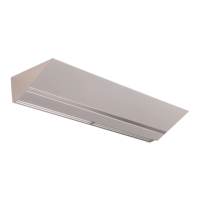
Important Technical Specifications:

  • Models: AE08 and AE10.
  • Mounting Heights: AE08 is designed for mounting heights up to 8 feet, while AE10 is for heights up to 10 feet.
  • Dimensions:
    • AE08: 23" length, 11" height.
    • AE10: 28.25" length, 14.5" height.
  • Clearances: A minimum of 4" side and top clearance from combustible material is required. A minimum of 6 feet clearance between the bottom of the air curtain and the floor is also specified.
  • Mounting Hardware: Mounting hardware (supplied by others) must be capable of supporting a minimum of three (3) times the net weight of the air curtain. 1/4"-20 bolts are provided by Berner for attaching the mounting catch and hook.
  • Electrical Connections: All wiring must comply with the latest edition of the National Electrical Code ANSI/NFPA No. 70 (or Canadian Electrical Code, Part 1-C.S.A. Standard C22.1 in Canada) and local codes. A separate line voltage supply with suitable branch circuit protection and a disconnect switch for each branch circuit are required. Field wiring must be copper with a minimum insulation of 60°C. Replacement wires must be copper with a minimum insulation of 90°C.
  • Heated Units: Electric and hot water heated air curtains are factory equipped with a unit-mounted solid-state temperature sensor. Hot water models connect to building systems via 3/4"-AE08 or 1"-AE10 MPT supply and return header connections. The Intelliswitch™ can power a solenoid load up to 5 amps for hot water models. Electric heated models include auto-reset thermal cutouts for overheating protection.
  • Control System: Berner Intelliswitch™ Digital Controller (Gen4) and Berner AIR™ system (wireless controller via smartphone app).
  • Serial Network Connection (Optional): Allows multiple air curtains of the same series to be networked together for synchronized control. Uses RJ11 connectors and serial cables.
  • Remote Wall Mounted Touchscreen (Optional): Pre-wired with a Power-over-Ethernet (PoE) connection, requiring a CAT 5 ethernet cable (max. 300 ft) for low voltage power.

Usage Features:

  • Intelliswitch™ Control: The Intelliswitch™ provides a user-friendly interface with buttons for navigation, setting selection, and mode changes. It displays current status and diagnostic data.
  • Modes of Operation:
    • OFF: Air curtain is off regardless of door status.
    • ON: Air curtain activates immediately when selected and continues to run.
    • AUTO: Air curtain activates when the door opens and turns off after a time delay expires when the door shuts.
    • PLUS (Heated Units Only): Air curtain and heater activate at a set speed if the temperature is below the thermostat setting when the door opens. If the thermostat is not satisfied, it continues to run until satisfied, then operates at a low speed if the temperature drops again.
  • Adjustable Settings: Users can set fan speed, delay time (for AUTO/PLUS modes), temperature set point (heated units), start/stop times for programmed operation, and current time/day.
  • Lock Mode: The Intelliswitch™ can be locked to prevent unauthorized changes, with an optional PASScode for added security.
  • Berner AIR™ App: Allows programming and operation of air curtains via a smartphone, requiring an on-site, secure Wi-Fi connection.
  • Air Stream Adjustment: Discharge nozzle vanes can be manually adjusted (after de-energizing the unit) to optimize the air stream split location for maximum effectiveness.
  • Serial Network Connection: Enables multiple units to be controlled from a single point, with settings transferring across all linked air curtains. Options for "ind" (independent) or "ALL" control for door switch, thermostat, and stop functions.

Maintenance Features:

  • Regular Cleaning: To maintain peak efficiency, blower wheels, motors, and intake screens should be cleaned regularly. The frequency depends on the environment (monthly for dirty/greasy, every six months for less dirty). The air inlet filter typically requires cleaning every three to six months.
  • Filter Access: The aluminum washable filter is held by the intake screen and can be accessed by removing Phillips head screws. It can be vacuumed or washed with dish soap and water.
  • Internal Cleaning: The bottom access panel can be opened by removing Phillips head screws to vacuum and scrape dirt and debris from internal components.
  • Motor Lubrication: Motors are permanently lubricated and sealed, requiring no additional lubrication.
  • Fan/Motor Replacement (AE08): Involves removing the bottom access cover, disconnecting wiring, loosening fan set screws, removing the transverse, unlocking bearing retainers, sliding fans inward, and removing motor clips.
  • Fan/Motor Replacement (AE10): More involved, requiring removal of the bottom access cover, disconnecting wiring, removing nozzle vane sub-assemblies, lower module screws, and the transverse. If electric heaters are present, wires must be marked and disconnected. The blower module is then lowered, fan set screws loosened, hex screws on the blower plate removed, and fan impellers/housings slid off the motor shaft before removing motor clips.
  • Troubleshooting Guide: The manual includes a comprehensive troubleshooting section covering common issues such as no air, minimum air, air not hitting the floor, uneven air, excessive air movement at the doorway, and heating problems (no heat, minimal heat, excessive heat) for both electrically and hot water heated models. It provides potential causes and remedies for each issue.
  • Qualified Personnel: Any service, especially involving electrical components or internal parts, must be performed by qualified personnel.
  • Warranty: Berner International offers a five-year warranty on unheated models and a two-year warranty on heated models from the original shipment date, provided the equipment is properly cared for, installed, and operated according to instructions. The warranty covers defects in workmanship and material, with repair or replacement at the company's option. It does not cover labor for removal/installation of defective parts or misuse.

Berner AE08 Specifications

General IconGeneral
BrandBerner
ModelAE08
CategoryHeater
LanguageEnglish

Related product manuals