EasyManua.ls Logo

Berner ALC08 Series - User Manual

Berner ALC08 Series
16 pages
Print Icon
To Next Page IconTo Next Page
Loading...
Installation & Maintenance Instructions
IMPORTANT INSTRUCTIONS
READ AND SAVE
THESE INSTRUCTIONS
No. II-470
Date February, 2021
WARNING: TO REDUCE THE RISK OF FIRE, ELECTRIC SHOCK OR INJURY TO PERSONS, OBSERVE THE FOLLOWING:
A. Read all instructions before installing or using this air curtain.
B. Use this unit only in the manner intended by the manufacturer and described in this manual. Any other use not recommended by the
manufacturer may cause re, electric shock, or injury to persons. If you have any questions, contact the manufacturer.
C. Before servicing or cleaning unit, switch power o at service panel and lock the service disconnecting means to prevent power from
being switched on accidentally. When the service disconnecting means cannot be locked, securely fasten a prominent warning device,
such as a tag, to the service panel.
D. Installation work and electrical wiring must be done by qualied person(s) in accordance with all applicable national and local codes
having jurisdiction, including re-rated construction. See page 4, ELECTRICAL CONNECTIONS (NEC Code ANSI/NFPA No. 70).
E. When cutting or drilling into wall or ceiling, do not damage electrical wiring and other hidden utilities.
F. To reduce the risk of re, do not store or use gasoline or other ammable vapors and liquids in the vicinity of the air curtain.
G. This air curtain is hot when in use. To avoid burns, do not let bare skin touch hot surfaces. Keep combustible materials, such as furniture,
pillows, bedding, papers, clothes, etc. and curtains at least 1 inch from the top, back, front, sides and at least 6 feet from the discharge of
the air curtain.
H. Extreme caution is necessary when any air curtain is used by or near children or invalids, and whenever the heater is left operating
unattended.
I. Do not operate any air curtain after it malfunctions. Disconnect power at the service panel and have the air curtain inspected by a
reputable electrician before reusing.
J. To disconnect the air curtain, turn controls to "o", and turn o power to the air curtain circuit at main disconnect panel.
K. Do not insert or allow foreign objects to enter any ventilation or discharge opening as this may cause an electric shock or re, or damage
the air curtain.
L. To prevent a possible re, do not block the air intake or discharge of the air curtain in any manner.
M. The air curtain has hot and arcing or sparking parts inside. Do not use it in areas where gasoline, paint, or ammable vapors or liquids are
used or stored.
N. This heater may include an audible or visual alarm to warn that parts of the heater are getting excessively hot. If the alarm sounds (or
illuminates), immediately turn the heater o and inspect for any objects on or adjacent to the heater that may have blocked the airow or
otherwise caused high temperatures to have occurred. DO NOT OPERATE THE HEATER WITH THE ALARM SOUNDING (OR ILLUMINATING).
ARCHITECTURAL
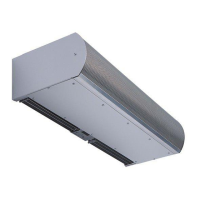
Low Prole 8
AIR CURTAIN SERIES ALC08
FDA
RECOMMENDED
TABLE OF CONTENTS
I. UNCRATING............................................................................................................................................................ ........................................................ 2
II. GENERAL MOUNTING INSTRUCTIONS ................................................................................................................................. ................................... 2
III. WALL MOUNTING ...................................................................................................................................................................................................... 2
IV. SUSPENDED MOUNTING ....................................................................................................................................... ................................................... 3
V. ELECTRICAL CONNECTIONS ..................................................................................................................................................................................... 4
VI. FIELD CONNECTIONS ................................................................................................................................................................................................ 5
VII. OPERATING INSTRUCTIONS .................................................................................................................................................................................... 6
INTELLISWITCH™
QUICK START OPERATION ................................................................................................................................................................................. 9
FAQ’s (FREQUENTLY ASKED QUESTIONS) .................................................................................................................................................... 10
VIII. MAINTENANCE AND CLEANING .......................................................................................................................................................................... 12
IX. SERVICE ............................................................................................................................................................... ........................................................ 8
X. TROUBLESHOOTING ................................................................................................................................................................................................. 14
XI. APPENDIX
A. SERIAL NETWORK CONNECTION ................................................................................................................................................................... 15
B. REMOTE MOUNTED DISPLAY FACEPLATE ................................................................................................................................................ .... 15
C. INFRA-RED REMOTE CONTROL ................................................................................................................................................ ...................... 15
D. BACnet-IP INTEGRATION ................................................................................................................................................ ................................ 15
XII.WARRANTY ................................................................................................................................................ ............................................................... 16
USDA
COMPLIANCE
®
WHEN THE DOORS ARE OPEN
save energy & create healthy, comfortable environments
800-245-4455 www.berner.com

Question and Answer IconNeed help?

Do you have a question about the Berner ALC08 Series and is the answer not in the manual?

Summary

Installation & Maintenance Instructions

General Safety Warnings

Crucial safety precautions to reduce fire, electric shock, or injury risks during installation and operation.

Electrical Connections

Wiring and Power Supply Requirements

Guidelines for connecting power supply, branch circuits, and wiring for various heating types.

Operating Instructions

General Operation and Intelliswitch Controller

Overview of the Intelliswitch controller for fan activation, speed, and heat selection.

Maintenance and Cleaning

Component Cleaning Procedures

Steps for accessing and cleaning interior components like blower wheels and intake grilles.

Service

Intelliswitch Display Board Service

Instructions for removing and replacing the Intelliswitch display board.

Intelliswitch Control Board Service

Steps for removing and replacing the main Intelliswitch control board.

Intelliswitch Speed Sensor Service

Procedure for replacing and adjusting the speed sensor component.

Intelliswitch Temperature Sensor Service

Steps to replace the temperature sensor connected to the Intelliswitch controller.

Quick Start Instructions

Intelliswitch FAQs

Troubleshooting

Warranty

Overview

The document describes the Berner Architectural Low Profile 8 Air Curtain Series ALC08, a device designed to create an effective barrier against cold drafts in winter and hot air in summer, thereby saving energy and creating healthy, comfortable environments. It is intended for indoor mounting only.

Function Description:

The air curtain operates by discharging a controlled stream of air across a doorway opening. This air stream acts as an invisible barrier, preventing the exchange of indoor and outdoor air. The unit can be unheated or include electric, steam, or hot water heating elements to provide a heated air stream. It is equipped with a built-in Berner Intelliswitch™ Digital Controller for fan activation, fan speed selection, and heat activation. For optimal performance, the air curtain should be mounted on the inside of the building, flush to the wall, and as close to the top of the door opening as possible, with the air stream free of obstructions. The Intelliswitch™ controller allows for various operating modes, including "OFF," "ON," "AUTO," "DELU" (delay run for 60 seconds), and "PLUS" (for heated units, running until thermostat is satisfied). It also supports programmable start/stop times, temperature settings, and fan speed adjustments. The device can be integrated with a Building Management System (BMS) via dry contacts for unit activation and heat activation. For advanced control and programming, the Berner AIR™ App can be used with smart controller and Wi-Fi options, or through BACnet-IP integration.

Important Technical Specifications:

  • Mounting: Designed for indoor wall or suspended mounting.
  • Clearances:
    • Minimum 1" clearance above the top of the air curtain for cover housing installation/removal.
    • For electric heated units, a minimum 1" side clearance from combustible material and 6' minimum clearance from the bottom of the air curtain to the floor.
    • For high wall mounting (over 4" above door opening), the mounting plate must be spaced out from the wall 3/8" for every additional inch the air curtain is above the door opening.
    • Maximum recommended mounting height: 8' above the finished floor.
  • Air Stream Adjustment: Discharge vanes can be directed from 0° to 20° toward the door opening. The air stream split location should be approximately 3" outside the doorway for optimal performance.
  • Electrical: Requires a separate line voltage supply with a suitable branch circuit protection device. A disconnect switch for each branch circuit is required. All field wiring must be copper with a minimum insulation of 60°C within approved conduit. Replacement wiring must be copper with a minimum insulation of 90°C.
  • Heating Options: Available with electric, steam, or hot water heating coils. Electric heated units include auto-reset thermal cutouts for overheating protection. Steam/hot water units connect to building system supply and return via 3/4" MPT nipples.
  • Control System: Berner Intelliswitch™ Digital Controller for fan speed, heat, and operating modes. Supports door switch or sensor activation.
  • Connectivity (Optional):
    • Serial Network Connection: Allows multiple air curtains of the same series to be networked, enabling all units to be programmed from any single display or remote control. Uses RJ11 connectors and serial cables.
    • Remote Mounted Display Faceplate: Allows Intelliswitch™ operation from a remote location, with a maximum mounting distance of 20 feet from the unit.
    • Infra-red Remote Control: Handheld remote with a range of 15 feet for controlling the Intelliswitch™ display functions, including a single-press lock/unlock button.
    • Berner AIR™ (Smart Controller & App): Enables programming and operation via smartphone (requires on-site, secure Wi-Fi connection).
    • BACnet-IP Integration: Compatible with Building Management Systems, allowing connection via the Berner AIR™ App (wireless) or a CAT 5 Ethernet cable (wired).
  • Weight: Unit weights vary by model and heating type (Ambient, Electric, Steam/Hot Water), ranging from 33 lbs (ALC08-1030 Ambient) to 178 lbs (ALC08-2120 Steam/Hot Water).

Usage Features:

  • Intelliswitch™ Digital Controller: Provides intuitive control over fan activation, fan speed, and heat settings. Features a display for mode selection, delay time, temperature set, start/stop times, T-Stat mode, and clock settings. Includes a "Locked" mode to prevent unauthorized changes, which can be unlocked by simultaneously pressing the left and right arrows for 5 seconds.
  • Operating Modes:
    • OFF: Air curtain is off regardless of door status.
    • ON: Air curtain activates when the door opens and continues to run when the door shuts.
    • AUTO: Air curtain activates when the door opens and turns off when the door shuts.
    • DELU (Delay Run): Air curtain activates when the door opens and continues to run for a minimum of 60 seconds after the door shuts.
    • PLUS (Heated Units Only): Air curtain and heater activate and run at a set speed when the door opens. Continues to run for a minimum of 60 seconds after the door shuts. If the thermostat is not satisfied, both continue to run until the thermostat is satisfied. If the thermostat drops below the set temperature, the heater and air curtain will run until the thermostat is satisfied.
  • Air Stream Adjustment: Discharge nozzle vanes can be adjusted to optimize the air stream's direction, ensuring it effectively covers the doorway and splits appropriately (approximately 3" outside the doorway).
  • Troubleshooting: The manual provides a comprehensive troubleshooting guide for common issues such as "No Air," "Motor Running/Fans Not Rotating," "Electrical Controls Not Functioning When Door Is Open," "Minimum Air," "Air Is Not Hitting Floor," "Uneven Air," "Excessive Air Movement At Doorway," "No Heat," "Minimal Heat," and "Excessive Heat" (for both electrically heated and steam/hot water heated models). It also includes FAQs for Intelliswitch™ issues like settings changes, heat not working, display not lighting up, fans not shutting off, program changes not saving, and unit not turning on.

Maintenance Features:

  • Cleaning: Regular cleaning is crucial for peak efficiency. The blower wheels, motor(s), and intake grille should be cleaned to prevent dust buildup, which can cause vibration, noise, and excessive wear.
    • Frequency: In dirty, dusty, or greasy environments, cleaning may be required every two months. Otherwise, a minimum of once every six months is recommended.
    • Procedure: Disconnect power, remove the intake grille (by removing locking screws and lifting), remove the bottom access panel (by removing Phillips head screws), then vacuum and scrape dirt/debris. Reinstall covers and grille.
  • Motor Lubrication: Motors are permanently lubricated and require no additional lubrication.
  • Service: Any service must be performed by qualified personnel. Parts are easily accessible for inspection.
  • Component Replacement: Detailed instructions are provided for replacing Intelliswitch™ display boards, control boards, speed sensors, and electric heater elements. These procedures involve disconnecting power, removing covers, carefully detaching components, and reconnecting wiring. Specific warnings are given regarding static electricity, water, extreme heat, and avoiding damage to wires during drilling.
  • Speed Sensor Adjustment: Instructions are provided for positioning the speed sensor tip a maximum of 1/16" (2 mm) away from the rotating trigger on the motor shaft, with a warning against mounting it too close to avoid damage.

Berner ALC08 Series Specifications

General IconGeneral
BrandBerner
ModelALC08 Series
CategoryHeater
LanguageEnglish

Related product manuals