27
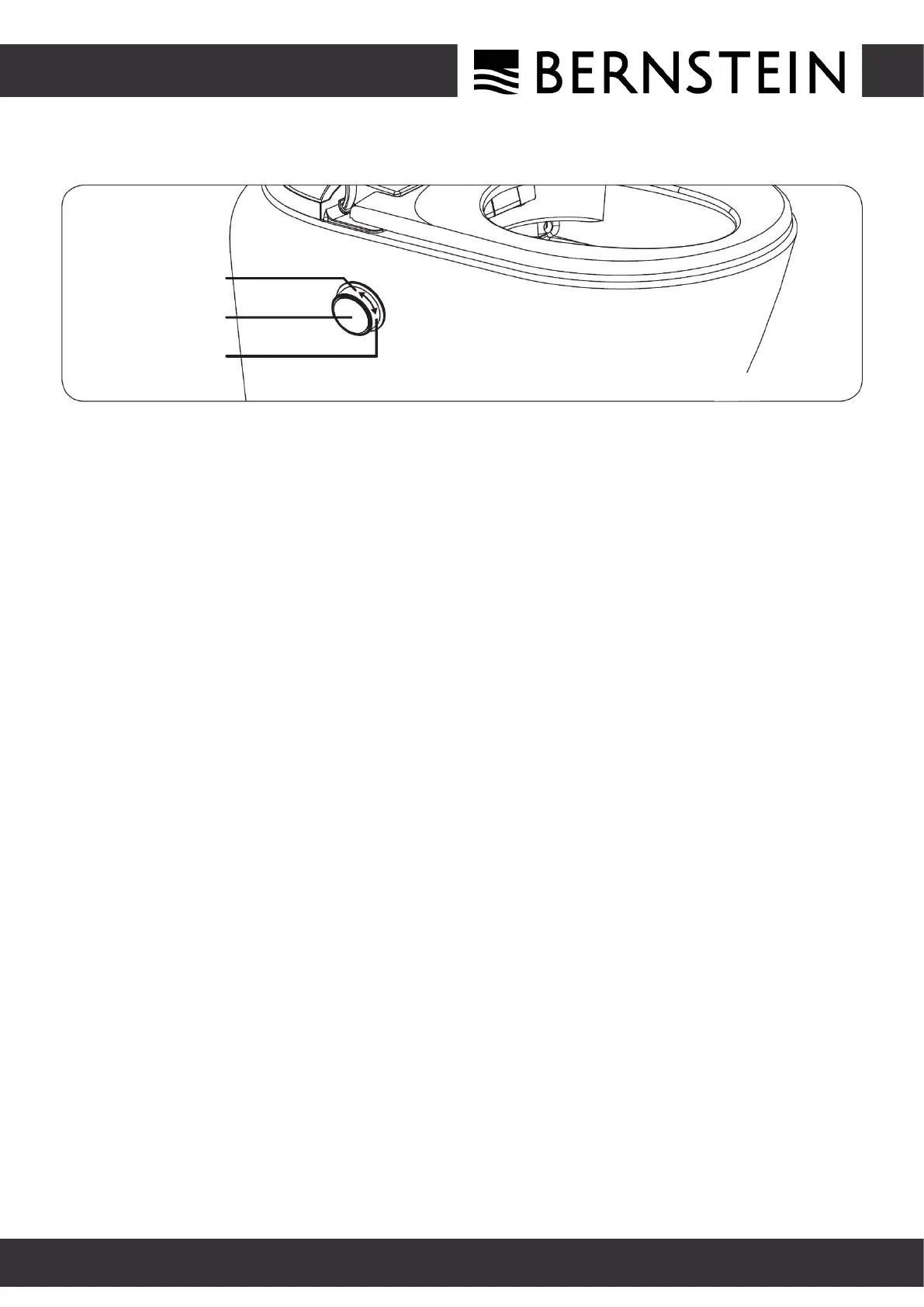
DESCRIPTION OF THE CONTROL KNOB FUNCTIONS
Rotate backward
Press the knob
Rotate forward
In the seated state (The light is permanently bright white)
1. Turn the knob forwards to activate the lady wash function
and turn the knob backwards to activate the rear wash function.
2. While the lady shower, rear wash function is functioning,
press the button shortly to stop them.
3. While using the lady wash function or rear wash function, turn the knob
forwards or backwards and the nozzle moves forwards or backwards.
In the non-seated state (The light is white breathing light)
No reset required after the knob has been turned
DESCRIPTION OF OTHER FUNCTIONS
Standby function (sleep mode):
Shortly press the „ Standby/exchanging water“ button on the remote control to switch the
standby function on or off. In the non-sseated state and without cleaning mode, short press
the „Standby/exchanging water“ button to switch off all functions and lights and change to
the standby state.
Automatic closing of cover/seat:
After 90 seconds without operation and leaving the seat, the WC cover
and the WC seat are automatically closed one after the other.
Exchanging the water:
Under the „non-sseated state“, a long press on the button to switch the water function
on or off. It is indicated in green by the button light while pressed.
SHOWER-WC T620 Pro


 To Next Page