BODY mode: 89.6°F to 109°F (32°C to 42.9°C)
SURFACE mode: 32°F to 140°F (0°C to 60°C)
ROOM mode: 50°F to 104°F (10°C to 40°C)
NOTE: Once the thermometer is powered on, the last temperature mode measured will default as the current
temperature mode.
NOTE: Always use the BODY mode to measure internal human temperature.
CHANGING TEMPERATURE UNIT
While the thermometer is turned on, press the MODE button for 2 seconds, screen will display “F1”, then press the
MODE button to transfer between degree Celsius and Fahrenheit, confirm by pressing the MEM button.
TAKING A MEASUREMENT
1. Press ON/SCAN button to power on the thermometer. When the devise is ready, the LCD screen will turn
green.
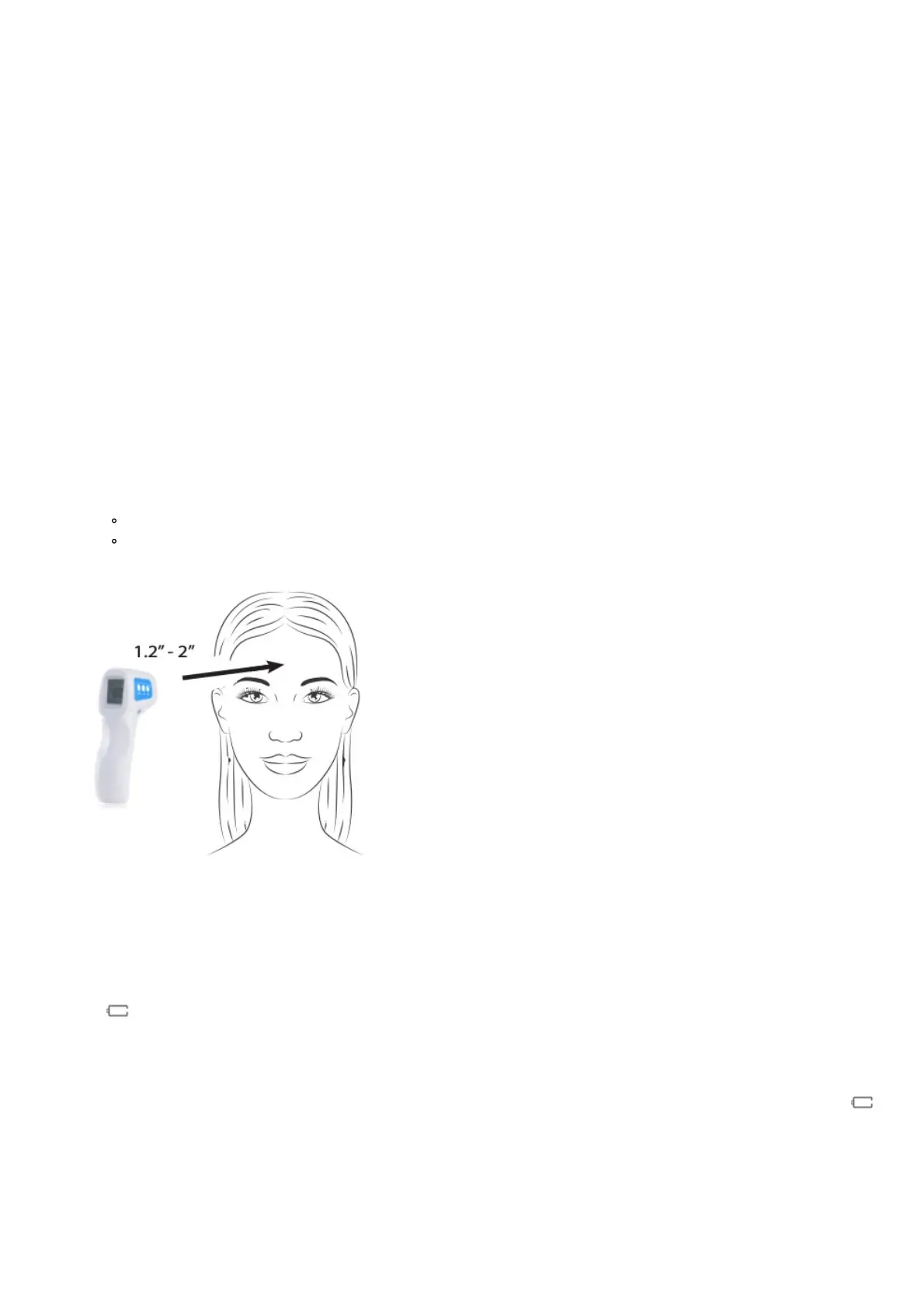
2. Position the thermometer between 1.2″ to 2″ (3 to 5 cm) from the patient’s forehead.
3. Press ON/SCAN button to take measurement.
4. A measurement will be displayed on the LCD screen.
To repeat the process, return to step 2.
Allow 3 to 5 seconds between measurements.
5. The thermometer automatically turns off after 30 seconds of inactivity.
Note: High temperature alarm default setting is 100.4˚F (38˚C).
LOW BATTERY DETECTION
If the battery voltage is not more than 2.7V, the JXB-178 Non-contact Infrared Thermometer will display the flashed
symbol to remind you to replace both batteries.
CHANGING THE BATTERIES
The JXB-178 Non-contact Infrared Thermometer requires 2 AA alkaline batteries. When the LCD screen displays
, both batteries should be replaced. Open the lid on the bottom of the thermometer and replace the batteries, noting
the correct battery positioning. Wait 15-20 minutes for the unit to acclimate to the ambient environment (temperature)
before performing a test.
TROUBLESHOOTING


 To Next Page