to 38
℃
, the product will beep continuously.
6. Buzzer ON/OFF
In the switch on state, press the “MODE” button for 3 second and the screen will display F1,
press “MODE” button for three enter to F5 function, press the “On/Scan” button the sound
will open and display “ON” and “ “; press the “MEM” button the sound will close and display
“OFF”. Confirm by pressing “MODE” button.
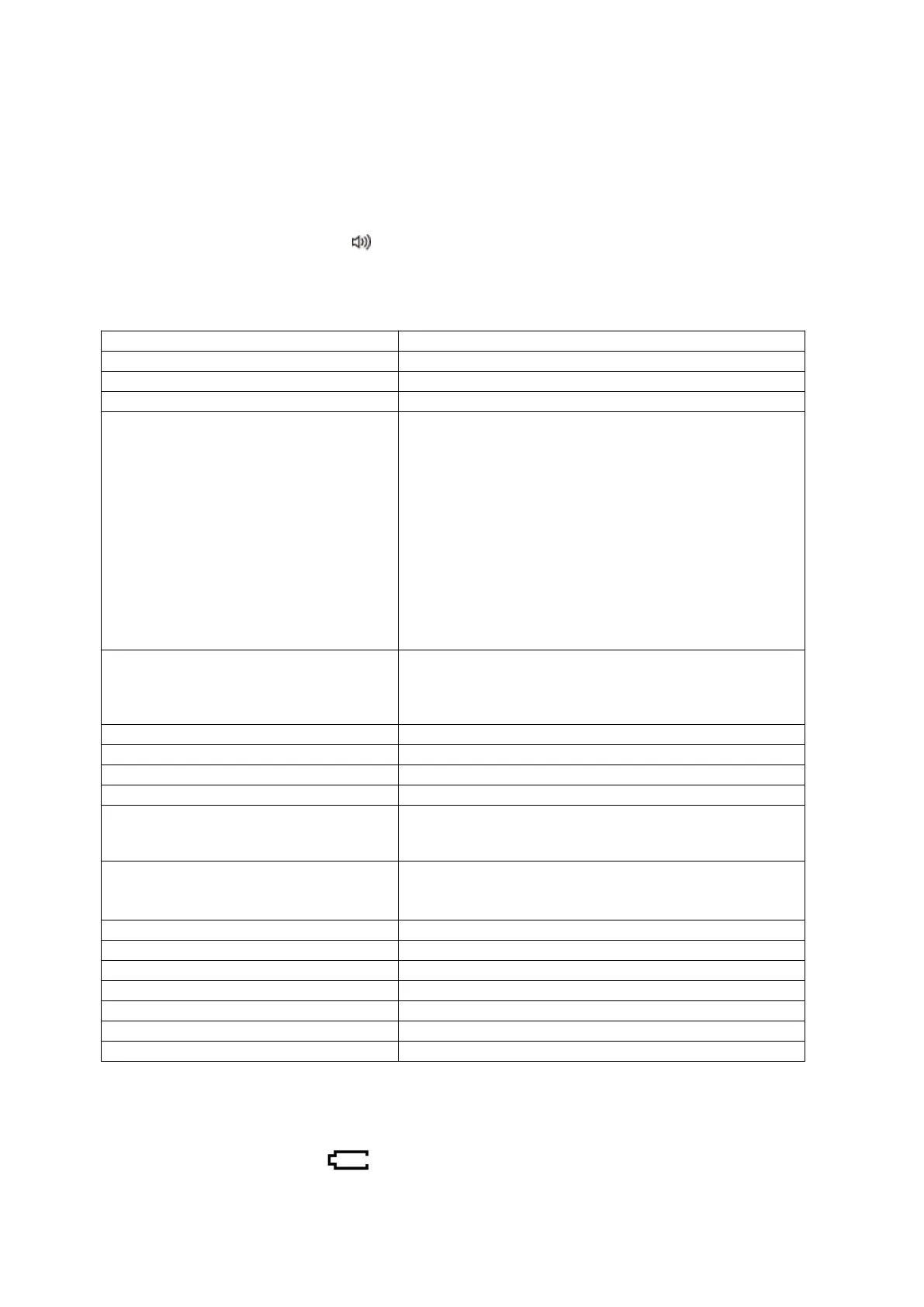
VII. TECHNICAL SPECIFICATIONS
DC 3V 2 pcs AAA dry batteries
Body temperature mode:
32.0°C ~ 43.0°C (89.6°F ~ 109.4°F)
Under body mode, there is three color backlits:
Green color backlit: less than 37.3°C (99.1°F), means
normal temperature.
Orange color backlit: 37.4°C - 37.9°C (99.3°F - 100.2°F),
means may be low fever.
Red color backlit: more than 38°C (100.4°F), means
may be high fever.
Surface temperature mode:
0°C ~ 60°C (32°F ~ 140°F)
Room temperature mode:
0°C ~ 40°C (32°F ~ 104°F)
Body temperature mode:
32.0°C ~ 34.9°C (89.6°F ~ 94.8°F) : ±0.3°C (±0.6°F)
35.0°C ~ 42.0°C (95°F ~ 107.6°F) : ±0.2°C (±0.4°F)
42.1°C ~ 43.0°C (107.8°F ~ 109.4°F) : ±0.3°C (±0.6°F)
Ambient temperature: 10°C ~ 40°C (50°F ~ 104°F)
Relative humidity: ≤85%RH
Atmospheric Pressure: 700 hPa to 1060 hPa
Storage and transportation condition
Ambient temperature: -20℃ ~ 55℃ (-4℉ ~ 131℉)
Relative humidity: ≤ 95%RH
Atmospheric Pressure: 700 hPa to 1060 hPa
Approx.80g (Battery excluded)
Approx. 170 x 42 x 39 mm (L x W x H)
VIII. BATTERIES
1. CHANGING THE BATTERIES
When the battery symbol " " flashes on the display screen, the batteries need to be


 To Next Page