XI. TROUBLESHOOTING
If you have any problem while using your thermometer, please refer to this guide to help
resolve the problem. If the problem cannot be resolved, please contact our customer service.
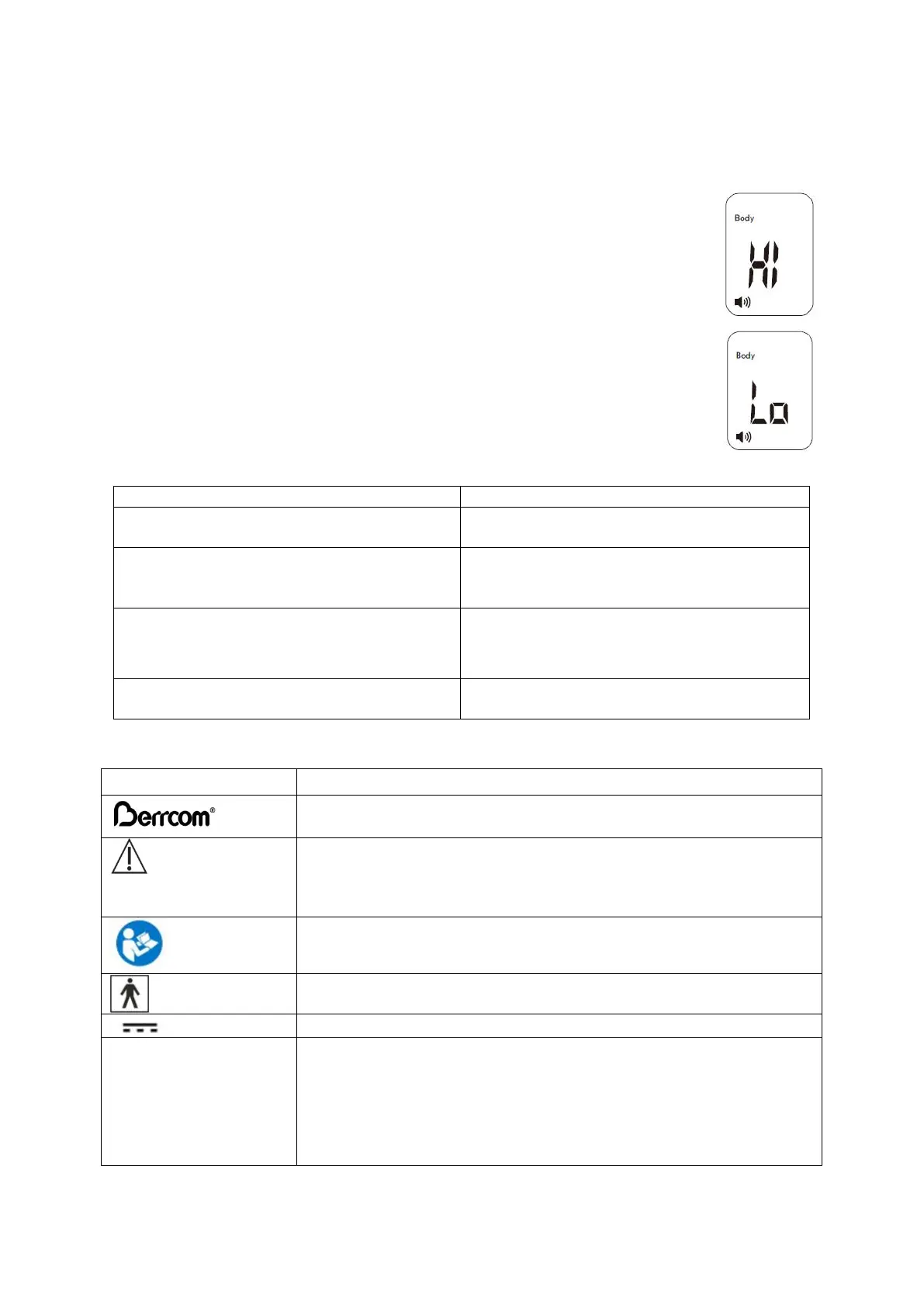
THE SCREEN DISPLAYS THE MESSAGE HI
In Body Temperature Mode, the thermometer will display “HI” if the measured
object temperature is higher than 43°C (109.4°F).
In Surface Temperature Mode, the thermometer will display “HI” if the
measured object temperature is higher than 60°C (140°F).
THE SCREEN DISPLAYS THE MESSAGE LO
In Body Temperature Mode, the thermometer will display “Lo” if the measured
object temperature is lower than 32°C (89.6°F).
In Surface Temperature Mode, the thermometer will display “Lo” if the
measured object temperature is lower than 0°C (32°F).
This message displays for various reasons. Please refer to the list of main issues below:
Reasons for LO message display
Temperature reading hampered by hair or
perspiration.
Make sure there is no obstruction or
dampness before taking temperature.
Temperature hampered by an air draft or
dramatic change in ambient temperature.
Make sure there is no air blowing in the
area of use, which could affect the infrared
reading.
Temperature readings are too close
together, and the thermometer did not have
time to reboot.
Pause for at least 3-5 seconds between
readings; a 15 seconds pause is
recommended.
The measuring distance is too far.
Take measurements at the recommended
distance (app. 3-5 cm) .
XII. SIGNS AND SYMBOLS
Indicates the need for the user to consult the instructions for use
for crucial cautionary information such as warnings and
precautions that can not, for a variety of reasons, be presented on
the medical device itself.
Please read the instructions carefully.
Application part, Type BF
Degree of protection against harmful ingress of water and
particulate matter
2 Protected and against solid foreign objects of 12.5mm Φ and
greater
2 Protection against vertically falling water drops when
ENCLOSURE titled up to 15°


 To Next Page