Special Functions
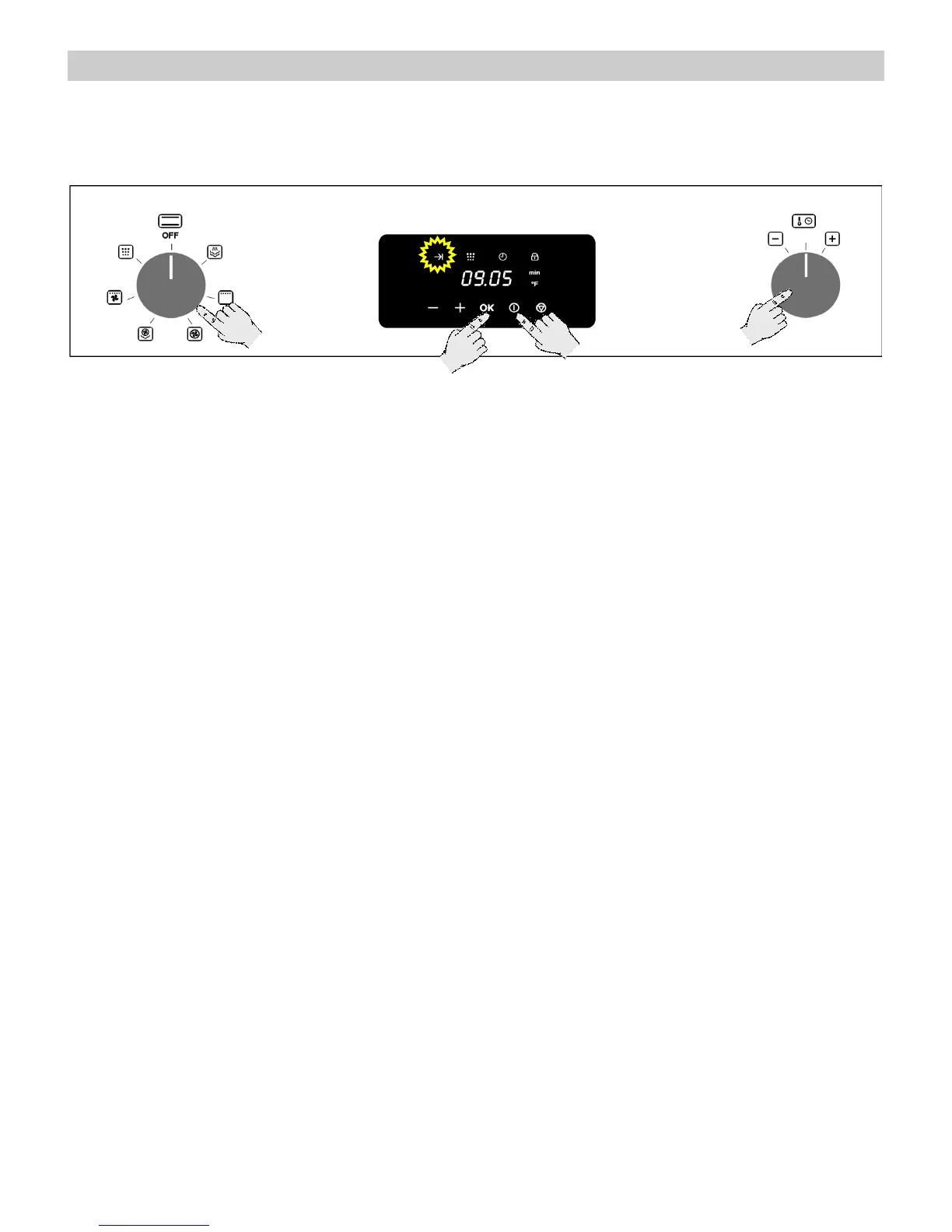
Delayed Start Time
Use this function to program the start of the cooking to a different time.
1. Rotate the Function Selector knob to the
desired function position (This function works
with: Steam function, Convection,
Convection + Steam).
2. Set the parameters (e.g.: operating time,
temperature) as described in the “Basic
Functions”.
3. Press the “OK” key (instead of Start) to enter
the Delayed Start Time. (The Delayed Start
indicator flashes in the display.)
4. Turn the “+”/ “-“ Selector Knob to the left
or right to adjust the delayed start time.
(0:00 appears by default on the display and
you can delay the start of the programme up
to 9 hours and 59 minutes - 9:59 ).
5. Press the Start key to validate the delayed
start time.
6. The cooking duration and delayed start (+
respective indicators) will be displayed
alternating.
7. The delayed start will start counting down
8. The oven will start to operate when the
delayed start reaches 00:00.


 To Next Page