10
4
+
°C
Functions
Settings
4
+
°C
Each time the appliance is switched on it goes
through a self-diagnosis procedure lasting
three minutes before completely starting up.
Preset
temperature
Fridge
Compartment
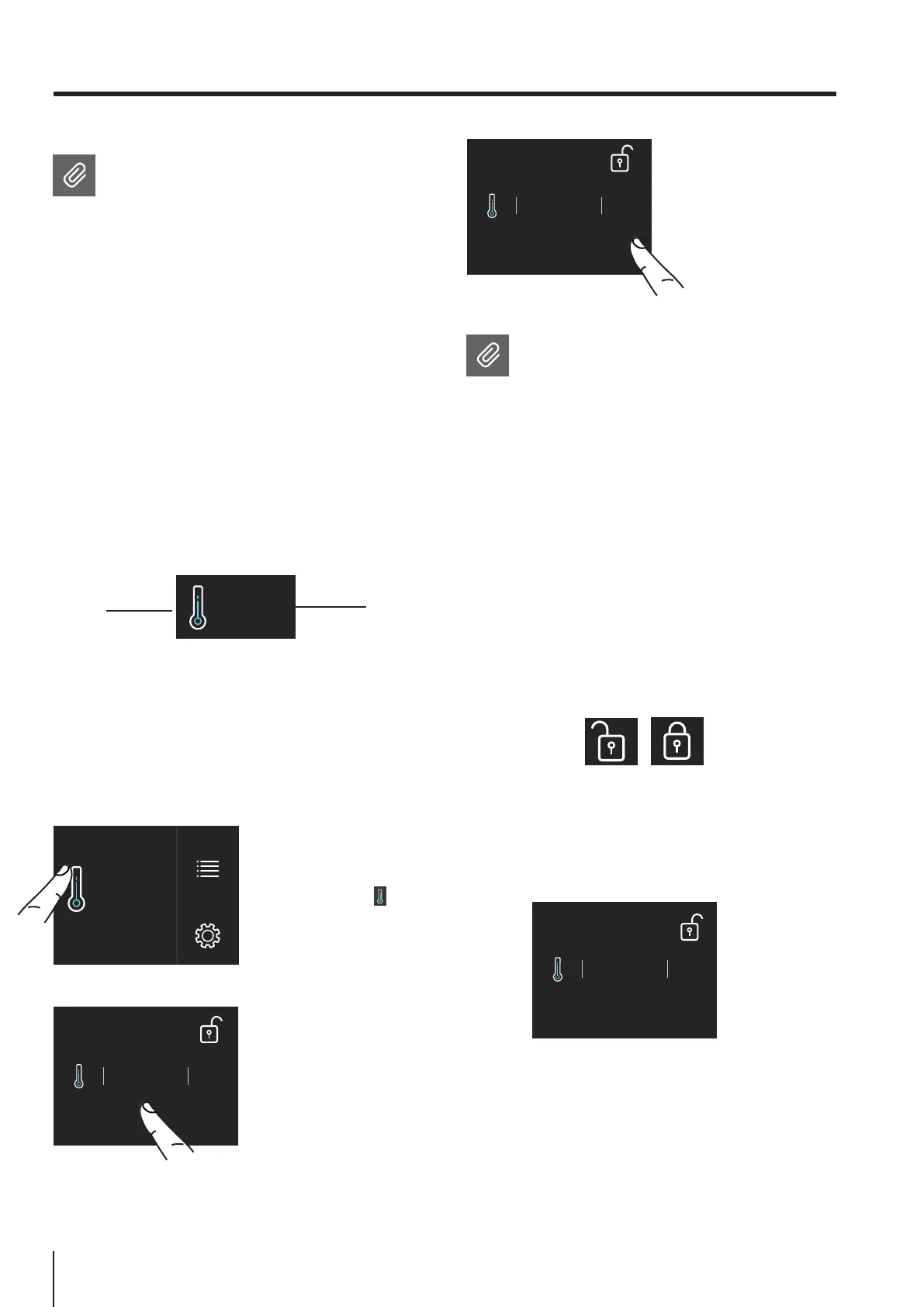
3) Touch the icon ok
to confirm the desi-
der temperature.
Modify the temperatures compartment
How to modify the Fridge compartment
temperature.
1) Home screen.
Touch the icon of
fridge compartement.
2) Scoll up/down to
select the desired
temperature
fridge from +1°C
to +8°C (from 34°F
to 46°F)
4. APPLIANCE SWITCHING ON
4.2 How to adjust the temperature for
dierent requirements.
Each model has been carefully tested before leaving
the factory and is adjusted in such a way to ensure
high performance and low power consumption.
Usually, it is not necessary on modify the settings.
How it looks on the home screen:
The temperature shown can vary slightly in
respect to the set temperature following
frequent openings of the doors or insertion
of room temperature foods or large
quantities of foods.
6 to 12 hours are necessary to reach the
selected temperature.
Padlock icon.
The padlock icon shows up when the temperatu-
res are set up.
The padlock open/close shows that the com-
partment's temperatures can or can not be
modified by the user.
Usually a yellow padlock will show open, in that
case you can scroll up or down with a finger on
the display, select the desired temperature and
press OK to confirm.
Whereas a closed padlock will be seen if the
user has activated a function that modifies the
settings of the refrigerator and prevents the
user from changing the temperature of the
compartment.



 To Next Page