EasyManua.ls Logo

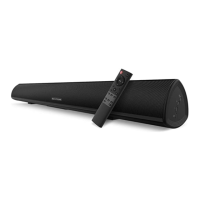
Bestisan S8520 - User Manual

Default Icon
10 pages
Print Icon
To Next Page IconTo Next Page
Loading...
Please read all instructions before use for the best performance
of this product. Save these instructions for future reference.
Best Artisan & Better Than Most
(S6520 / S8520 / S9920)
Quick Start
Question and Answer IconNeed help?

Do you have a question about the Bestisan S8520 and is the answer not in the manual?

Summary

BESTISAN Sound Bar Box Contents

BESTISAN Sound Bar Device Overview

LED Indicators and Button Guide

Explains the function of LED status lights and physical buttons on the soundbar.

Sound Bar Side Panel Controls

Details the buttons and functions located on the right side of the soundbar.

Remote Control Operation

Comprehensive guide to all buttons and their functions on the remote control.

BESTISAN Sound Bar Connectivity Options

Sound Bar Connection Diagram

Visual diagram illustrating all available input and output connection ports.

Connecting Sound Bar to TV

Step-by-step instructions for connecting the soundbar to a television via RCA or Optical.

TV Audio Settings for PCM

Guide for setting the TV's audio output to PCM for optimal soundbar compatibility.

Bluetooth Device Pairing

Instructions for wirelessly connecting Bluetooth devices like phones or tablets.

BESTISAN Sound Bar Installation & Troubleshooting

Wall Mounting Guide

Instructions for securely mounting the soundbar onto a wall.

Sound Bar Troubleshooting Tips

Solutions for common issues including audio problems, remote control, buzzing, and Bluetooth errors.

FCC Compliance Statement

Bestisan S8520 Specifications

General IconGeneral
BrandBestisan
ModelS8520
CategorySpeakers
LanguageEnglish

Related product manuals