IV.
Camera correction
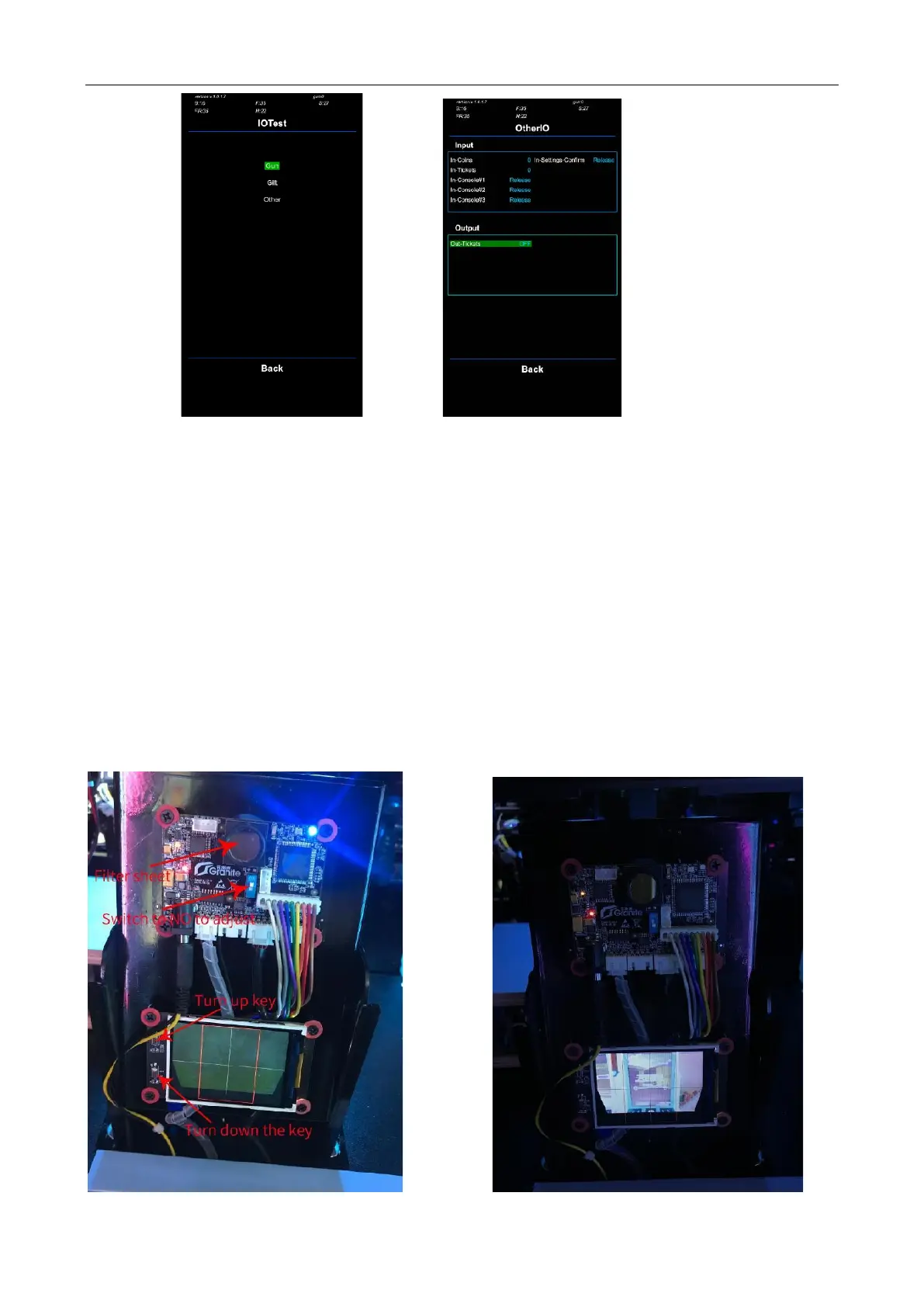
①Remove the tape and the filter sheet of the camera, then switch on the blue switch
②The whole monitor will be displayed on the small screen. If it is not clear, spin the
camera to left/right to adjust the definition(the monitor image must be cleared to see)
(like right picture )
③Press Turn Up/Down Key to adjust the monitor position. When the whole monitor
is inside the red frame (like right pic ), correct successfully.
④Install back the filter sheet and tape then switch to OFF



 To Next Page