EasyManua.ls Logo

Betson Quick Shot - Troubleshooting Common Errors; Monitor Display Issues; Power and Startup Failures; Control Board Power Problems

Default Icon
32 pages
Print Icon
To Previous Page IconTo Previous Page
Loading...
32
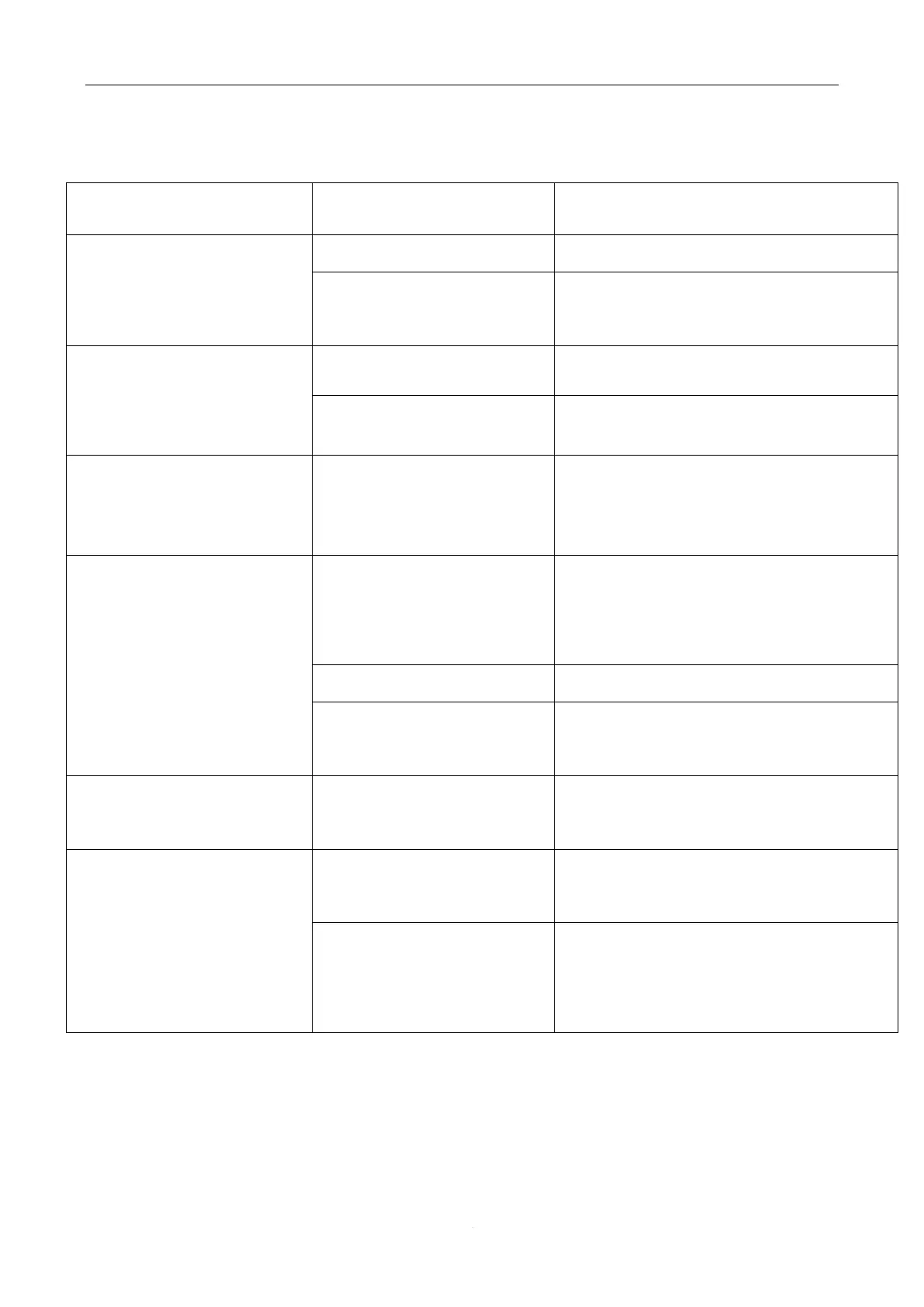
. Troubleshooting
Error
Reason
Solution
No Image on Monitor on
start up
No power to the scree
Connect or replace the power cable
The signal cable is not
connected or damaged
Connect or replace the signal cable
No power to game on
start up.
The fuse is burned
Replace the fuse
The power switch is off
Turn on the power switch
No power to the control
board
Check the power supply
output
Check the power supply output
Gun is not accurate. Or
Will not score after
calibration.
The position of the
camera is not correct
Adjust the switch above the camera to
“ON’ then adjust the display to the red
frame
The camera is broken
Replace the camera
The infrared gun is
broken
Replace the infrared
The correction is not
correct
Enter into the system setting to adjust
again
No vibration when
shooting
Check the air pressure
display is normal
Check if the air pressure is adjusted to
90
Check if the air pump is
working
Check if the power supply of the air
pump working (Discharge of water
from the air pump every 2 weeks)

Related product manuals