14
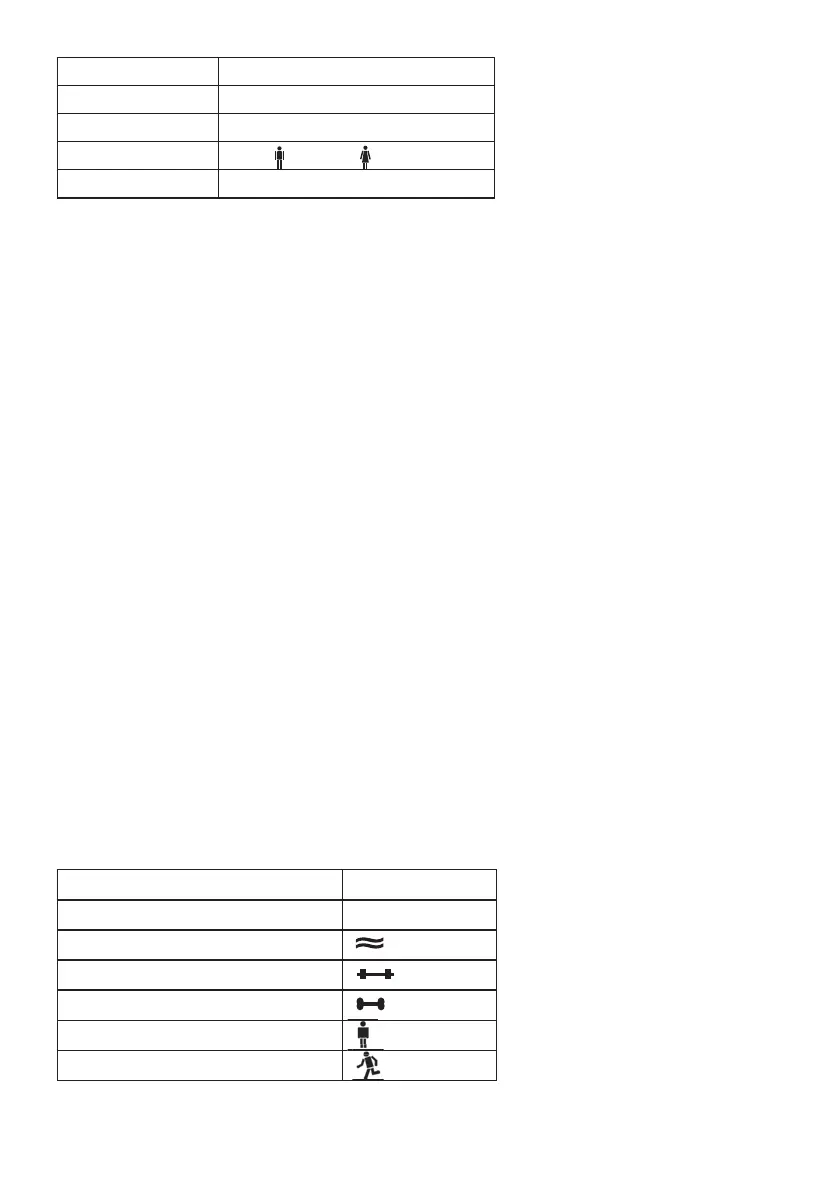
Memory position 1 to 10
Body size 100 to 220 cm (3‘-03“ to 7‘-03“)
Age 10 to100 years
Sex male ( ), female ( )
Degree of activity 1 to 5
You can enter the relevant settings with short or long pressure on the up button
▲ or down but-
ton
▼$POGJSNUIFTFUUJOHTJOFBDIDBTFCZQSFTTJOHi4&5w
The values stored in this way are then shown again consecutively, after which the scale switches
off automatically.
%FHSFFPGBDUJWJUZ
Selection of the degree of activity must refer to the medium and long term.
– %FHSFFPGBDUJWJUZ No physical activity.
– %FHSFFPGBDUJWJUZ Low physical activity.
A small amount of light physical effort (e.g. short walks, light garden work, gymnastic exer-
cises).
– %FHSFFPGBDUJWJUZ Medium physical activity.
Physical effort for 30 minutes at least 2 to 4 times a week.
– %FHSFFPGBDUJWJUZ High physical activity.
Physical effort for 30 minutes at least 4 to 6 times a week.
– %FHSFFPGBDUJWJUZ7FSZIJHIQIZTJDBMBDUJWJUZ
Intensive physical effort, intensive training or hard physical work for at least one hour daily.
5.3 Taking measurements
After all parameters have been entered, you can now measure your weight, body fat and the
other data.
– Switch on the scale by briefly stepping on the platform.
– Select the memory position in which your personal parameters are stored by pressing the
i6TFSwCVUUPOTFWFSBMUJNFT5IFTFQBSBNFUFSTXJMMUIFOBQQFBSJOUVSOVOUJMUIFiwEJTQMBZ
appears.
– Step on the scale with bare feet and stand still on the electrodes.
Important: There may be no contact between feet, legs, calves and thighs. Otherwise the meas-
urement will not be performed correctly.
The following data are displayed:
Weight KG
Body fat percentage BF
Water percentage in %
Muscle percentage
Bone mass in kg
BMR (Basal Metabolic Rate)
AMR (Active Metabolic Rate)


 To Next Page