3
Uygulamayı başlatın ve talimatlara uyun. Uygulamada diyagnoz terazisini seçin.
Запустите приложение и следуйте указаниям. Выберите диагностические весы в приложении.
Włącz aplikację i postępuj zgodnie ze wskazówkami. Wybrać w aplikacji wagę diagnostyczną.
App openen en de aanwijzingen opvolgen. Selecteer de diagnoseweegschaal in de app.
Executar a aplicação e seguir as instruções. Selecione a balança de diagnóstico na app.
Εκκινήστε το App και ακολουθήστε τις οδηγίες. Επιλέξτε Διαγνωστική ζυγαριά στην εφαρμογή.
Start app‘en, og følg instruktionerne. Vælg diagnosevægten i appen.
Starta appen och följ anvisningarna. Välj diagnosvåg i appen.
Start appen og følg anvisningene. Velg diagnosevekt i appen.
Käynnistä sovellus ja noudata ohjeita. Valitse diagnoosivaaka sovelluksesta.
Spusťte aplikaci a postupujte podle příslušných pokynů. V aplikaci vyberte diagnostickou váhu.
Zaženite aplikacijo in upoštevajte navodila. V aplikaciji izberite diagnostično tehtnico.
Indítsa el az alkalmazást és kövesse az utasításokat. Válassza ki az alkalmazásban a diagnosztikai mérleget.
Iniţializaţi App şi urmaţi instrucţiunile. Selectați cântarul de diagnoză în aplicație.
1 2
quick start guide
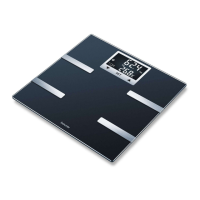
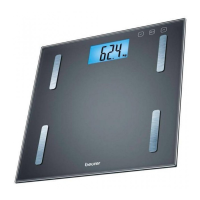
BF720
The Bluetooth
®
word mark and logos are registered trademarks owned by Bluetooth SIG, Inc. and any use of such
marks by Beurer GmbH is under license. Other trademarks and trade names are those of their respective owners.
Apple and the Apple logo are trademarks of Apple Inc., registered in the U.S. and other countries. App Store is a
service mark of Apple Inc., registered in the U.S. and other countries.
Google Play and the Google Play logo are trademarks of Google LLC.
Android is a trademark of Google LLC.
Beurer GmbH
Söflinger Straße 218
89077 Ulm, Germany
www.beurer.com
www.beurer-gesundheitsratgeber.com
www.beurer-healthguide.com
Liste der unterstützten Smartphones/Tablets
List of supported smartphones/tablets
i
Tartı, uygulama olmadan da kullanılabilir, bununla ilgili olarak ayrıntılı kılavuza başvurun.
Весы могут использоваться безприложения, см.подробную инструкцию.
Wagę można stosować również bez aplikacji; w tym celu patrz dokładna instrukcja.
De weegschaal kan ook zonder app worden gebruikt, zie de uitgebreide handleiding.
A balança também pode ser usada sem a aplicação, consulte as instruções mais detalhadas.
Η ζυγαριά μπορεί να χρησιμοποιηθεί και χωρίς την εφαρμογή, βλ. σχετικά τις λεπτομερείς οδηγίες.
Vægten kan også anvendes uden appen, se til dette formål den detaljerede vejledning.
Vågen kan användas även utan appen, se den tillhörande anvisningen.
Vekten kan også brukes uten app, se detaljerte instruksjoner.
Vaakaa voidaan käyttää myös ilman sovellusta. Katso tiedot oppaasta.
Váhu lze používat i bez aplikace, viz podrobný návod.
Tehtnico lahko uporabljate tudi brez aplikacije. glejte podrobna navodila.
A mérleg az alkalmazás nélkül is használható, lásd a részletes útmutatót.
Cântarul poate fi utilizat și fără aplicație; în acest sens, consultați instrucțiunile detaliate.
749.38_BF720_2021-03-08_02_QSG_BEU
TR
RU
PL
NL
PT
EL
DA
SE
NO
FI
CS
SL
HU
RO
Pilleri takın (3 x AAA, 1,5 V)
Установка батареек (3 шт. x тип AAA, 1,5 В)
Włóż baterie (3 x AAA, 1,5 V)
Batterijen plaatsen (3 x AAA, 1,5 V)
Colocar as pilhas (3 x tipo AAA, de 1,5 V)
Τοποθετήστε τις μπαταρίες (3 x AAA, 1,5 V)
Isætning af batterier (3 x AAA, 1,5 V)
Sätta i batterier (3 st. AAA, 1,5 V)
Sett inn batteriene (3 x AAA, 1.5 V)
Aseta paristot (3 x AAA, 1,5 V)
Vložte baterie (3x 1,5 V typu AAA)
Vstavite baterije (3 x AAA, 1,5 V)
Helyezze be az elemeket (3 x AAA, 1,5 V)
Introducerea bateriilor (3 x AAA, 1,5 V)
Apple App Store veya Google Play’den „beurer HealthManager Pro“ / „beurer HealthManager“ uygulamasını kurun
Установите приложение „beurer HealthManager Pro“ / „beurer HealthManager“
из Apple App Store или Google Play
Zainstalować aplikację „beurer HealthManager Pro“ / „beurer HealthManager“
ze sklepu Apple App Store lub Google Play
Download en installeer de „beurer HealthManager Pro“ / „beurer HealthManager“
vanuit de Apple App Store of de Google Play
Instale a app „beurer HealthManager Pro“ / „beurer HealthManager“ da Apple App Store ou da Google Play
Εγκαταστήστε το „beurer HealthManager Pro“ / „beurer HealthManager“
από το Apple App Store ή το Google Play
Installer „beurer HealthManager Pro“ / „beurer HealthManager“ fra Apple App Store eller Google Play
installera „beurer HealthManager Pro“ / „beurer HealthManager“ från Apple App Store eller Google Play
Installer „beurer HealthManager Pro“ / „beurer HealthManager“
fra Apple App Store eller Google Play
Iataa „beurer HealthManager Pro“ / „beurer HealthManager“ -sovellus Apple App Store tai Google Play
Instalujte aplikaci „beurer HealthManager Pro“ / „beurer HealthManager“ z Apple App Store nebo Google Play
Namestite aplikacijo «„beurer HealthManager Pro» / »beurer HealthManager« ,
ki jo lahko prenesete iz trgovine Apple App Store ali Google Play
Telepítse a „beurer HealthManager Pro“ / „beurer HealthManager“
alkalmazást az Apple App Store vagy a Google Play
Instalaţi „beurer HealthManager Pro“ / „beurer HealthManager“ din Apple App Store sau Google Play
TR
RU
PL
NL
PT
EL
DA
SE
NO
FI
CS
SL
HU
RO


 To Previous Page
 Loading...