19
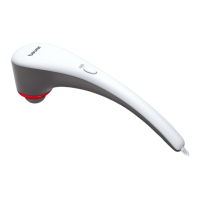
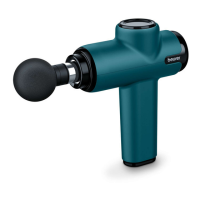
4. The LED for the relevant current battery charge level flashes during the charging process. As
soon as the Deep Tissue Massager is fully charged, all 3 LEDs will light up permanently. The
battery will last for approx. 5 hours of operation when fully charged. If, during operation, the
left LED of the battery charge level display 3 starts to flash, the device must be charged, as
otherwise it will automatically switch o.
5.2 Selecting/changing the attachment
Choose the suitable attachment before you begin massaging.
To change an attachment, proceed as follows:
1. Pull the existing attachment horizontally o the Deep Tissue Massager
B
.
2. Slide your desired attachment firmly into the Deep Tissue Massager until you feel it click se-
curely into place
C
.
5.3 Switching the device on/selecting the vibration level
Note
The Deep Tissue Massager comes with an automatic switch-o function. This means that the
Deep Tissue Massager automatically switches o after a period of use of 10 minutes.
1. Slide the ON/OFF switch
6
on the underside of the handle 4 to the “ON“ position. The LEDs
on the battery charge level display
3
will begin to light up.
2. Press the ON/OFF button
2
to switch the device on. The left LED of the intensity level dis-
play
1
starts to light up. The massage starts at intensity level 1.
3. To change between the fi ve intensity levels, briefl y press the ON/OFF button
2
:
Intensity level 1: approx. 1800 rpm/30 Hz
Intensity level 2: approx. 2100 rpm/35 Hz
Intensity level 3: approx. 2400 rpm/40 Hz
Intensity level 4: approx. 2700 rpm/45 Hz
Intensity level 5: approx. 3000 rpm/50 Hz
4. If you press the ON/OFF button
2
again on the fifth intensity level, the device will switch
o. The device is in standby operation. Slide the ON/OFF switch
6
on the underside of the
handle
4
to the “OFF“ position after application. The device is completely switched o.
Note: If the device stops during application, this may be a result of excessive exertion of pres-
sure. Therefore, ensure that you do not exert too much pressure while applying the device.
6. CLEANING AND MAINTENANCE
Cleaning
WARNING
•
Switch o the device each time before cleaning.
•
Do not clean the device in the dishwasher.
•
Only clean the device with a slightly dampened cloth and a non-abrasive detergent. For hygi-
enic cleaning, clean the attachments
7
/
8
/
9
/
10
with water and a non-abrasive cleaning
agent.
•
Clean the device only in the manner indicated. Under no circumstances must any liquid be
allowed to enter the device.
•
You can use the device and the attachments again when all components are completely dry.
•
If the device is not to be used for some time, store it and all parts in the original packaging
in a dry environment.


 To Next Page
 Loading...