11
Heat Function
Note that you can also use the heat function separately from
the TENS and EMS programs. To start, place the electrodes
as desired and then press the ON/OFF Button. Press the
Heat Button to access the heat settings. Press the ˄/˅
Buttons to set a treatment time and press ENTER to confirm.
Press the Heat Button again to select the low heat setting
and once more to select the high heat setting.
8. Program Overview
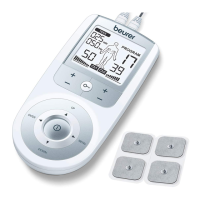
The digital EMS/TENS unit features 50 programs:
•
15 TENS programs
•
35 EMS programs
In all programs, you can set the impulse intensity of both
channels individually. You can also set various parameters in
TENS programs 13-15 and EMS programs 33-35 to adjust the
stimulation effect to the application area.
TENS Program Table
Progr.
no.
Area of application, indications Running
time
(min)
Possible
electrode
positions
1 Pain in upper limbs 1 30 12–17
2 Pain in upper limbs 2 30 12–17
3 Pain in lower limbs 30 23–27
4 Ankle pain 30 28
5 Shoulder pain 30 1–4
6 Back pain 30 4–11
7 Pain in back of thighs 30 23
8 Pain relief 1 30 1-17, 23-28
9 Pain relief 2 30 1-17, 23-28
10 Pain relief 3 30 1-17, 23-28
11 Pain relief 4 30 1-17, 23-28
12 Pain relief 5 30 1-17, 23-28
NOTES:
•
TENS programs 13–15 can be set individually (see the
"Customizable Programs" section)
•
See the "Electrode Positioning" section for correct electrode
placement


 To Next Page