28 Beurer GL40 mmol/L
6.2 Displaying average blood sugar levels
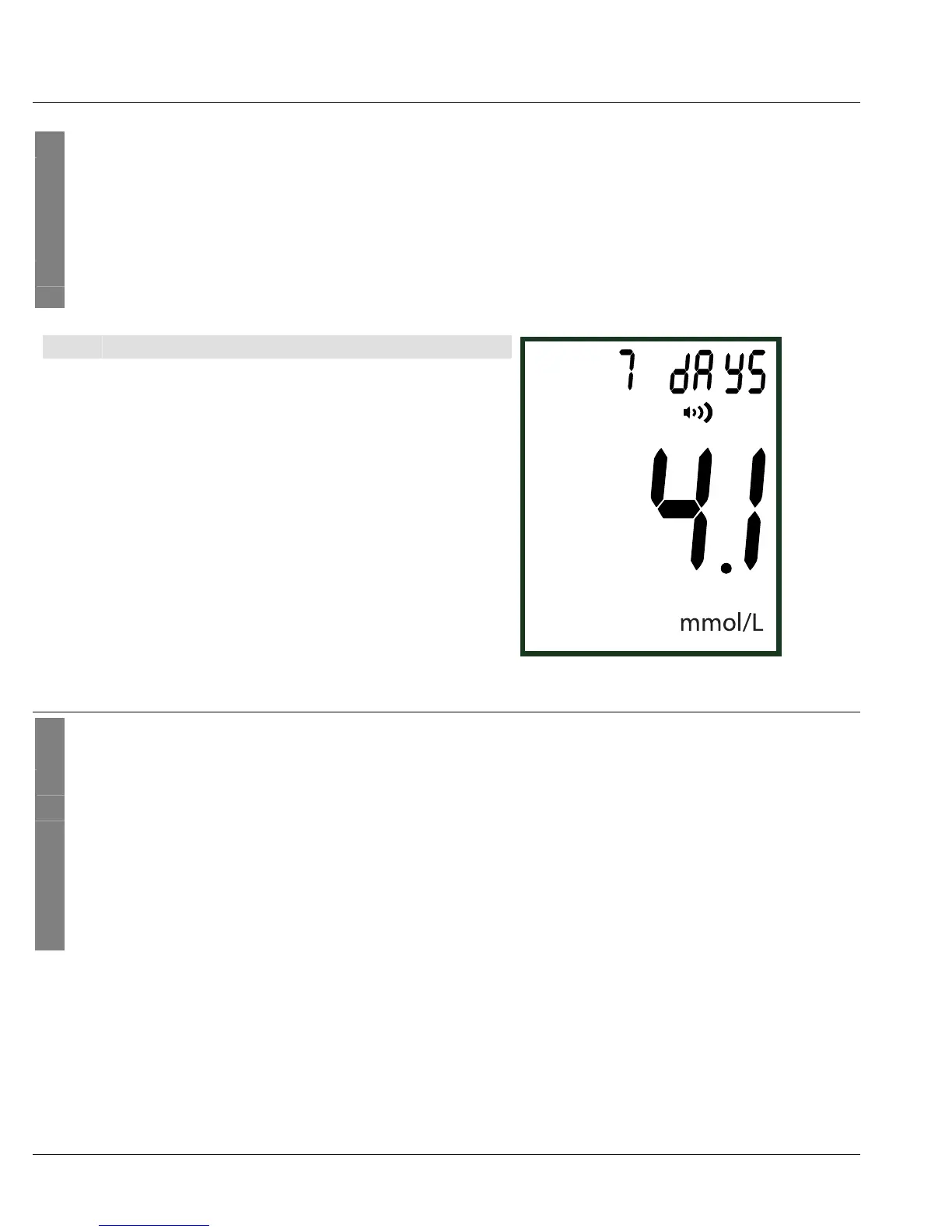
You can display the average blood sugar value from the last 7, 14, 30 and 90 days.
1 The measuring device must be switched off. Press the rocker button S [5].
The start display appears briefly.
Press the rocker button S [5] again.
The blood sugar level unit, "7 days" and the average value are displayed.
2 PressS [5] repeatedly to display the average value for 14, 30 and 90 days.
3
You can cancel the process at any time. To do so, press the ON/OFF button or wait
until the unit switches off automatically after 1 minute.
Item Meaning
1 Average value
2 Number of days, e.g. 7
6.3 Deleting the measured value memory
1 The measuring device must be switched off.
2 Remove the batteries from the battery compartment.
3 Simultaneously press the S button [5] and the ON/OFF button [3] and hold them
down.
4 Reinsert the batteries while holding down the buttons; pay attention to the correct po-
larity.
5 After inserting the batteries, continue holding down the S button and the on/off button
[3] for another five seconds. "dEL" is displayed and the measured values are deleted.
1
2



 To Next Page