18
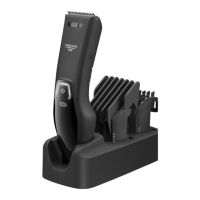
5. DEVICE DESCRIPTION
The associated drawings are shown on page 3.
1
Stainless steel blade
2
6 comb attachments (3–25 mm)
3
4-level precision adjustment:
0.6 / 1.2 / 1.8 / 2.4 mm
4
ON/OFF control
5
LED display with battery status in %,
charge indicator and travel lock
indicator
6
Connection socket
7
Storage bag
8
USB charging cable
9
Cutting oil
10
Cleaning brush
6. INITIAL USE
You can operate the device with
the battery as well as a mains
adapter (not included in delivery).
To charge the device, only use
a mains adapter of protection
class 2 (
) which is approved
for use with household appliances
and with an output corresponding
to the safety extra-low voltages of
5V and max. 1 A.
6.1 Battery mode/charging the
battery
You must fully charge the battery for 3 hours
before the first use. The device will run for
approx. 4.5 hours when fully charged. If the
battery charge level is less than 20%, the LED
display
5
will show “Lo” for “Low” and flash.
1.
Connect the USB charging cable
8
to the
connection socket
6
and a mains adapter
(not included in delivery).
2.
Insert the mains adapter into a suitable
socket. The LED display
5
shows the
current battery status in % and the charge
indicator flashes.
3.
As soon as the LED display
5
shows
“100%” and the charging symbol is per-
manently illuminated, the battery is fully
charged. The device is now ready for use.
6.2 Mains operation
DANGER
Risk of electric shock! Never use the device in
the shower or in a damp environment when it
is in mains operation mode!
1.
Connect the USB charging cable
8
to the
connection socket
6
and a mains adapter
(not included in delivery).
2.
Insert the mains adapter into a suitable
socket. The device is now ready for use
and the battery is charging.
6.3 Travel lock
The travel lock prevents the device from being
switched on by accident (e.g. when being car
-
ried in a suitcase).
1.
To activate the travel lock, press and hold
the ON/OFF control
4
for 3 seconds. The
travel lock symbol lights up. The travel lock
symbol flashes during activation. As soon
as the travel lock is activated, the travel
lock symbol lights up continuously for a
short time.
2.
If the ON/OFF control
4
is briefly pressed
when locked, the travel lock symbol will
also light up.
3.
To deactivate the travel lock, press and
hold the ON/OFF control
4
for 3 seconds.
The travel lock symbol flashes during de-
activation. As soon as the travel lock is de-
activated, the travel lock symbol goes out.



 To Next Page
 Loading...