19
5.
To switch o the device after use, slide
the ON/OFF controller
9
down. The LED
display
10
will go out.
7.2 Hair clipper
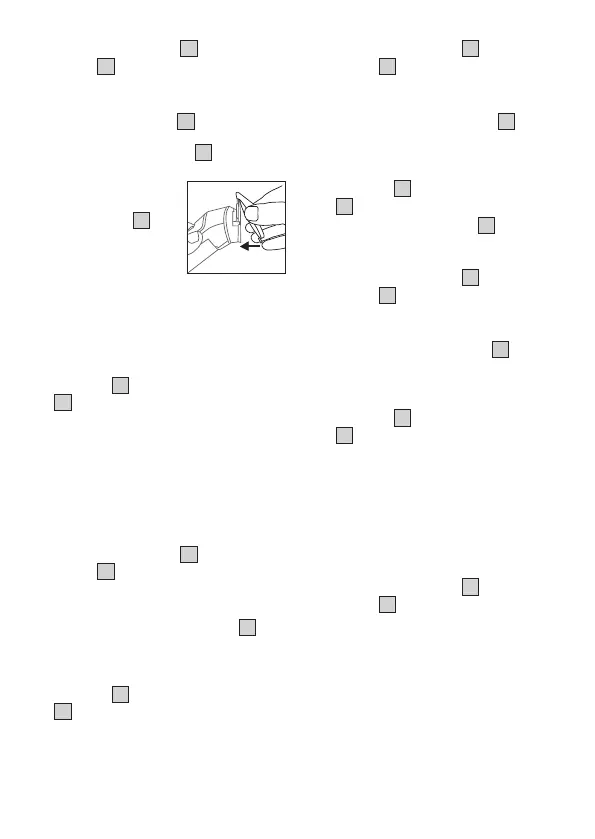
1. Place the hair clipper
3
onto the device
from above until they click into place. To
remove the hair clipper
3
, press them
upwards with your thumb.
2.
If necessary, select
one of the four comb
attachments
4
and
place it on the hair
clipper. Make sure
that you hear and feel
the comb attachment click into place. We
recommend that you start with the comb
attachment with the longest cutting length
initially so you can then slowly work your
way up to your desired length.
3.
To switch on the device, slide the ON/OFF
controller
9
upwards. The LED display
10
will start to light up.
4. Guide the device slowly through the hair.
Ensure that the comb attachment sits as
flat against the head as possible. Always
only trim small areas. Cut the hair against
the direction of growth. If the hair grows
in dierent directions, use the device in
multiple directions.
5.
To switch o the device after use, slide
the ON/OFF controller
9
down. The LED
display
10
will go out.
7.3 Nose/ear hair trimmer
1.
Place the nose/ear hair trimmer
5
onto
the device from above until you hear and
feel it click into place.
2.
To switch on the device, slide the ON/OFF
controller
9
upwards. The LED display
10
will start to light up.
3.
Slowly and carefully insert the tip into
the front part of the nose or ear. Remove
the nose or ear hair using small, circular
motions.
4.
To switch o the device after use, slide
the ON/OFF controller
9
down. The LED
display
10
will go out.
7.4 Precision trimmer
1.
Place the precision trimmer
6
onto the
device from above until you hear and feel
it click into place.
2.
To switch on the device, slide the ON/OFF
controller
9
upwards. The LED display
10
will start to light up.
3.
Use the precision trimmer
6
for small and
hard-to-reach places.
4.
To switch o the device after use, slide
the ON/OFF controller
9
down. The LED
display
10
will go out.
7.5 Body groomer
1.
Place the body groomer
7
onto the
device from above until you hear and feel
it click into place.
2.
To switch on the device, slide the ON/OFF
controller
9
upwards. The LED display
10
will start to light up.
3. Guide the device slowly through the body
hair. Ensure that the stainless steel razor
blade sits as flat against the body as
possible. Always only trim small areas. Cut
the hair against the direction of growth. If
the hair grows in dierent directions, use
the device in multiple directions.
4.
To switch o the device after use, slide
the ON/OFF controller
9
down. The LED
display
10
will go out.
100.57_MN9X_2023-06-23_01_put-on-hair-comb_BEU


 To Next Page
 Loading...