4
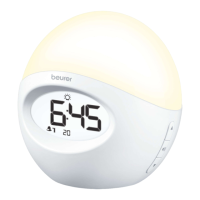
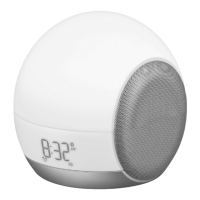
1 LCD Display 6 MODE/ENTER button
2 Lamp 7 ALARM button
3 Snooze function (device vibrates) 8 USB connection (charging only)
4 Speaker 9 AC Adapter Socket
5 SET buttons ▲ / ▼
10 +/- buttons
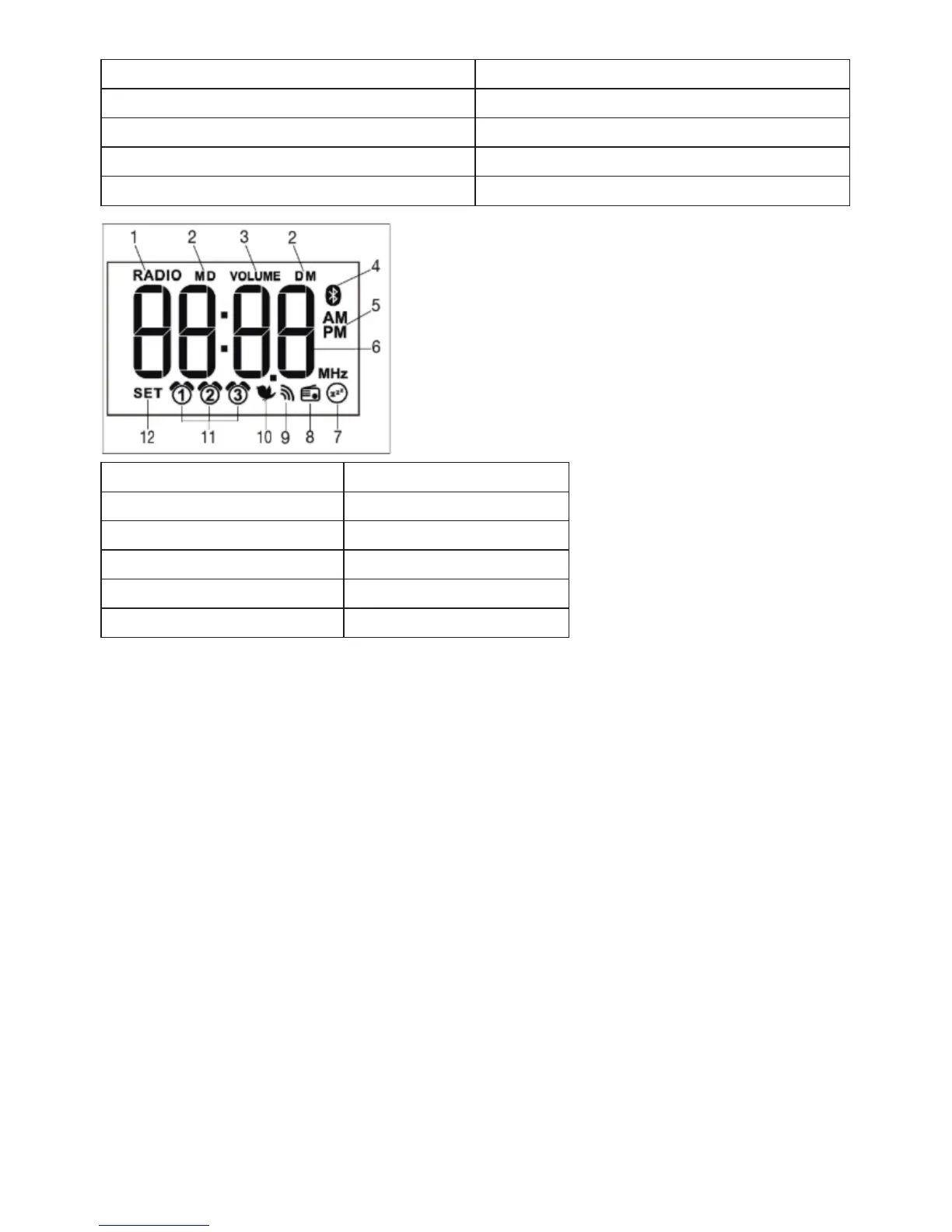
1 Radio mode 7 Sleep function
2 Month/Day 8 Radio Alarm
3 Volume 9 Beep
4 Bluetooth® 10 Wake-up melody
5 Clock mode 11 Alarm memory space 1-3
6 Time/Date/Radio frequency 12 Set mode indicator
5. To Set Up
1
. Place the unit on a flat, stable surface. Connect the AC Adapter plug to the socket on the rear of the unit
and to an electrical outlet.
2
. Unravel the antenna wire and extend it to its maximum length for best radio reception.
Using the Beurer LightUp app
To control many of the device’s functions, you must install the Beurer LightUp app on your smartphone or
tablet. To download and set up the app, proceed as follows:
1
. Ensure the unit is switched on.
2
. Download the Beurer LightUp app from the Apple App Store (iOS) or Google Play Store (Android) onto
your smartphone.
3
. Open the Beurer LightUp app.
4
. Activate Bluetooth® on your smartphone. In the Bluetooth menu on your smartphone, select WL90.
5
. In the first usage it can be necessary to select “WL90” in the Bluetooth setting on your smartphone oper-
ating system.
6
. Select the WL90 in the app settings. You can now control the device from the app; the Bluetooth icon on
the unit’s LCD Display will appear when it is paired.
T
he following functions can only be controlled from the app:
• B
luetooth speaker
• M
ood light
• D
aily alarm settings
• S
pecial alarm settings


 To Next Page