8 PD30EM & PD40EM Installation and User manual
ENG
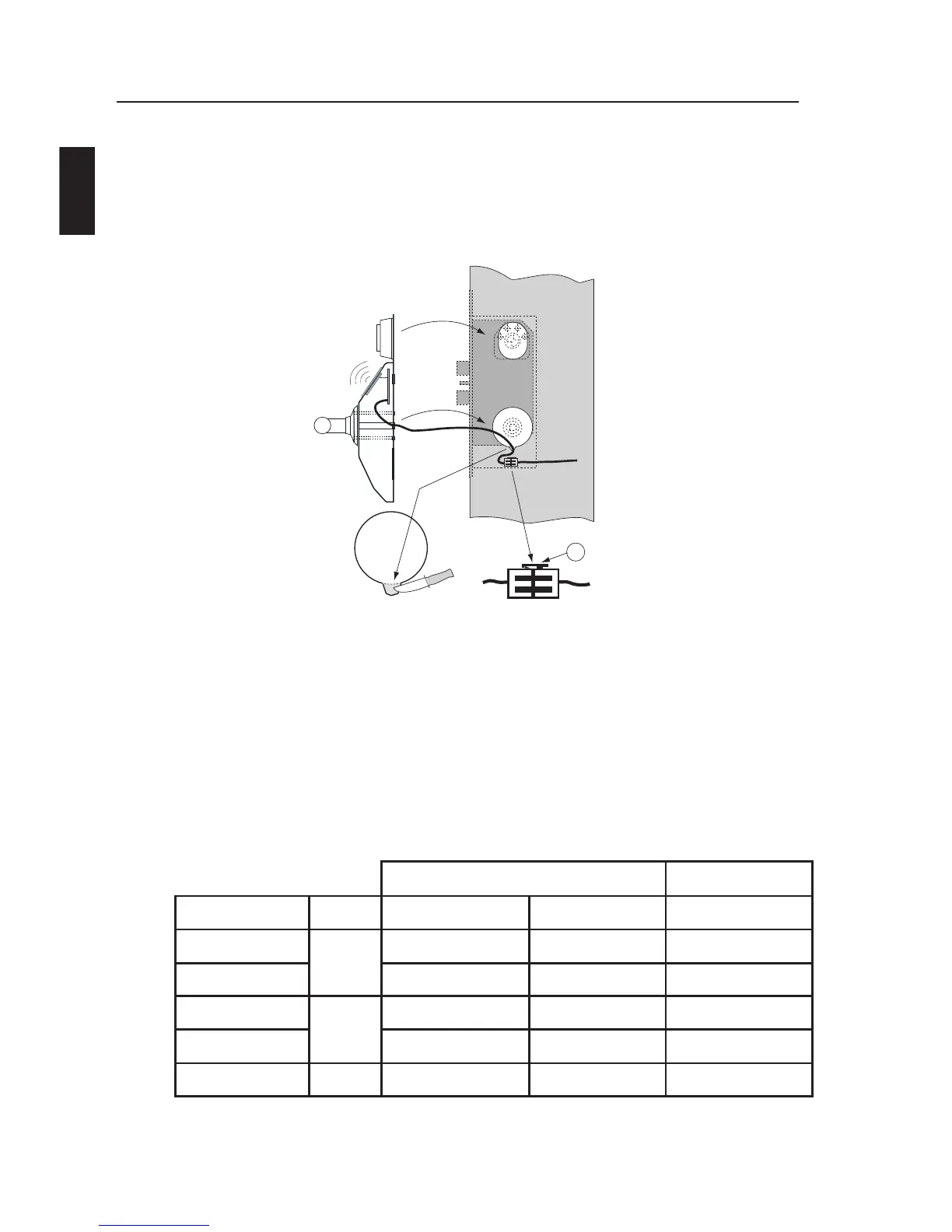
Disassemble the lockcase from the door and cutout enough space
for the cable entry at the bottom of the hole inside the handle. Also
be sure there is space to finally feed the cable connector (and some
remaining cable) beneath the lockcase. See figure .
Figure
Install the cable from the lockcase to the door loop and further to
the place for the dropbox. You may have to drill a hole through the
door between the lockcase and the door loop.
Mount the dropbox somewhere above the door, less than 5 metres
from the lockcase and connect the 4-wire cable according to the
following table.
Colour on cable Drop box (PL2)
Signal
Alt. 1
Alt. 2
*)
V+
Pair 1
Red
Green
1
0V Black
Black
2
Com B
Pair 2
White
White
3
Com A Green
Black
4
Screen
- -
5
*) May exist in older versions.
4.
5.
6.


 To Next Page