Amiron wireless – Headphones
12
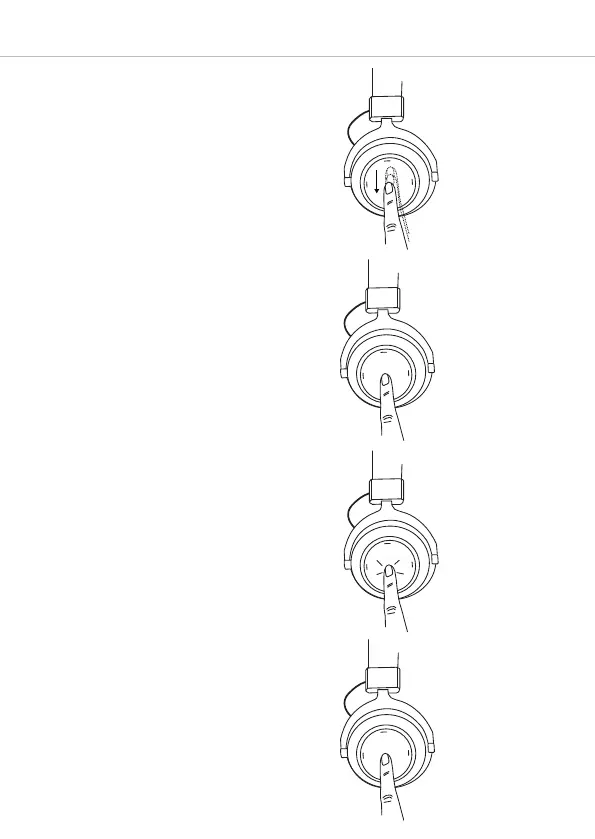
• Decrease volume:
Drag your finger downwards on the touch
pad 1. When you drag your finger
downwards and hold it, the volume is
gradually decreased until the minimum
is achieved. An acoustic signal indicates
the achieved minimum.
Call personal assistant
• To call the personal assistant on your
smartphone or tablet such as Siri,
Google Assistant etc.:
Press the centre of the touch pad 1 for
approx. two seconds.
Call control
The following functions are used to control
calls.
• Accept / end a call:
Briefly tap the touch pad 1 twice.
2 sec
2 x
• Reject a call:
Press the centre of the touch pad 1 for
approx. two seconds.
2 sec












 To Next Page